ADDING OR DELETING A TEST
There are three ways to alter a sequence: Insert Before, Insert After, and Delete.
Insert Before adds a new test to the sequence before the selected test. Insert
After adds a new test to the sequence after the selected test. Delete is used to
remove an existing test from a sequence.
ADDING A TEST
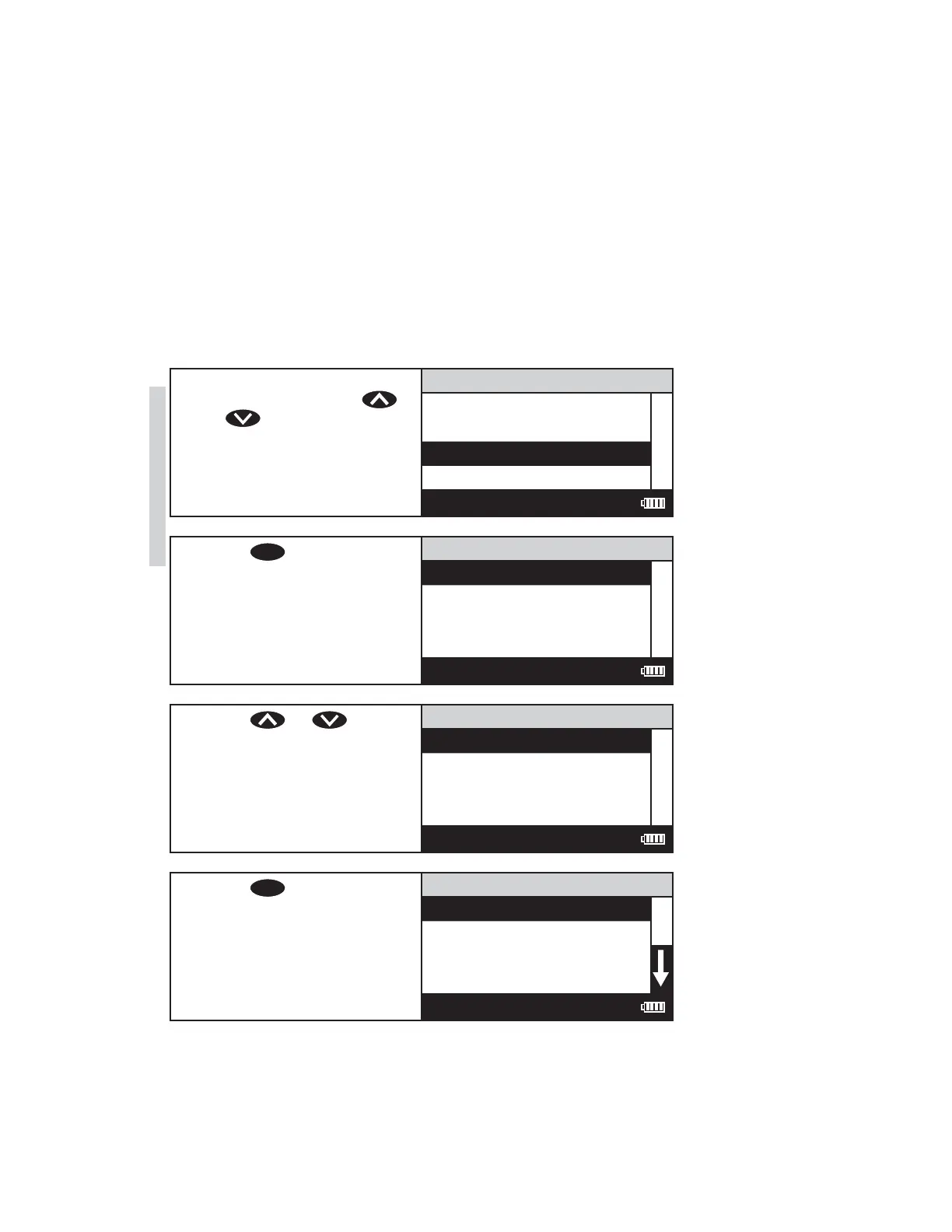
Below is a step-by-step example of how to add a test to SEQUENCE 2 starting
from the EDIT SEQUENCE 2 menu.
1. To add a test before or after
an existing test, press
or to scroll to the
existing test.
EDIT SEQUENCE 2
015 Chlorine F UDV
079 Phosphate HR
009 Benzotriazole
076 pH UDV
12:00:00 001/500
2. Press
ENTER
to select the
existing test.
Add or Delete
Insert Before
Insert After
Delete
12:00:00 001/500
3. Press or to scroll
to Insert Before or Insert
After.
Add or Delete
Insert Before
Insert After
Delete
12:00:00 001/500
4. Press
ENTER
to select the
option, Insert Before, in this
example. The All Test Menu
will appear.
All Tests
001 Alkalinity
002 Aluminum
003 Ammonia-N LRF
004 Ammonia-N LRS
12:00:00 001/500
38 SMART3 Colorimeter 11.10
Editing/Set Up
www.GlobalTestSupply.com
Find Quality Products Online at: sales@GlobalTestSupply.com















 To Next Page