EasyManua.ls Logo

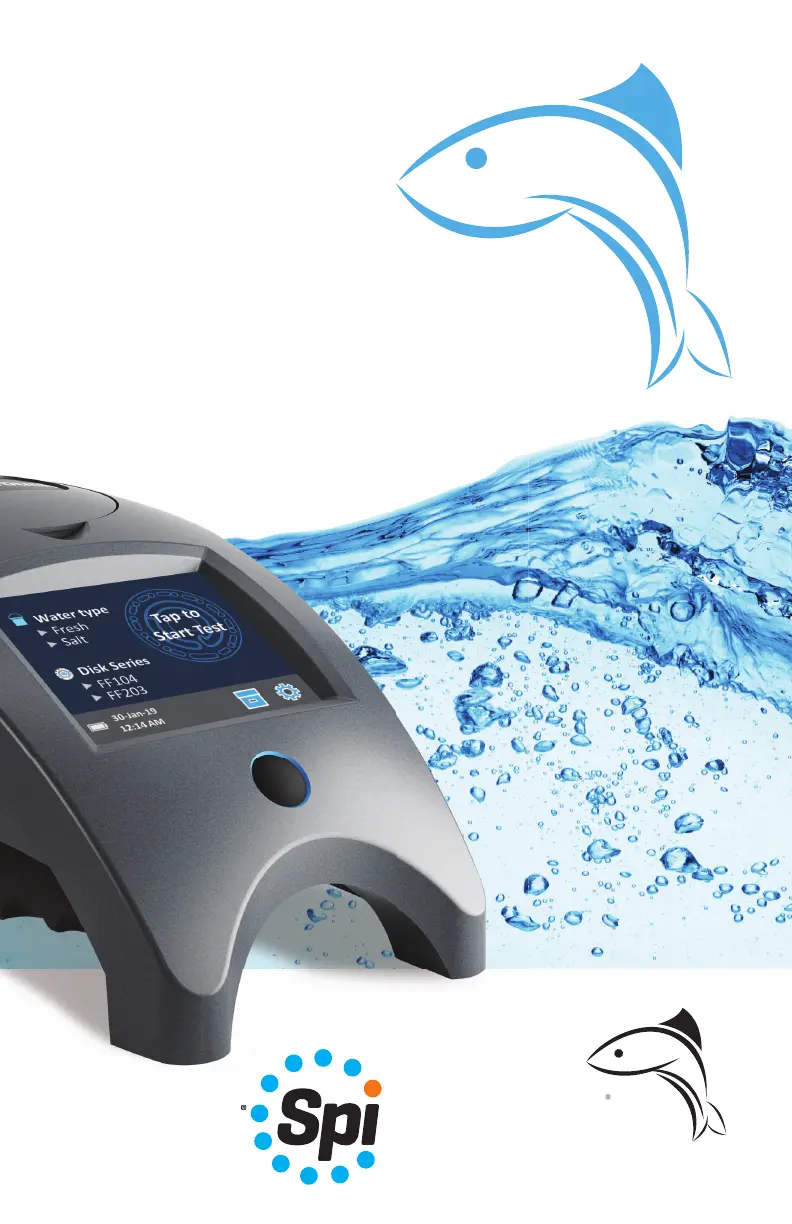
LaMotte WaterLink Spin Touch FF - User Manual

LaMotte WaterLink Spin Touch FF
20 pages
Print Icon
To Next Page IconTo Next Page
Loading...
W aterLink
n
F
Touch
F
Code 3587
Instruction
Manual

Questions and Answers

  • G
    Garrett GarciaSep 10, 2025
    What does Meter Check Disk mean on LaMotte Measuring Instruments?
    • L
      Laura SchmidtSep 12, 2025
      If the LaMotte Measuring Instruments displays “Meter Check Disk”, it means there is a Meter Check Disk in the chamber instead of a reagent disk. Select “Continue” to go to the Test Results screen, or select “Abort” to go to the Testing screen and run the test with a reagent disk.
  • H
    heidi76Aug 22, 2025
    Why I am having trouble connecting LaMotte Measuring Instruments to Bluetooth device?
    • M
      Monica ThomasAug 23, 2025
      If you're having trouble connecting to a Bluetooth device with your LaMotte Measuring Instruments, first ensure that Bluetooth is enabled. Make sure there aren't too many Bluetooth devices near the meter. If you're using a printer, turn the printer power OFF or turn Fast Printer Connection OFF.
  • A
    Amanda ThompsonAug 25, 2025
    What to do if LaMotte WaterLink Spin Touch FF shows “No Disk, Test Aborted”?
    • C
      Christopher MackAug 25, 2025
      If you see a “No Disk, Test Aborted” message on your LaMotte Measuring Instruments, it means there is no disk in the chamber. Place a filled disk in the chamber, cover it with the disk cover, select OK, and then start the test.
  • D
    daniel36Aug 26, 2025
    What to do if LaMotte WaterLink Spin Touch FF Measuring Instruments shows “No Disk Cover, Test Aborted”?
    • M
      Melissa KelleyAug 26, 2025
      If the LaMotte Measuring Instruments displays “No Disk Cover, Test Aborted”, it means the disk cover was not used. Make sure to use the disk cover, select OK, and then start the test.
  • D
    David WilsonAug 27, 2025
    What to do if LaMotte WaterLink Spin Touch FF shows “Lid Open, Test Aborted”?
    • J
      Jessica Long DDSAug 28, 2025
      If the LaMotte Measuring Instruments shows “Lid Open, Test Aborted”, it means the lid was opened. Close the lid, select OK, and then start the test.
  • D
    Dennis StevensonAug 29, 2025
    Why LaMotte WaterLink Spin Touch FF Measuring Instruments gives unexpected results?
    • M
      mcguirebarbaraAug 29, 2025
      If you are getting unexpected results from your LaMotte Measuring Instruments, the disk cover might be dirty. Gently clean the disk cover apertures with a pipe cleaner or lint-free cloth.
  • W
    williamschelseaSep 18, 2025
    Why disk type is not an option in Disk Series of LaMotte Measuring Instruments?
    • K
      Kayla DaySep 18, 2025
      If a disk type is not an option in the Disk Series of your LaMotte Measuring Instruments, the software or meter firmware is likely out of date. Update WaterLink Connect at softwarecenter.lamotte.com.
  • A
    Alisha LeeSep 12, 2025
    Why is the test result value on LaMotte WaterLink Spin Touch FF Measuring Instruments display red?
    • A
      Anna WeberSep 12, 2025
      If the test result value on the display of your LaMotte Measuring Instruments is red, it means the results are out of range of the reagent system. Dilute the sample and retest for the out-of-range test factor (all factors except pH).
  • Y
    ywhiteSep 8, 2025
    What does “Used Disk” mean on LaMotte WaterLink Spin Touch FF Measuring Instruments?
    • T
      Travis HernandezSep 8, 2025
      If the LaMotte Measuring Instruments displays “Used Disk”, it means there is a reacted disk in the chamber. Select “Continue” to go to the Test Results screen, or select “Abort” to go to the Testing screen and run the test with a new disk.
  • P
    pughandrewSep 5, 2025
    Why LaMotte WaterLink Spin Touch FF Measuring Instruments results are not printing?
    • S
      Steven GloverSep 5, 2025
      If the results are not printing from your LaMotte Measuring Instruments, ensure the printer is turned on and that you are connected to the Mobile Bluetooth Printer (Code 5-0066). The Spin Touch™ will only print to this specific printer.

Summary

SETUP AND INITIALIZATION

BEFORE FIRST USE

Initial setup steps including charging the battery and updating firmware.

METER POWER AND CHARGING

Details on powering the meter and charging its internal battery.

FIRMWARE AND PC CONNECTION

Steps for updating firmware and connecting the meter to a PC.

DEVICE CONNECTION METHODS

CONNECTING VIA USB

Connecting the meter to a Windows PC using the provided USB cable for data transfer.

CONNECTING VIA BLUETOOTH

Connecting the meter to mobile devices or printers via Bluetooth for data transfer.

BLUETOOTH LOW ENERGY USAGE

Details on how Bluetooth Low Energy facilitates automatic device connections.

METER OPERATION AND INTERFACE

TOUCHSCREEN DISPLAY OVERVIEW

Description of the meter's touch-activated display and its interactive elements.

TESTING PROCEDURE

RESULTS MANAGEMENT

TEST HISTORY SETTINGS

Configuring automatic or manual logging of test results for up to 250 samples.

TEST HISTORY VIEWING

Viewing and managing logged test results, including options to select and delete.

INSTRUMENT COMPONENTS AND HANDLING

SYRINGE AND REAGENT DISK

Description and usage of the syringe and details on the reagent disk system.

DISK HANDLING GUIDELINES

Proper handling procedures for reagent disks, emphasizing edge handling and cleanliness.

DISK STORAGE AND METER ACCESSORIES

DISK STORAGE AND COVER

Guidelines for storing disks and using the protective disk cover.

METER CHECK DISK AND CABLE

Information on the Meter Check Disk and the USB cable for PC connection.

BATTERY INFORMATION

Details on battery life, charging, and power management for the meter.

SETTINGS CONFIGURATION

DISPLAY AND LANGUAGE SETTINGS

Adjusting display brightness and selecting the meter's operating language.

DATE, TIME, AND CALIBRATION

Setting date/time formats and performing angle calibration for hub/disk alignment.

POWER AND BLUETOOTH OPTIONS

Configuring power saving features and managing Bluetooth connectivity.

SYSTEM AND RANGE SETTINGS

Accessing system information and enabling red display for out-of-range results.

TEST FACTOR RANGES

FRESH WATER RANGES

Normal operating ranges for key test factors in fresh water samples.

SALT WATER RANGES

Normal operating ranges for key test factors in salt water samples.

DISK DESCRIPTIONS

FF104 FRESH WATER DISK

Description of the FF104 disk, including its layout and tested parameters.

FF203 SALT WATER DISK

Description of the FF203 disk, including its layout and tested parameters.

ACCESSORIES AND REPLACEMENT PARTS

TECHNICAL SPECIFICATIONS

TROUBLESHOOTING COMMON ISSUES

TEST ABORTED ERRORS

Troubleshooting common test abortion errors like missing disk or cover.

DATA AND RANGE ISSUES

Resolving issues related to meter check disk use, test history, and out-of-range results.

RESULT ACCURACY AND SPECIFIC ISSUES

Addressing problems affecting test accuracy, including metals, pH, and disk type.

TROUBLESHOOTING SPECIFIC PROCEDURES

METER CHECK DISK TROUBLESHOOTING

Specific guidance for troubleshooting issues related to the Meter Check Disk.

RANGE CHECK PROCEDURE

Steps to perform a range check using the Meter Check Disk for verification.

ALIGNMENT PROCEDURE

MAINTENANCE AND DISPOSAL

CLEANING THE METER

Detailed instructions for cleaning the meter's optical system and touchscreen.

REPAIRS AND RETURNS

Process for returning the meter for repair or servicing, including authorization.

METER AND DISK DISPOSAL

Environmental guidelines for proper disposal and recycling of the meter and disks.

GENERAL INFORMATION AND SAFETY

PACKAGING, RETURNS, AND PRECAUTIONS

Information on shipping, returns, general precautions, and safety data sheets.

SAFETY AND COMPLIANCE

Safety precautions for reagents, equipment use, and regulatory compliance (CE, FCC).

LIMITS OF LIABILITY

LaMotte Company's disclaimer of liability concerning product use and misuse.

WARRANTY INFORMATION

LaMotte WaterLink Spin Touch FF Specifications

General IconGeneral
Measurement ParametersFree Chlorine, Total Chlorine, Bromine, Alkalinity, pH, Cyanuric Acid, Calcium Hardness, Iron, Copper, Phosphate, Biguanide
Measurement Range (Free Chlorine)0-15 ppm
Measurement Range (Total Chlorine)0-15 ppm
Measurement Range (Bromine)0-33 ppm
Measurement Range (pH)6.3-8.6
Measurement Range (Calcium Hardness)0-800 ppm
Accuracy (pH)±0.1
Resolution (Free Chlorine)0.01 ppm
Resolution (Total Chlorine)0.01 ppm
Resolution (Bromine)0.01 ppm
Resolution (Alkalinity)1 ppm
Resolution (pH)0.1
Resolution (Cyanuric Acid)1 ppm
Resolution (Calcium Hardness)1 ppm
Resolution (Iron)0.01 ppm
Resolution (Copper)0.01 ppm
Resolution (Biguanide)1 ppm
MethodColorimetric
DisplayTouchscreen LCD
Power SourceRechargeable Battery
Data LoggingYes
Battery Life100 tests per charge
Accuracy (Alkalinity)±10 ppm
Accuracy (Cyanuric Acid)±10 ppm
Accuracy (Calcium Hardness)±20 ppm
Accuracy (Iron)±0.1 ppm
Accuracy (Copper)±0.1 ppm
Accuracy (Biguanide)±5 ppm
ConnectivityUSB
Weight0.45 kg (1 lb)
DesignPortable
Accuracy (Free Chlorine)±0.03 ppm or ±5% of reading
Accuracy (Total Chlorine)±0.03 ppm or ±5% of reading

Related product manuals