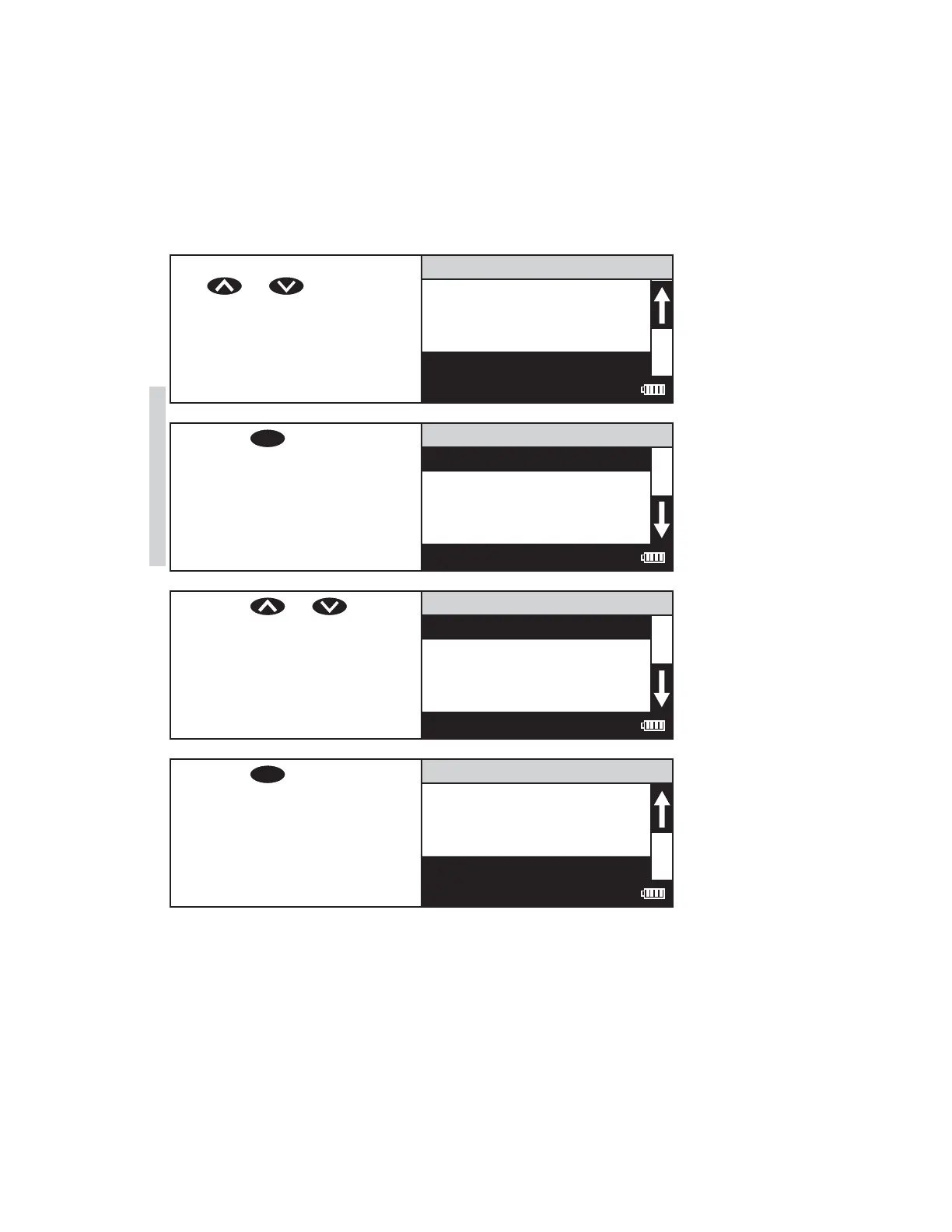
SELECTING A LANGUAGE
There are seven languages available in the SMART3: English, Spanish, French,
Portuguese, Italian, Chinese, and Japanese.
1. From the Editing Menu, press
or to scroll to
Select Language.
Editing Menu
Factory Setup
Set PWR Save
Set Backlight Time
Select Language
12:00:00 001/500
2. Press
ENTER
to select Select
Language.
Select Language
English
Spanish
F
rench
Portugese
12:00:00 001/500
3. Press or to scroll
to desired language.
Select Language
English
Spanish
F
rench
Portugese
12:00:00 001/500
4. Press
ENTER
. The screen will
display Storing... for about
1 second and the meter will
return to the Editing Menu.
Editing Menu
Factory Setup
Set PWR Save
Set Backlight Time
Select Language
12:00:00 001/500
62 SMART3 Colorimeter 11.10
Editing/Set Up
www.GlobalTestSupply.com
Find Quality Products Online at: sales@GlobalTestSupply.com















 To Next Page