13
Stand alone mode (colour sequences)
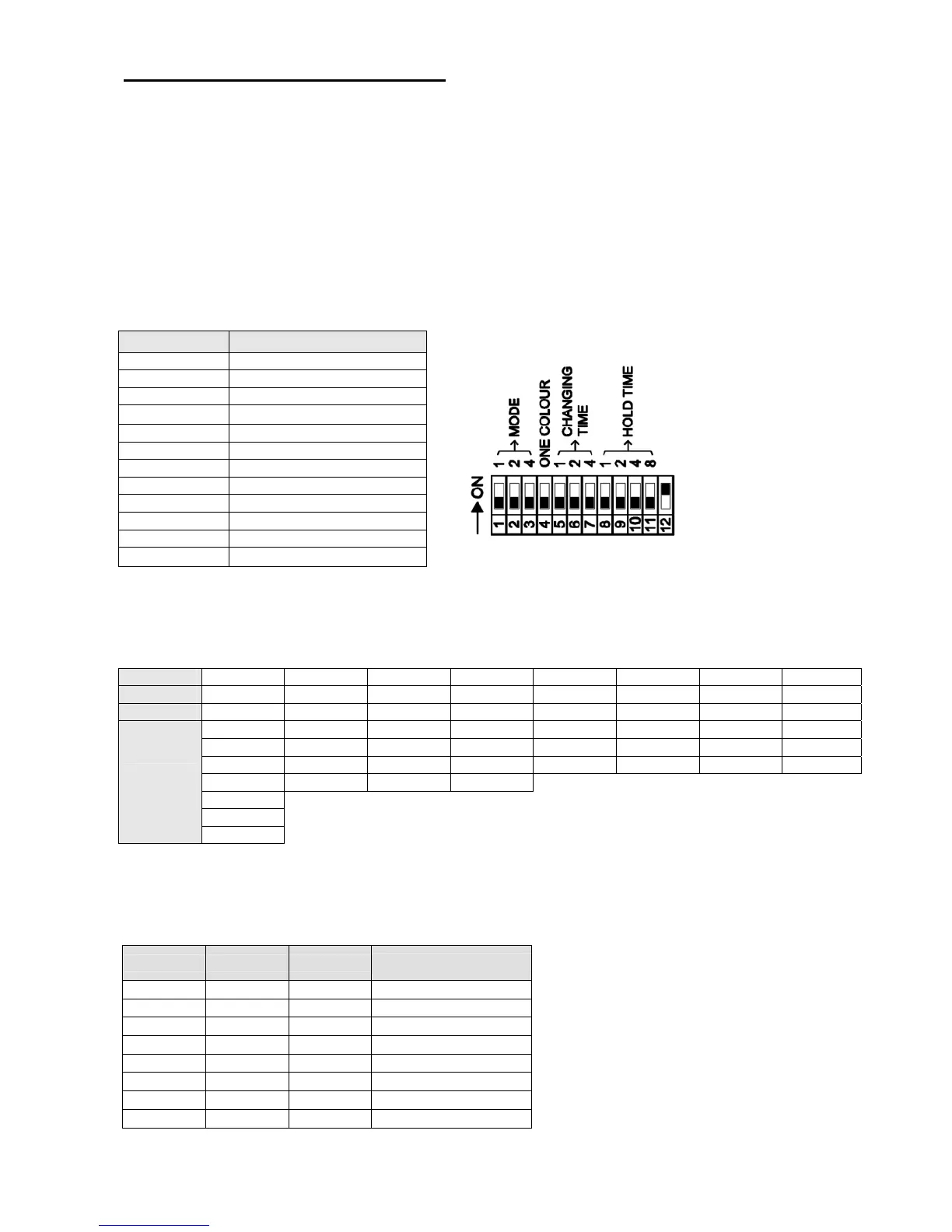
For the stand alone mode (STAND ALONE/MASTER), the dip-switch 12 has to be on the ON position. When the projector is
switched on, it will execute the functions set on the dip-switches.
If the projector has to execute colour sequences, the dip-switches 4 has to be on OFF position.
WARNING: The projector in stand alone mode becomes a DMX generator, it is necessary to disconnect that projector
by DMX controller or by the other projector MASTER because generates conflict in the signal.
Setting the dip-switches 1, 2, 3, it is possible to choose the colour sequence that the projector will execute.
Setting the dip-switches 5, 6, 7, it is possible to choose the colour changing time between two colours.
Setting the dip-switches 8, 9, 10, 11, it is possible to choose the colour holding time for each colour.
DIP-SWITCH FUNCTION
Dip 1 MODE 1
Dip 2 MODE 2
Dip 3 MODE 3
Dip 4
OFF
Dip 5 CHANGING TIME 1
Dip 6 CHANGING TIME 2
Dip 7 CHANGING TIME 3
Dip 8 HOLD TIME 1
Dip 9 HOLD TIME 2
Dip 10 HOLD TIME 3
Dip 11 HOLD TIME 4
Dip 12
ON
COLOUR SEQUENCE SETTING
As shown in the following table the projector will execute the colour from top to bottom and back.
Dip 1
off ON off ON off ON off ON
Dip 2
off off ON ON off off ON ON
Dip 3
off off off off ON ON ON ON
White Azure Azure Yellow Azure Magenta White White
Blue Blue Orange Orange Red Yellow Red Blue
Magenta Orange Light green Magenta Green Azure Green Red
Red Cyan Dark green Violet
Yellow
Green
Colour
sequence
Cyan
COLOUR CHANGING TIME SETTING
Setting the dip-switches 5, 6, 7, it is possible to choose the colour changing time between two colours.
Dip 5 Dip 6 Dip 7
Seconds
off off off
1
ON off off
5
off ON off
10
ON ON off
20
off off ON
40
ON off ON
60
off ON ON
120
ON ON ON
240


 To Next Page