23
5 Operating Control and Displays
5.4.8 Digital Outputs
Check digital outputs
1. Use the cursor keys to select the menu and press ENTER to confirm.
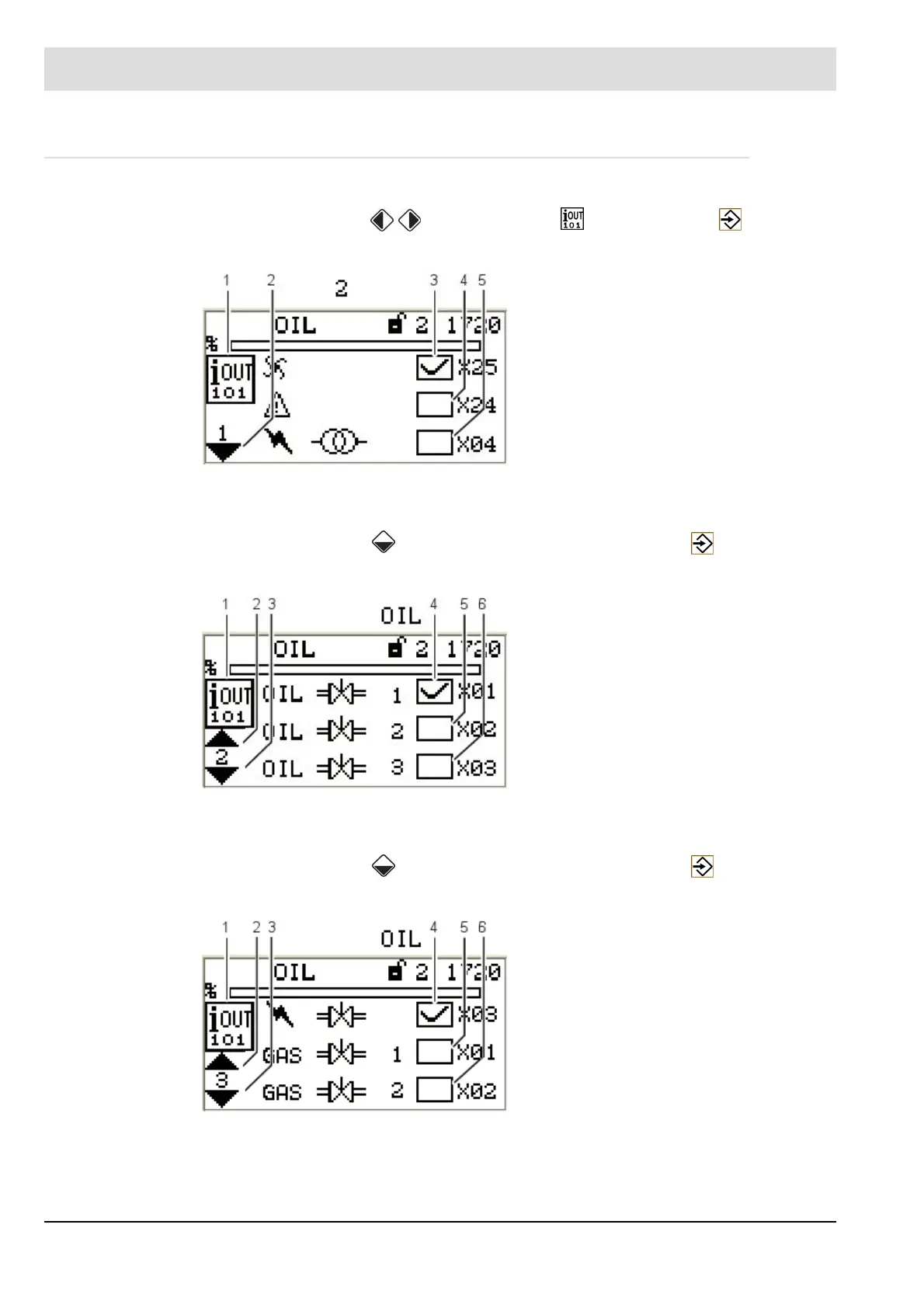
The display shows ’Page 1 digital outputs’ menu:
Call up 2
nd
page of outputs
1. Use the cursor keys to select the next page and press ENTER to confirm.
The display shows ’Page 2 digital outputs’ menu:
Call up 3
rd
page of outputs
1. Use the cursor keys to select the next page and press ENTER to confirm.
The display shows ’Page 3 digital outputs’ menu:
Fig. 5-3 Page 1 digital outputs menu
1 Digital outputs pictogram
2 Jump to next page
3 Fan [on] - terminal X25
4 Error [off] - terminal X24
(adjustable with P 809)
5 Ignition transformer [off] - terminal X04
Fig. 5-4 Page 2 digital outputs menu
1 Digital outputs pictogram
2 Jump to previous page
3 Jump to next page
4 Oil valve 1 [on] - terminal X01
5 Oil valve 2 [off] - terminal X02
6 Oil valve 3 [off] - terminal X03
Fig. 5-5 Page 3 digital outputs menu
1 Digital outputs pictogram
2 Jump to previous page
3 Jump to next page
4 Ignition valve [on] - terminal X03
5 Gas valve 1 [off] - terminal X01
6 Gas valve 2 [off] - terminal X02


 To Next Page