16
17
18
19
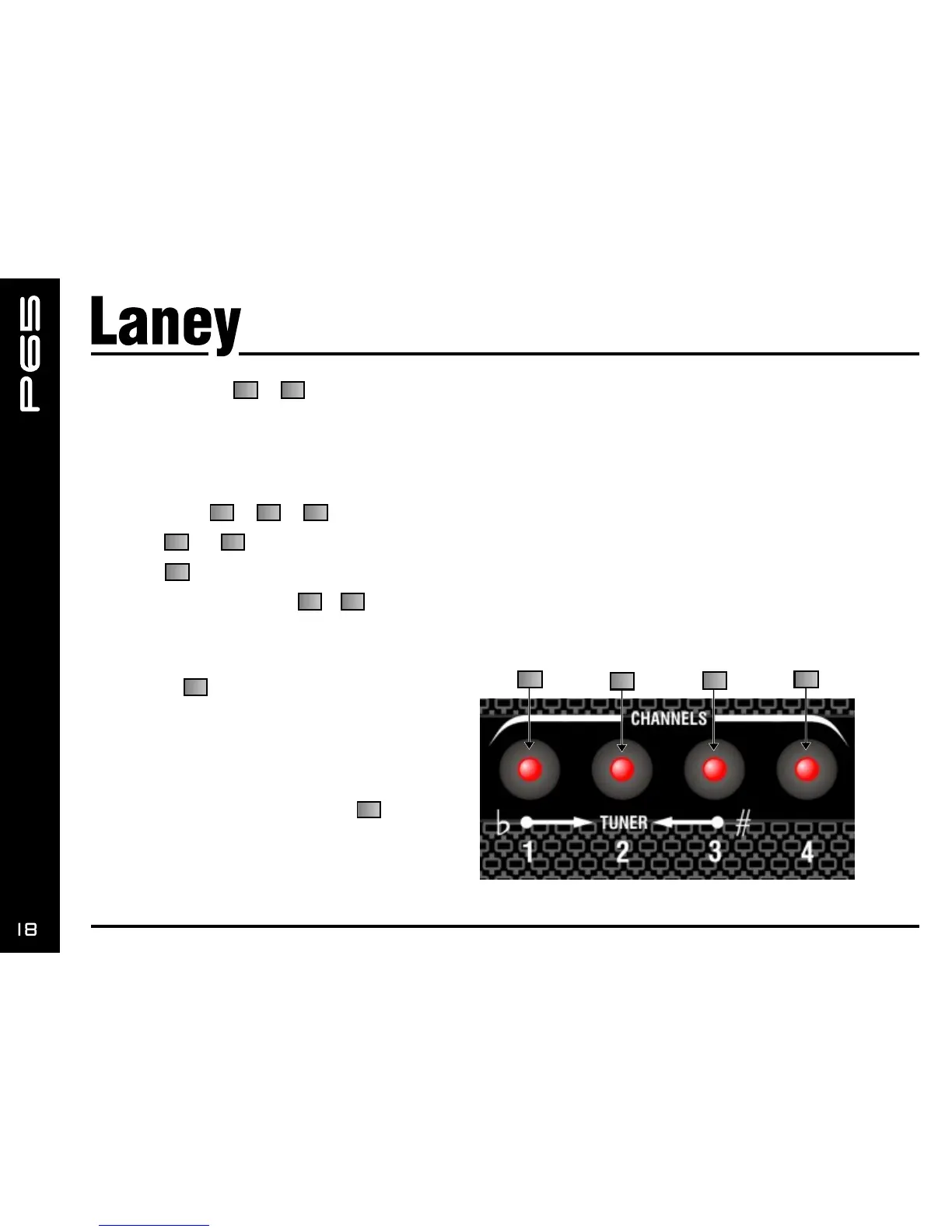
CHANNEL Button -
Selects the stored channel sounds
Press and hold to store a new sound from the panel.
Channels may also be selected via optional remote footswitch.
(See Channel Store operation. Page 20)
TUNER Button - -
By pressing and at the same time the amplifier will Mute and the tuner function will be activated.
The LED in will flash to indicate operation.
To exit the tuner function press & at the same time again. Alternatively remove the input jack and replace.
(See Tuner operation. Page 22)
TAP Button
This button is used to adjust the speed of the
modulation/delay type effects by tapping on the
switch.
(See Effects edit notes) The LED will flash at the
rate you set.
Press and hold for1second and then turn
EDIT, allow further effects parameter edits. (See
Effects edit notes)
16 19
16 17 18
16 18
17
16 18
20
22


 To Next Page