EasyManua.ls Logo

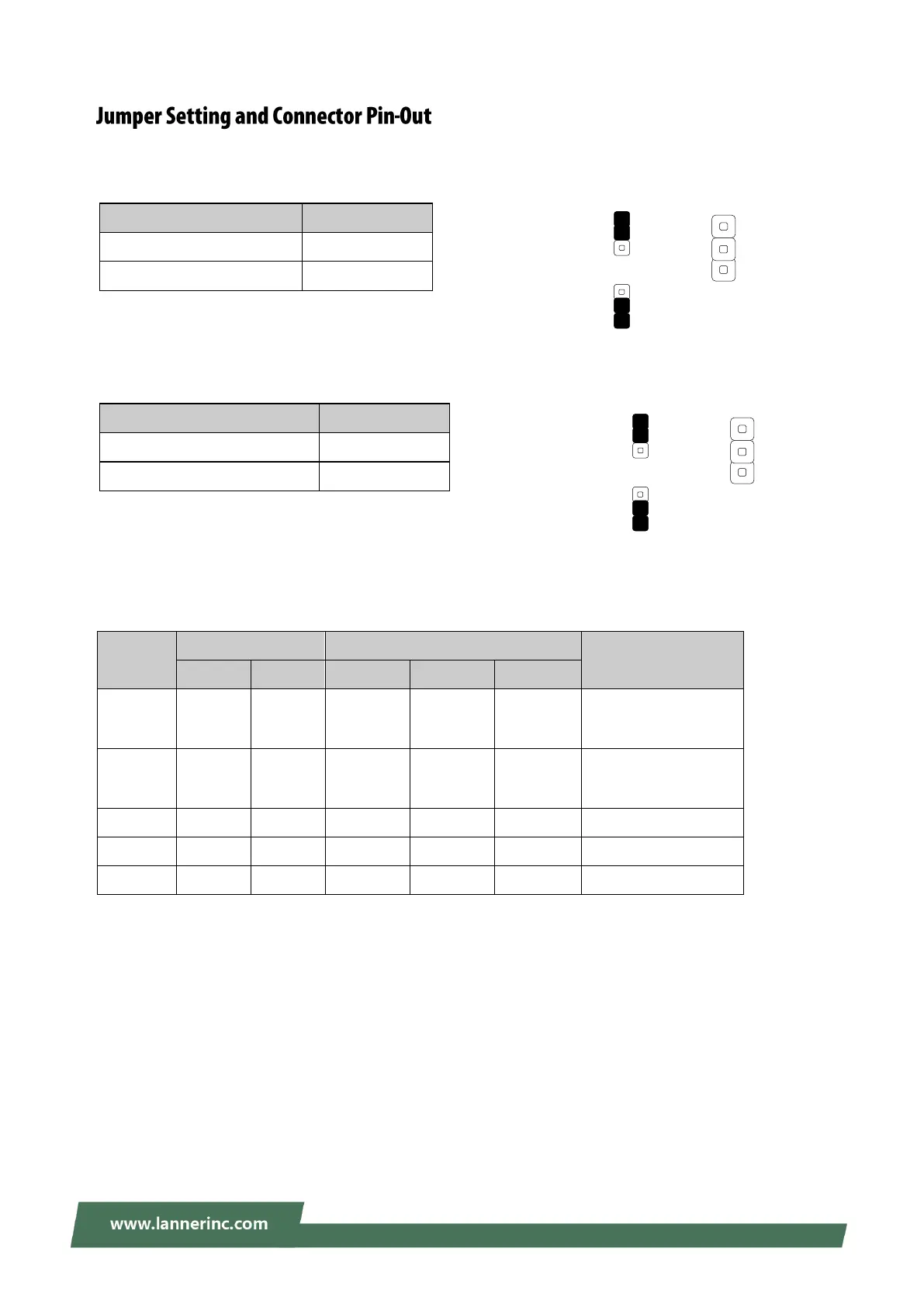
Lanner NCA-5210 - Jumper Setting and Connector Pin-Out; CMOS1: Clear CMOS setting; JSLRST1: Select RESET1 option; SSLOTA1, SSLOTA2: Determine whether to enable SLOT4 or SLOT5.

Lanner NCA-5210
95 pages
Print Icon
To Next Page IconTo Next Page
To Previous Page IconTo Previous Page
Loading...
20
CMOS1: Clear CMOS setting
Description
Short Pins
Normal (Default)
1-2
Clear CMOS
2-3
JSLRST1 : Select RESET1 option
Description
Short Pins
Hardware RESET
1-2
Software RESET (Default)
2-3
SSLOTA1, SSLOTA2: Determine whether to enable SLOT4 or SLOT5.
SPEG1: PCIe/PEG bus configuration
Scenario
Enabled Slots
Jumper Configuration
Remark
SLOT 4
SLOT 5
SSLOTA1
SSLOTA2
SPEG1
1
1 x8
[1]
(Auto
Switch)
N/A
2-3
2-3
1-2
Default
2
2 x4
[1]
(Auto
Switch)
N/A
2-3
2-3
1-2
Default
3
N/A
1 x8
[2]
1-2
1-2
1-2
With RC-52103A
4
N/A
2 x4
[2]
1-2
1-2
2-3
With RC-52103A
5
1 x4
1 x4
[3]
2-3
1-2
2-3
With RC-52104A
Note :
(1) With SSLOTA1 and SSLOTA2 both set to 2-3 by default, SLOT4 is originally enabled (with SLOT5 disabled).
(2) Install RC-52103A Riser Card on SLOT5 for using SLOT 5 only (with SLOT4 disabled).
(3) Install RC-52104A Riser Card on SLOT5 for the use of PCIe x4 in SLOT4 with PCIE x4 in SLOT5.
(4) Please use Lanner-manufactured I/O module for the auto configuraiton function that controls PCIe type
on SLOT4 and SLOT 5.
Clear CMOS
Normal (Default)
CMOS1
1
2
3
CMOS1
1
2
3
1
2
3
JSLRST1
JSLRST1
1
2
3
S/W RESET
(Default)
1
2
3
H/W RESET
1
2
3

Related product manuals