42
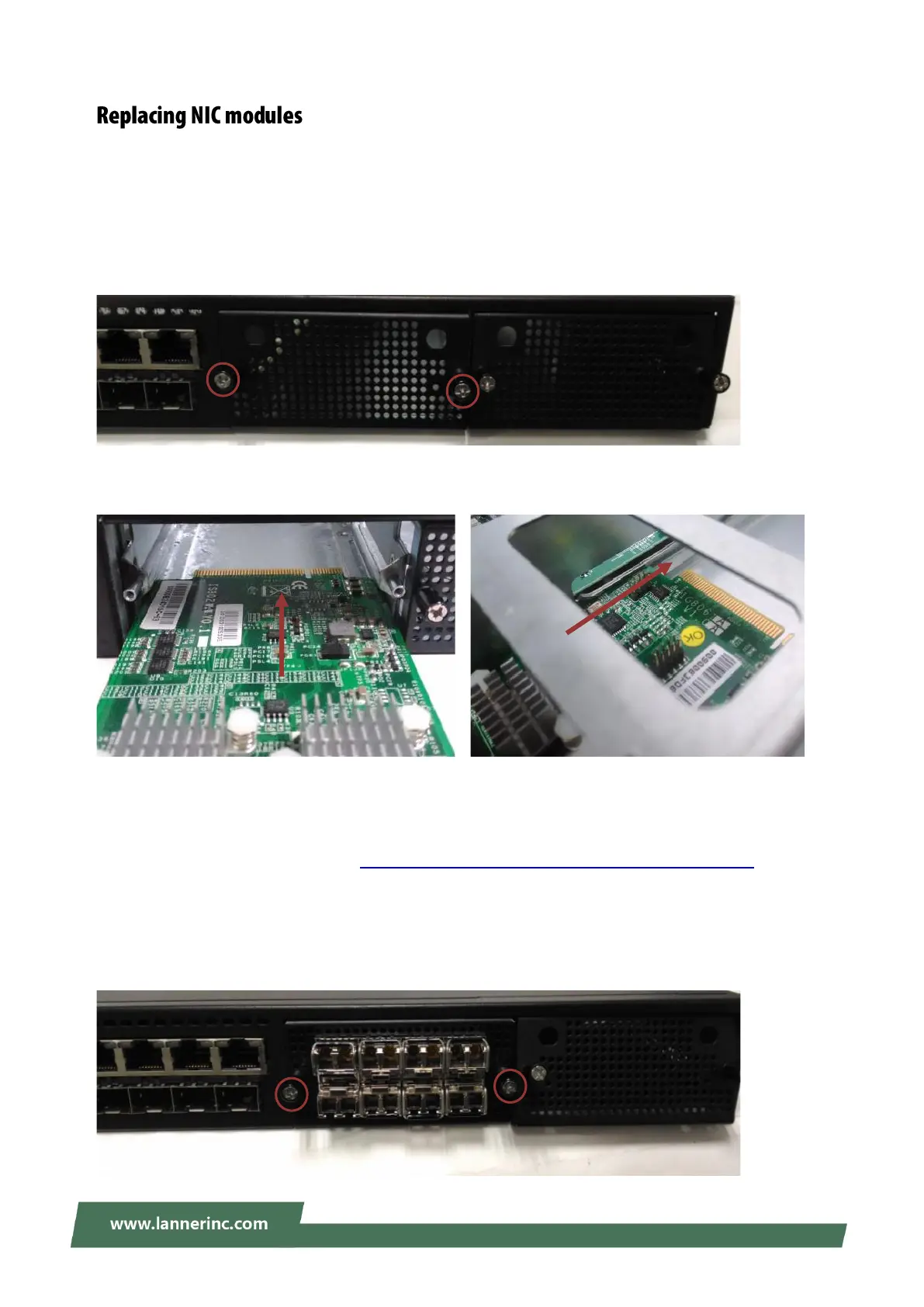
NCA-5210 supports one Ethernet NIC module space to expand its network throughput. Please follow the
instructions below. For information about compatible modules, please refer to the “Ordering Information”
and “Optional Accessories” sections, or contact Lanner for more details.
1. Remove the two lock-screws on the bezel of the module slot and open the bezel.
2. Position the gold finger of module as shown in the image below. When sliding the module into the slot,
make sure the module stays within the guides of the expansion slot.
Notes:
If, for experimental purposes, you would like to replace the provided CPU with a Kaby Lake processor
accompanied by the use of LAN module IQM201, please install this module on SLOT 3 and configure BIOS
settings following the instructions in Appendix E: PEG Port Configuration for Alternative CPU to ensure
proper functionality of this system.
3. Slide the NIC module into the space, until it is firmly attached.
4. Secure the module with two (2) lock-screws on the bezel.



 To Next Page