NCA-5710 User Manual
126
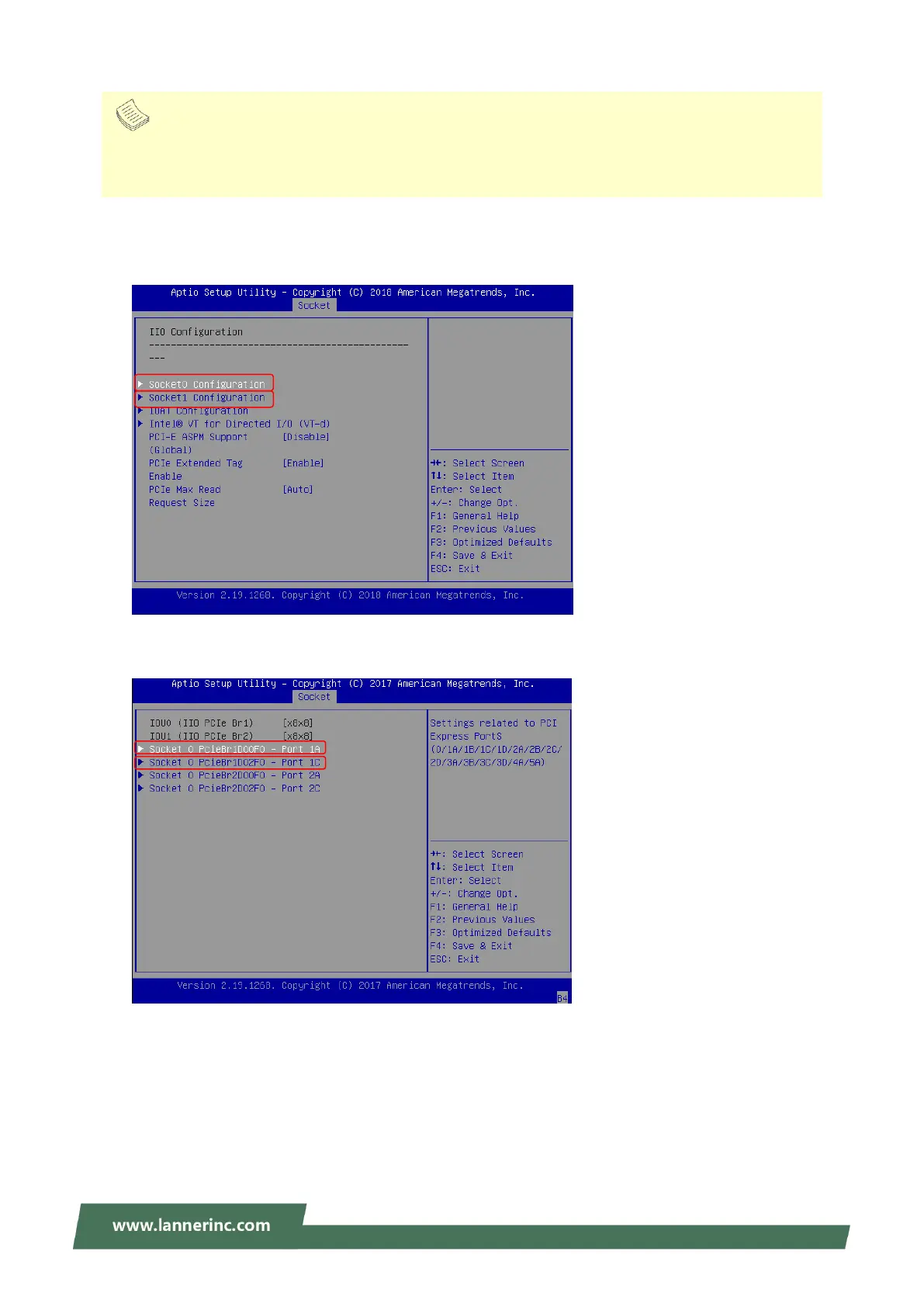
2. Turn on the computer and immediately press the <Delete> or <Tab> repeatedly until a BIOS
Setup screen opens. Access Socket pageIIO Configuration page and choose between “Socket0
Configuration” and “Socket1 Configuration”.
3. Select the port (PCIe slot) the Hot-plug function of which is to be enabled.
Note
It is suggested that the hot-plug capability of a PCIe port remain “Disabled” until you literally need to replace the
module in it. This serves the same purpose of disabling this function by factory default—to reserve CPU resources
to allocate for more critical tasks.



 To Next Page