Appendix C: PCIe Hot-Swap
127
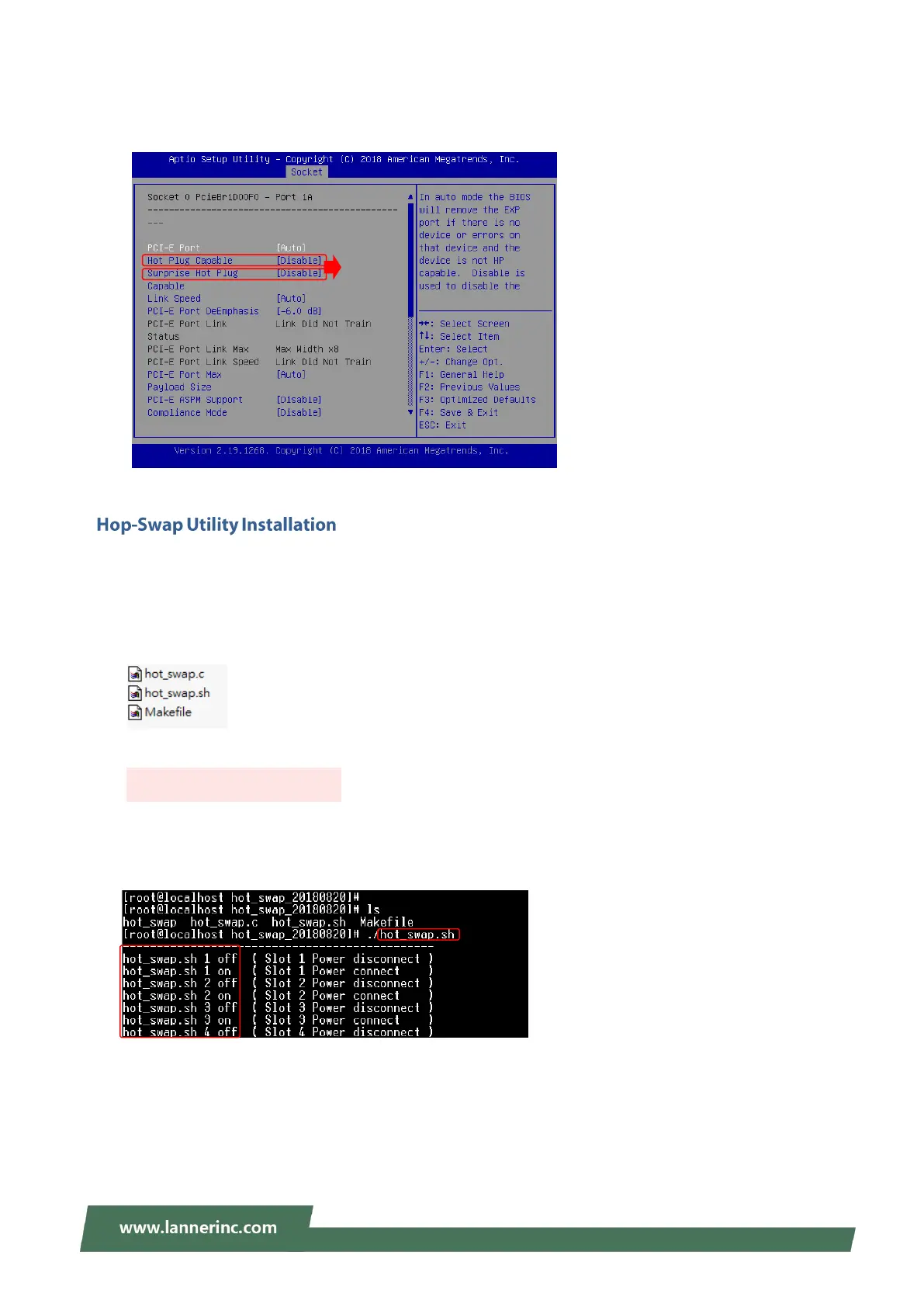
4. Enter the configuration page to enable these two capabilities: “Hot Plug Capable” and “Surprise Plug
Capable.”
The Hot-swap Utility is a Linux application, acting as a handy tool for User to place command to directly
“power-on” or “power-off “the PCIe slot.
1. On your system, download the compressed Hot-swap Utility installation package (zip file) from(?)
2. Unzip this package, which contains the following three files:
3. To execute this utility, type the following command in the command window:
After the utility is initialized, it will display the available commands you could use to manage the PCIe
slots:
to launch Hot-swap Utility



 To Next Page