NCA-5710 User Manual
128
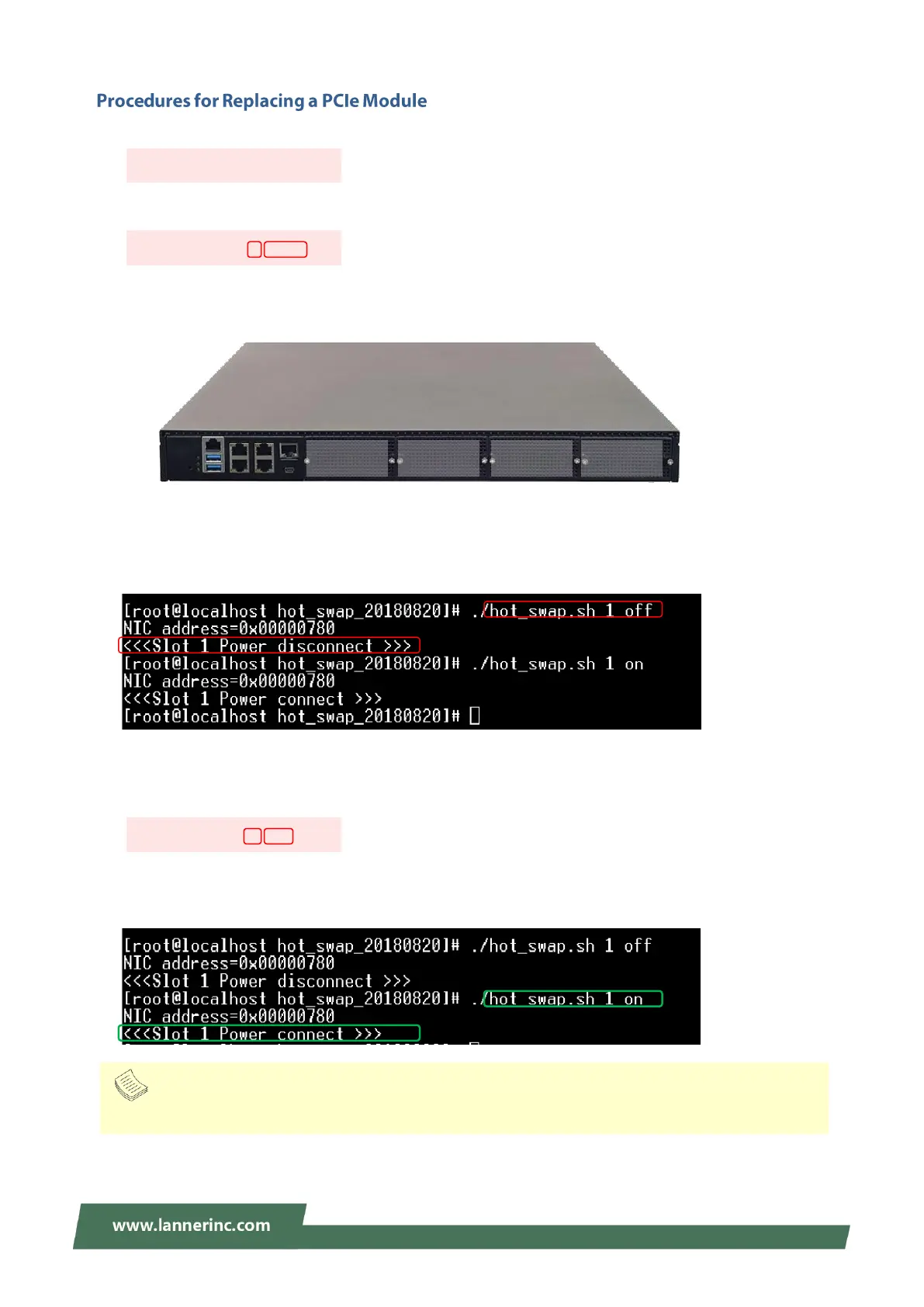
1. In the command window, execute this utility with the following command:
2. Input the power-off command to disconnect the power supply of the target PCIe slot.
The slot names map to the physical slots as shown below:
3. After the confirmation message of disconnection is returned, remove the target PCIe module from its
slot.
4. Insert the new PCIe module into the slot and secure the slot cover.
5. Input the power-on command to power-on f the target PCIe slot.
6. After the confirmation message of connection is returned, the physical link is established and the new
PCIe module should already be in service.
Note
Only one module can be removed at a time.



 To Next Page