NCA-5710 User Manual
25
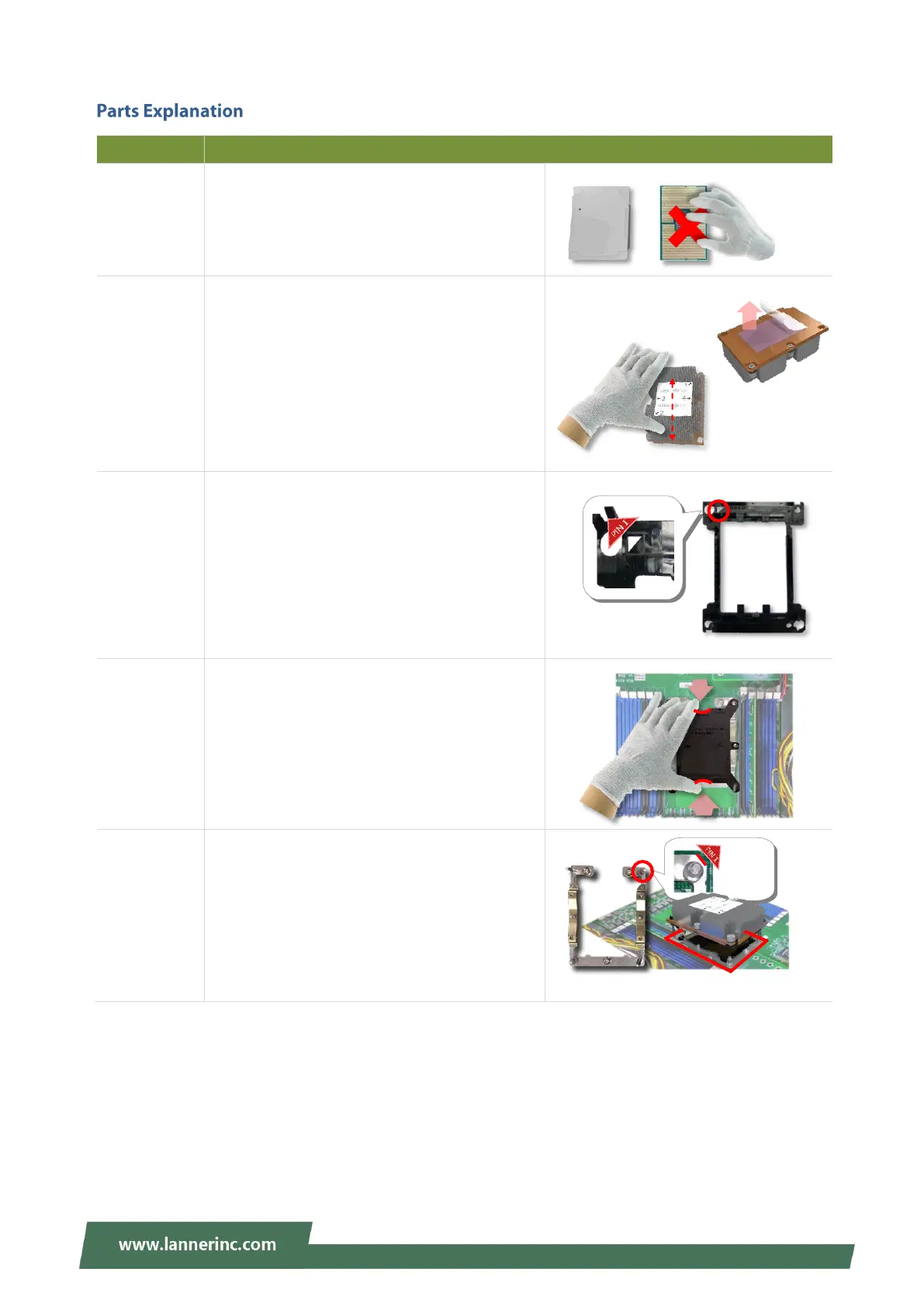
Please avoid touching the gold fingers or
package lands of the processor even if you are
wearing ESD gloves.
If a TIM (Thermal Interface Material) protective
film is already attached to the base of the heat
sink, remove it before you mount the processor
on it.
When holding it, please grip it along the axis of
its fins with your thumb and your index finger.
This is packed along with the processor. Before
performing any assembly involving this part,
please locate PIN1 on one of the corners, an
important indicator used to align this carrier
with the processor and the bolster plate
correctly.
This cover is used to protect the package land
surface of the processor from contamination.
To remove it from the processor, grasp the
holding features with your thumb and your
index finger while pulling the cover off
vertically.
A robust bolster plate is used to assist in PHM
alignment for installation, while effectively
helping eliminate PCB bowing during
compression. Please locate the Cutout on one
of the four corners before starting PHM
installation.
Align the
golden
fingers to
the PCIe
socket on
the
motherboa
rd carefully
while
inserting
this
Align the
golden
fingers to
the PCIe
socket on
the
motherbo
ard
carefully
while
inserting
this
module.



 To Next Page