Automatic Leveling
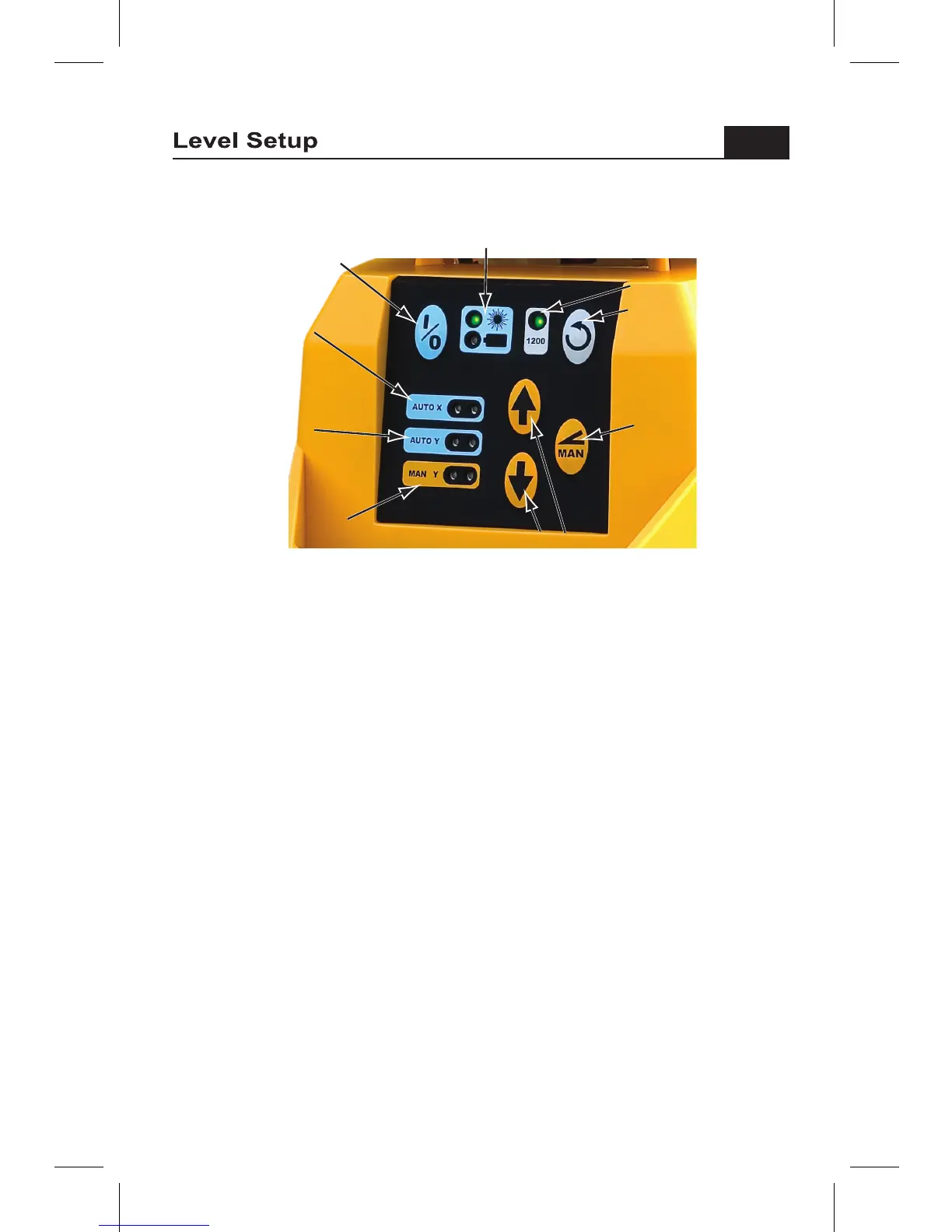
Press the power switch to turn the laser on. The green LEDs in the “AUTO X”
and “AUTO Y” axis windows come on solid or flash to indicate motor drive
signals while the laser is auto-leveling. When leveling is completed, height
alert will become active, signaled by the Laser Power LED flashing five times.
When level is reached in both axes, the laser beam and green power LED
will light, and the rotor will spin. The Height Alert is activated about 5 seconds
after the laser finishes leveling. Height alert flashes warning LEDs and turns
off the laser if the instrument is disturbed to the extent that accuracy could be
affected. If the Height Alert turns the laser off, power the laser down and turn
it on again, allow it to relevel, and reset your receiver against your bench-
marks. If a leveling limit is reached, (the leveling drive reaches the end of its
travel), the green LED for the affected axis turns off and the both red X & Y
limit LEDs flash. Adjust the laser so that it is within its leveling limit and
restart the laser.
Disabling Height Alert • Caution!
To disable the height alert, when turning the laser on, press and hold the
rotation speed button, press and release the power button, and then release
the rotation speed button. The height alert prevents the laser from re-
leveling at a different height of instrument. Disabling the alert could
compromise working accuracy.
Power


 To Next Page