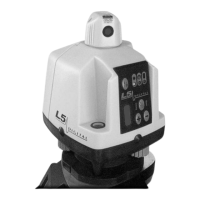
Slope Matching
Slope Matching Mode, Y axis manually adjusted, X axis auto
levels.
• Use the sights on top of the laser to align it with the slope direction axis.
• Press the power switch to turn the laser on.
• Press the “MAN” button for about 1/2 second. The “MAN Y” axis amber
LED flashes quickly, (indicating the Y axis is in manual mode). Both “AUTO
Y” LED’s become inactive while the “AUTO X” LED’s continue to operate in
automatic mode.
• Use the arrow up and down buttons to move the laser plane to the desired
slope in the Y axis. When facing the control panel, the Up button moves the
far plane down and the Down button moves the near plane down. The X axis
will continue to auto level.
• Note: Any press of the “MAN” or arrow buttons restarts the Height Alert.
• If a Y axis leveling limit is reached while manually setting slope, the red
LED in the “MAN Y” axis window and the X axis red limit LED will flash. The
laser must be turned off to return to automatic mode.
• The green power LED and the laser beam will turn on once the X axis
reaches level.
In this mode, the Y axis does not self level. The X axis continues to self level.
The user should set benchmarks and periodically check the laser set up to
ensure accurate work.
• To exit this mode, press the “MAN” button (a deliberate ~1/2 second
press). The laser will switch to full automatic leveling mode. If the laser is
powered down, when it is restarted, it will always start in full automatic
leveling mode.
High Speed Rotation
• In either leveling mode, the laser rotation speed can be increased from 600
to 1200 rpm. The increased speed allows more frequent update of informa-
tion at the laser receiver when using automatic machine control systems on
mobile construction equipment such as scrapers, dozers, or graders. With
hand held laser receivers, there is no need to use the faster rotation speed.
Increased rotation speed draws more power and battery life will be shorter,
so the faster setting should only be used when necessary.
• Press the rotation speed button to toggle back and forth between high and
low speeds. The laser will always power on in the 600 rpm mode. When the
high speed mode is entered, the green LED in the “1200” window will illumi-
nate.
7


 To Next Page