EasyManua.ls Logo

Laser Technology TruSpeed LTI 20/20 - Buttons on the Keypad

Laser Technology TruSpeed LTI 20/20
46 pages
Print Icon
To Next Page IconTo Next Page
To Previous Page IconTo Previous Page
Loading...
Laser
Technology,
Inc.
LTI
20/20
TruSpeed
Metric
User
’
s
Manual
Page
6
Buttons
on
the
Keypad
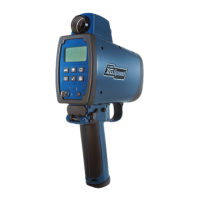
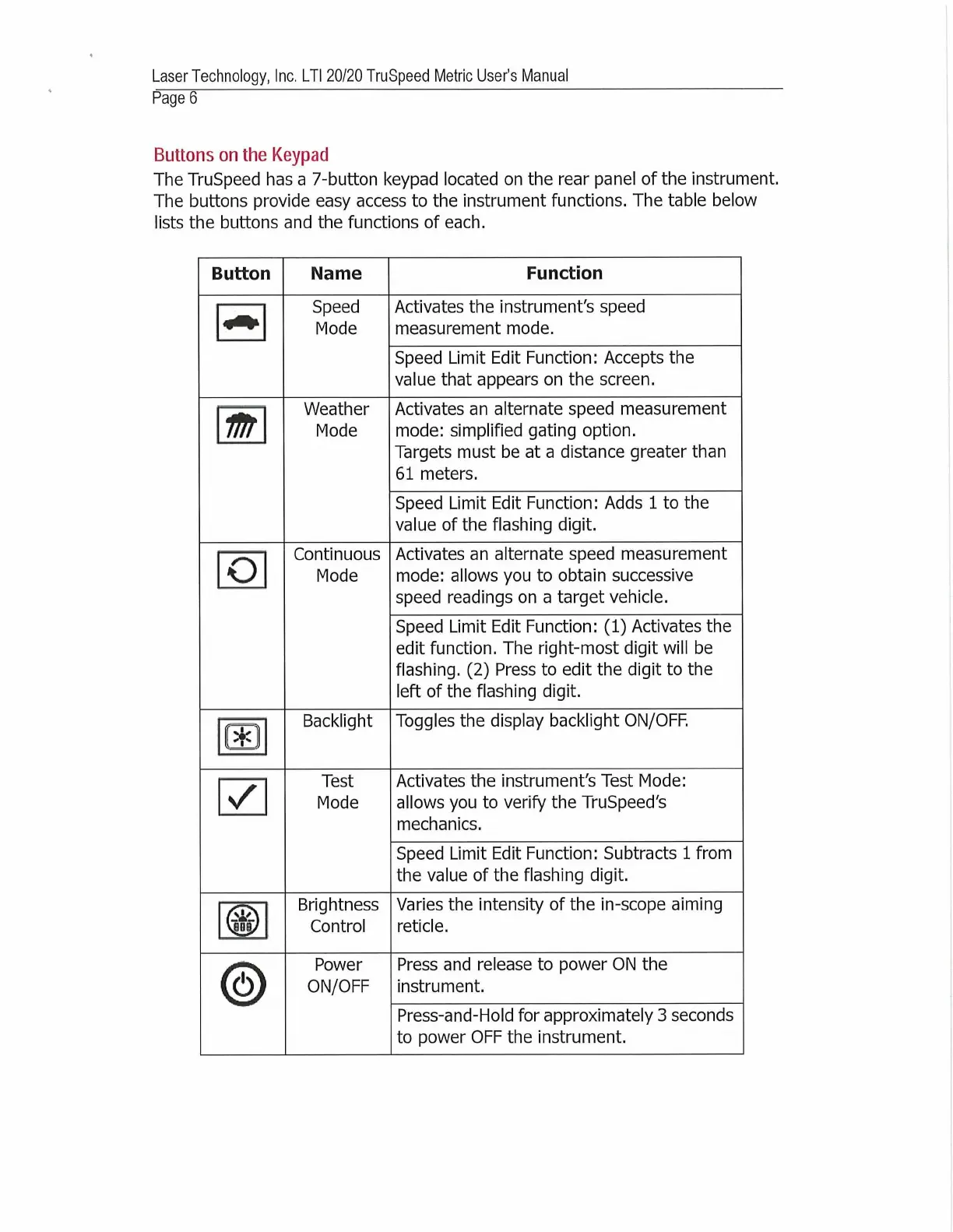
The
TruSpeed
has
a
7-button
keypad
located
on
the
rear
panel
of
the
instrument.
The
buttons
provide
easy
access
to
the
instrument
functions.
The
table
below
lists
the
buttons
and
the
functions
of
each.
Button
Name
Function
Speed
Mode
Activates
the
instrument's
speed
measurement
mode.
Speed
Limit
Edit
Function:
Accepts
the
value
that
appears
on
the
screen.
m
Weather
Mode
Activates
an
alternate
speed
measurement
mode:
simplified
gating
option.
Targets
must
be
at
a
distance
greater
than
61
meters.
Speed
Limit
Edit
Function:
Adds
1
to
the
value
of
the
flashing
digit.
o
Continuous
Mode
Activates
an
alternate
speed
measurement
mode:
allows
you
to
obtain
successive
speed
readings
on
a
target
vehicle.
Speed
Limit
Edit
Function:
(1)
Activates
the
edit
function.
The
right-most
digit
will
be
flashing.
(2)
Press
to
edit
the
digit
to
the
left
of
the
flashing
digit.
(*i
Backlight
Toggles
the
display
backlight
ON/OFF.
✓
Test
Mode
Activates
the
instrument's
Test
Mode:
allows
you
to
verify
the
TruSpeed's
mechanics.
Speed
Limit
Edit
Function:
Subtracts
1
from
the
value
of
the
flashing
digit.
1©
1
Brightness
Control
Varies
the
intensity
of
the
in-scope
aiming
reticle.
©
Power
ON/OFF
Press
and
release
to
power
ON
the
instrument.
Press-and-Flold
for
approximately
3
seconds
to
power
OFF
the
instrument.

Table of Contents