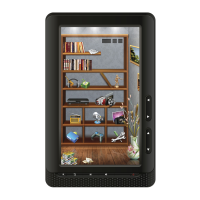
USER MANUAL eBook-EB370
16
AUTHORIZING YOUR EBOOK WITH ADOBE
Note: You only need to do this once.
To authorize your eBook:
Install Adobe Digital Editions from www.adobe.com/products/digitaleditions
When prompted, select Authorize Computer.
If you don't already have an Adobe ID, click the get an Adobe ID online link. Adobe will launch your
web browser and take you to the Adobe Sign In page. Follow the instructions there to create an
Adobe account. When you're done, return to Adobe Digital Editions.
Enter your Adobe ID and password, then click Activate.
Click Finished when Adobe finishes authorizing your computer.
Connect your eBook to your computer and tap Connect.
Restart Adobe Digital Editions. It should notice your eBook and start the Device Setup Assistant.
Click Authorize Device.
Click Finished to complete the process.



 To Next Page