USER MANUAL eBook-EB370
3
IMPORTANT SAFETY INSTRUCTIONS AND PRECAUTIONS
- Read all instructions carefully before use.
- Retain manuals for future reference.
- Use this product only in the manner described.
- Only use a water-dampened soft-cloth to clean the surface of this product.
- The following will damage this product: any ingress of water/moisture, exposure to prolonged extreme heat or cold;
excessive humidity, dusty or sandy environments.
- It is recommended to thoroughly charge the device for the first time overnight. Subsequent charges can be as needed.
During charging, or extended use, the product may become warm.
- There are no user serviceable parts in this product.
- Un-authorised attempts to dismantle or repair this product will void product warranty and may result in dangerous
electric shock.
- Remove data cable by pulling it from the plug and not the cord.
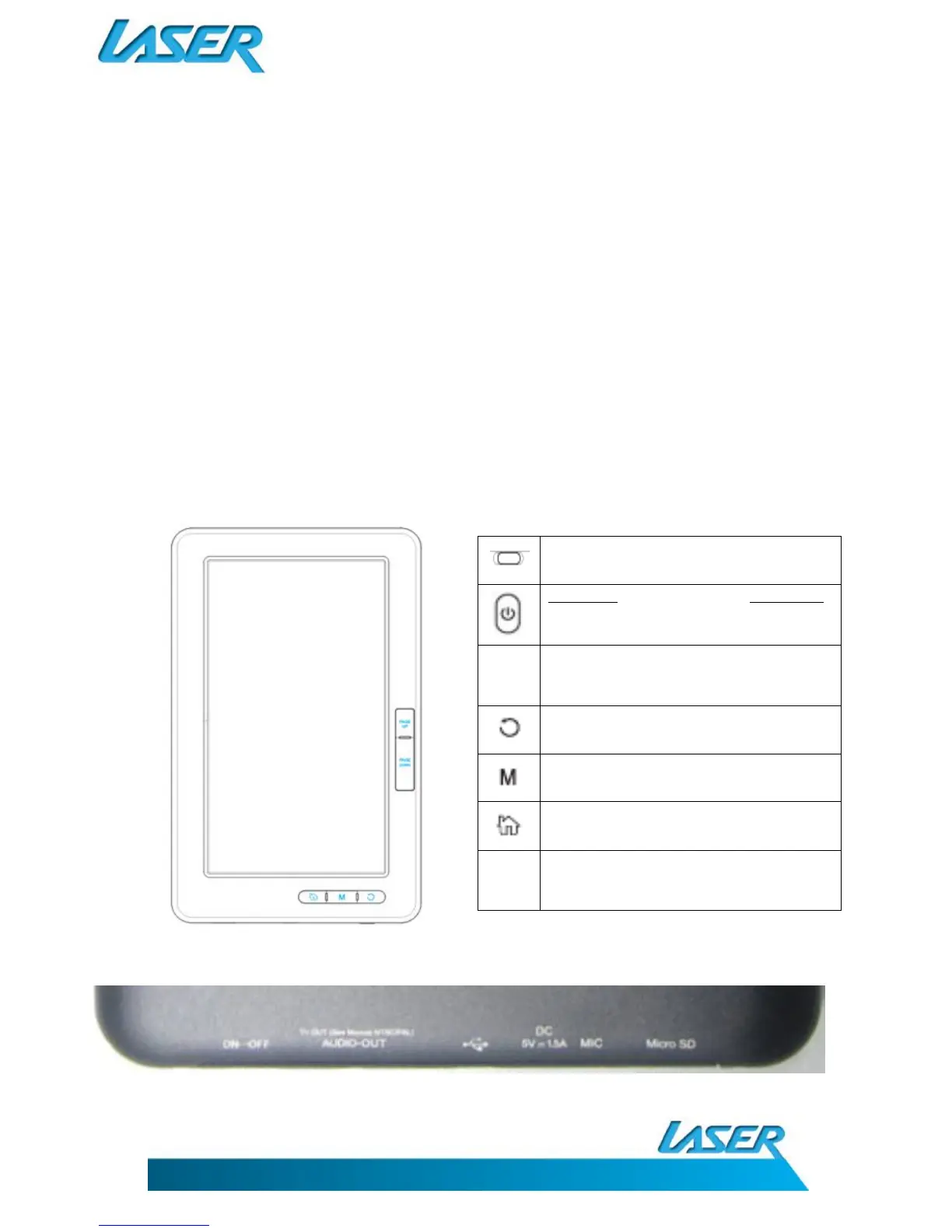
WHAT DO THE BUTTONS DO?
Page Up/Down - Move to previous or next
page, music track, movie file or photo etc
WHAT DOES THE REAR CONNECTION PANEL LOOK LIKE?



 To Next Page