Page 15
4.11.2.1 Standard Temperature Offset Adjustment
With the machine in Standby (only ON/STBY green lamp blinking), press the BOILER
button until the green ON/STBY lamp and the red BOILER lamp are blinking (about 10
seconds).
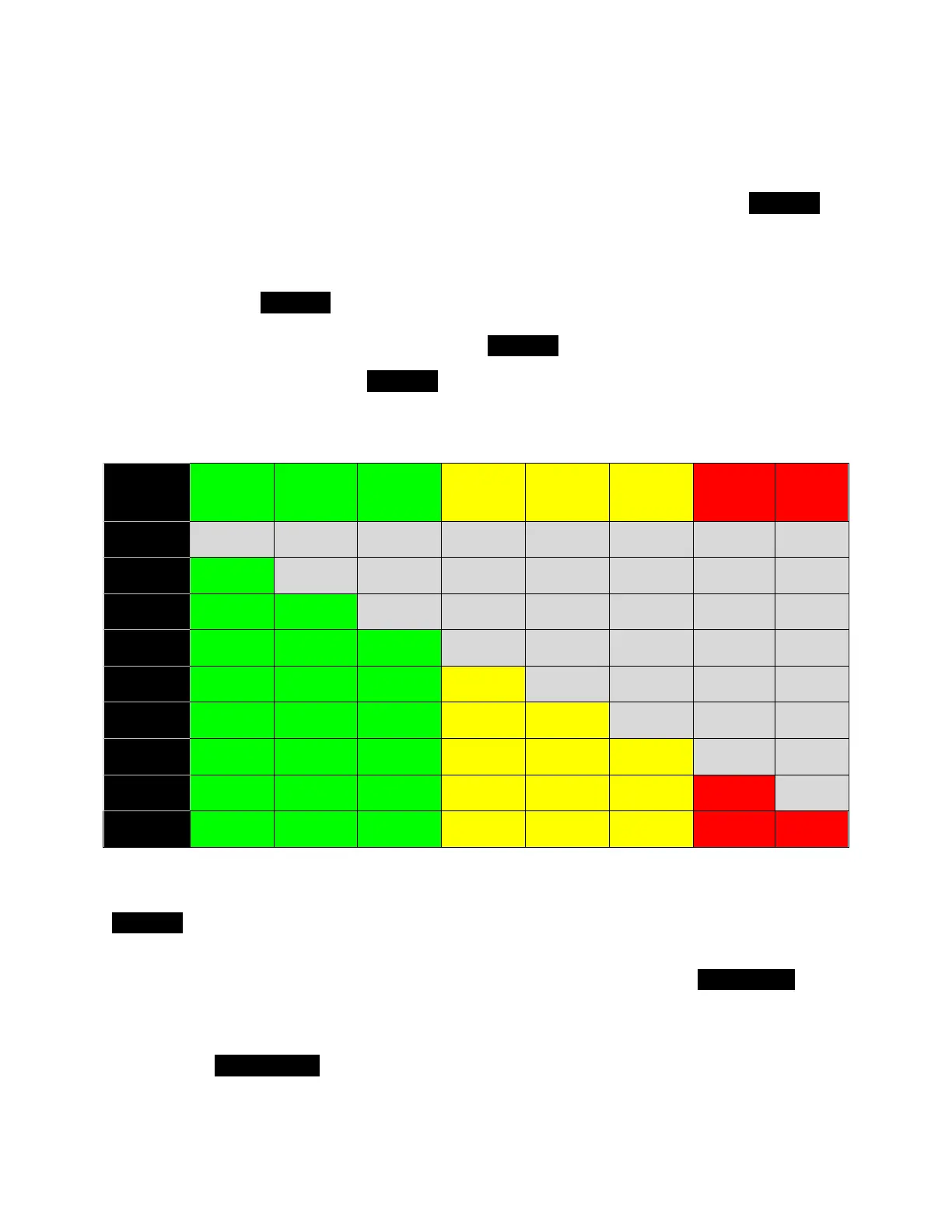
If the Offset = 0ºC, then no other lamps are lit. Assuming a start with Offset = 0ºC ,
each press of the BOILER button, changes the offset by -1ºC and lights an additional
lamp starting with the 91ºC lamp and going up through the ECON lamp. Once all eight
offset lamps are lit, an additional press of the BOILER button cycles back to 0ºC offset.
To exit the Offset mode, press ON/OFF (machine in Standby – ON/STBY blinking).
When entering the Offset mode the next time, the last stored value is displayed.
See table below:
4.11.2.2 Extended Temperature Offset Adjustment
Start with the machine in Standby mode (ON/STBY blinking green). Press and hold the
BOILER button for about 10 seconds until the Boiler light and the ON/STBY light start
flashing. You are now in the temperature offset programming mode.
To enter a positive temperature offset between 0˚C and +8˚C push the Single Cup
button. Each press will change the offset by +1˚C. An offset of 0˚C is designated by all
temperature lamps off. A +8˚C offset is designated by all temperature lamps plus ECON
on (Low Water on Mini VII Mini). If your positive offset is more than you wish, each
press of the Double Cup button changes the offset by -1˚C.


 To Next Page