15
INSTALLING THE UNIT
The unit can be used on a table-top or mounted on a wall. When choosing a location, please
note locations to avoid in "Environmental Conditions" at the bottom of the page. If you are
using the unit as a table-top, find an appropriate place and skip to Step 3. If using as a
wall-mount, take the following steps.
9
Mounting Unit on Wall
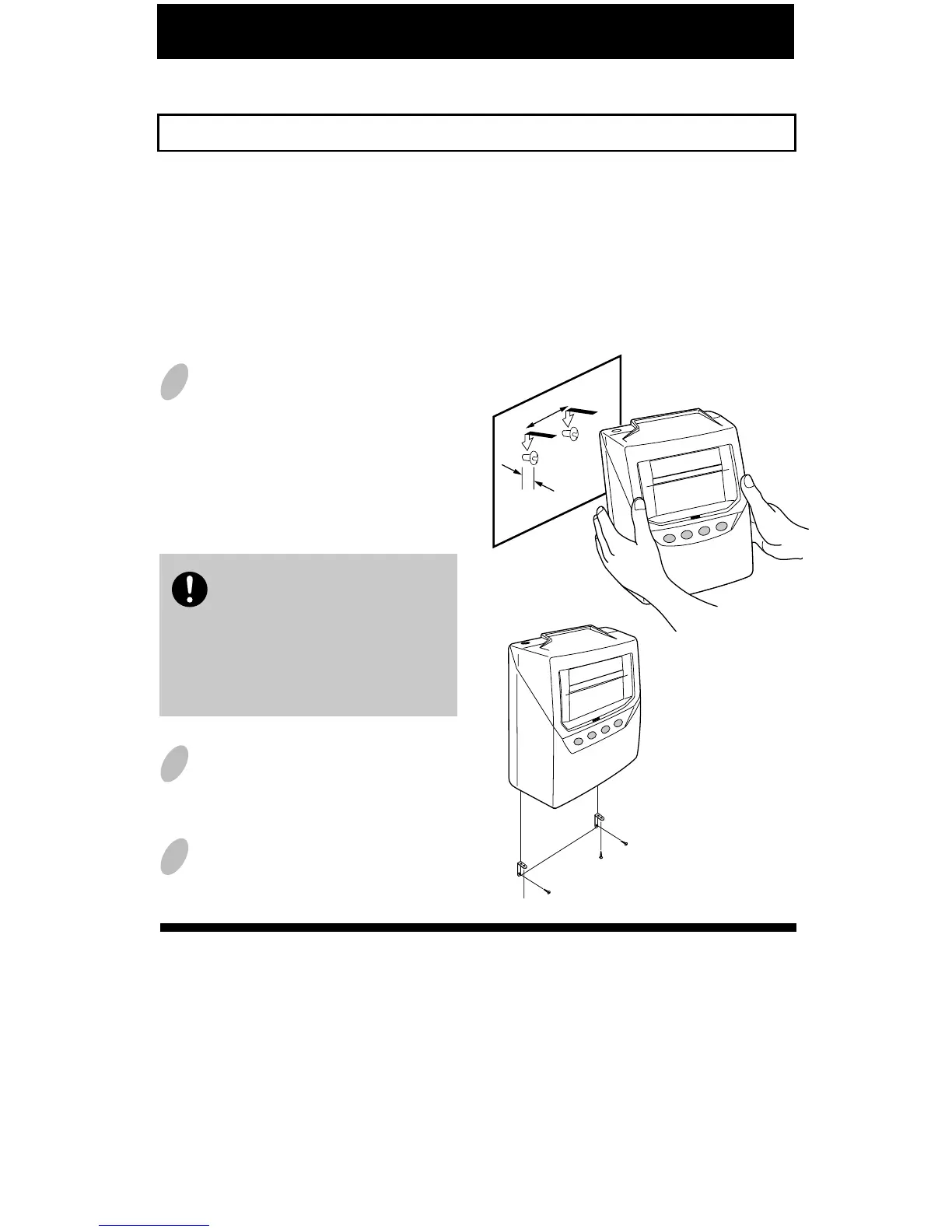
The unit can be mounted on a wall using the supplied mounting fittings.
The supplied screws are intended
for use on a thick wooden wall
or wooden column. Do not use
them on any other materials.
There is a danger that the unit
may come off if used on other
materials.
Install wall mount screws (supplied)
into a wall 3 15/16" (10 cm) apart.
Be sure to keep about 1/8" ( 3mm)
of the screw head out of the wall.
Use template on bottom of page 10
if you prefer.
Environmental Conditions
Avoid placing the unit in environments that are:
• humid or dusty
• exposed to direct sunshine
• subject to frequent or continuous vibrations
• outside the temperature range between 23˚F (-5˚C) and 113˚F (45˚C)
• affected by chemicals or ozone
3 15/16" (10cm)
1/8"
(3mm)
Mount the wall mount fittings
as shown on the right.
1
2
Plug the unit into power, and
the unit is ready to use.
3
Note:
The unit has an internal battery that will save the settings when unplugged.



 To Next Page