22
15
14
You have completed this setting. Go to the next setting listing in
"Default Settings" on page 7 to continue with the setup.
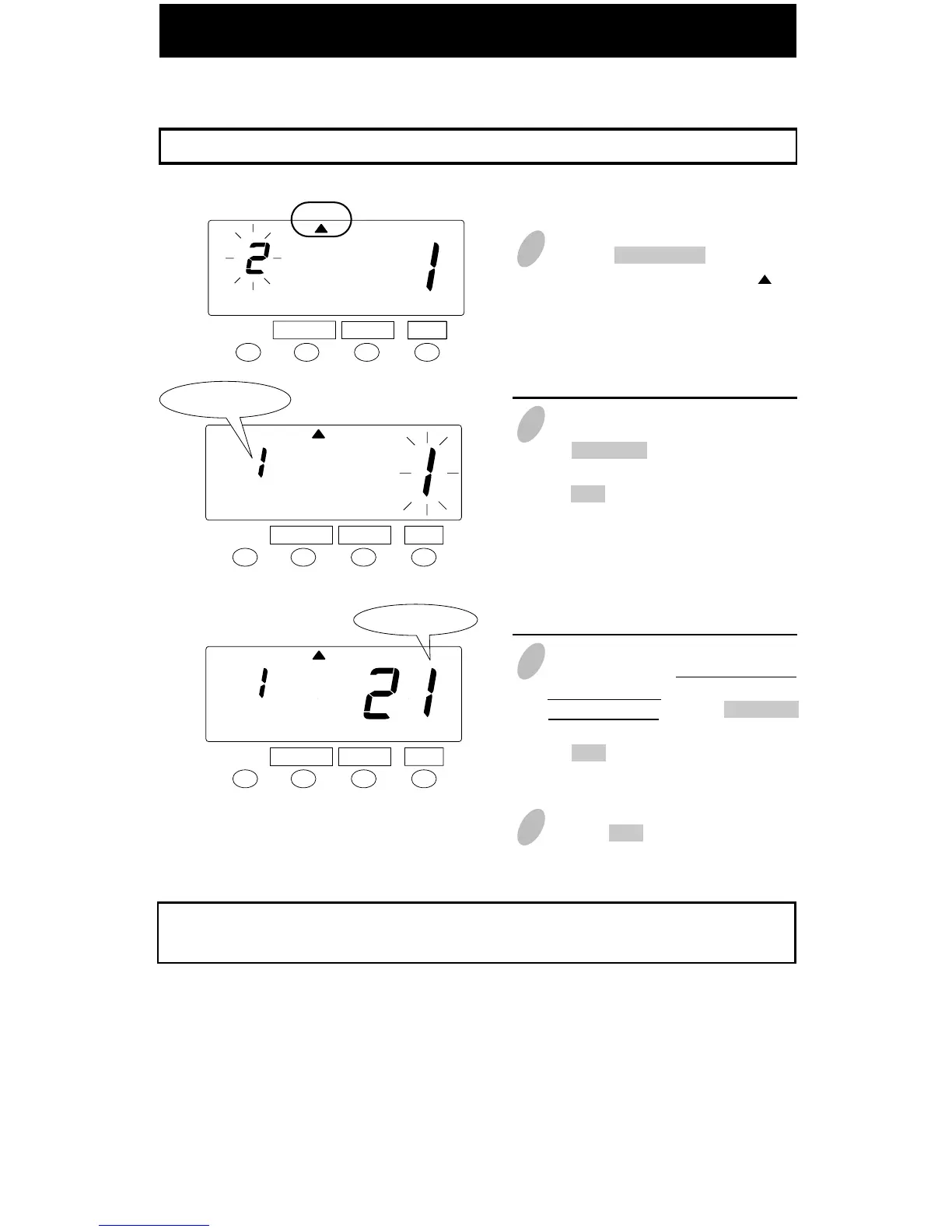
Example: Monthly period in Payroll Mode ----- the starting date is the 21st.
SET
FUNCTION CHANGE
2
In the case of monthly period, push
the CHANGE button to set the left-
side number at "1" and then push
the SET button. At that moment, the
flashing of the display will change
to the right-side number.
Set the "Mode".
SET
Monthly period
FUNCTION CHANGE
MODE
MODE
Setting Monthly Period in Payroll Mode
1
Push the FUNCTION button for 5
seconds and make sure the " " is
positioned under the “MODE” mark.
3
To set pay period, you have to input
a starting date. In this case, you
have to set 21st. Push the CHANGE
button to set at "21" and then push
the SET button.
4 Push the SET button once again.
Set the "Starting date".
Starting date
MODE
SET
FUNCTION CHANGE



 To Next Page