22
23
22
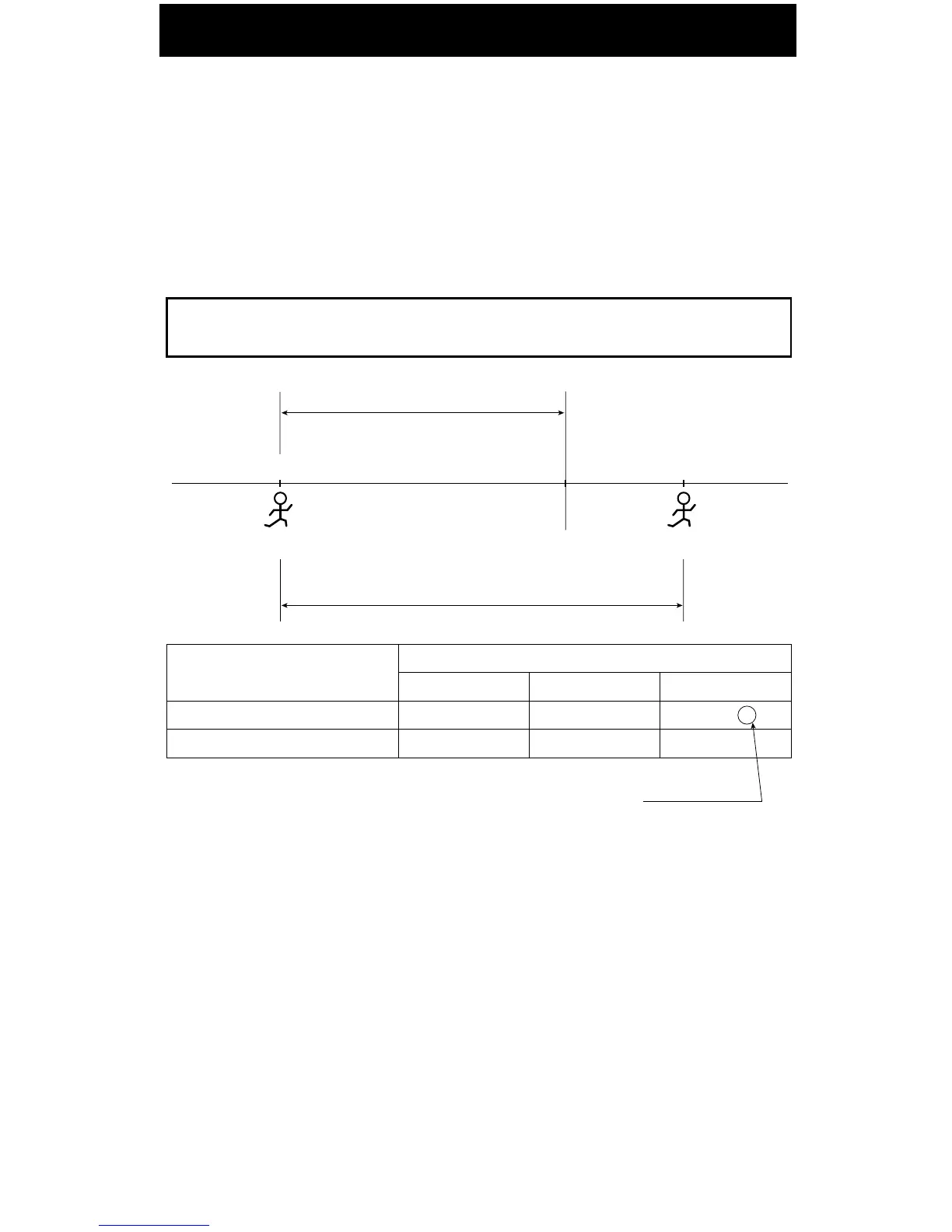
Setting the Auto Break Deduction
The 7500E will deduct the break amount after totaling the hours and if the total hours are
equal to or greater than the "Elapsed Time" setting.
Example: Auto Break Deduction setting
Elapsed time ··· 8 hours Break duration ··· 60 min.
IN
OUT
10 hours
Elapsed time = 8 hours
.m.p 00:5.m.a 00:7 3:00 p.m.
Auto Break Duration setting
IN
7:00 A
7:00 A
Yes
No
OUT
5:00 P
5:00 P
TOTAL
9:00 B
10:00
Print example
"B" is to indicate that Auto Break Deduction is valid.
Break times can be automatically deducted from totals using the "Auto Break Deduction"
feature. You must set a base working elapsed time and break duration. Once total working
hours reaches to Elapsed Time, Break Duration will be deducted from the total working hours.
For example, if you have a 30 minute lunch break that you want to deduct and the lunch break
starts 4 hours into work day, set elapsed time to 4:30 and set Break duration to 30. Thus, 30
minutes would be deducted from any punch made 4 hours, 30 minutes in the work period.



 To Next Page