22
13
14
You have completed this setting. Go to the next setting listing in
"Default Settings" on page 7 to continue with the setup.
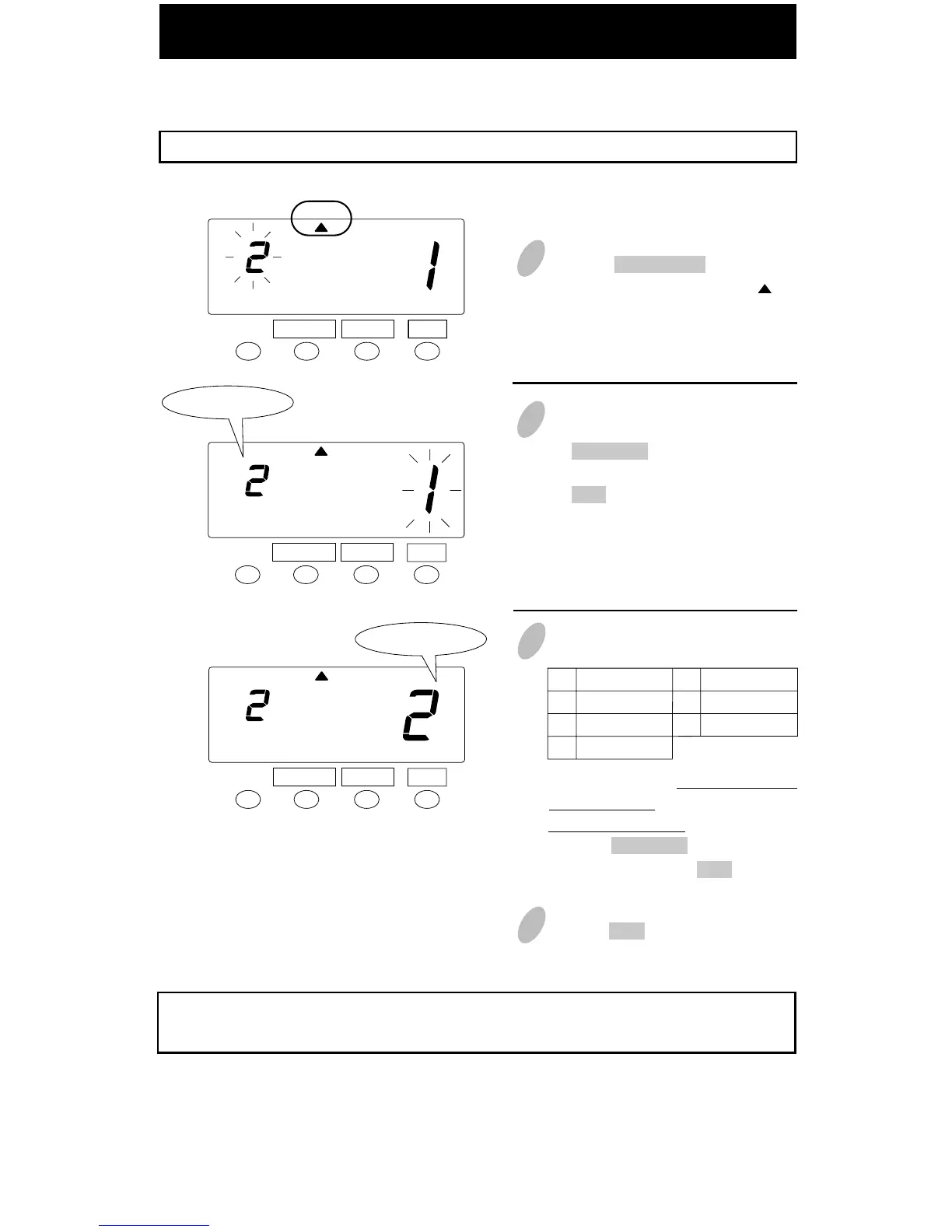
Setting Weekly Period in Payroll Mode
1
2
In the case of weekly period, push
the CHANGE button to set the left-
side number at "2" and then push
the SET button. At that moment, the
flashing of the display will change
to the right-side number.
Example: Weekly period in Payroll Mode ----- the start day is Monday.
Set the "Mode".
SET
SET
Weekly period
FUNCTION CHANGE
FUNCTION CHANGE
MODE
MODE
Sunday
Monday
Tuesday
Wednesday
1
2
3
4
Thursday
Friday
Saturday
5
6
7
3 Starting day
4 Push the SET button once again.
To set pay period, you have to input
a starting day. In this case, you
have to set Monday.
Push the CHANGE button to set at
"2" and then push the SET button.
Set the "Starting day of the week".
SET
Starting day
FUNCTION CHANGE
MODE
Push the FUNCTION button for 5
seconds and make sure the " " is
positioned under the "MODE" mark.



 To Next Page