22
27
26
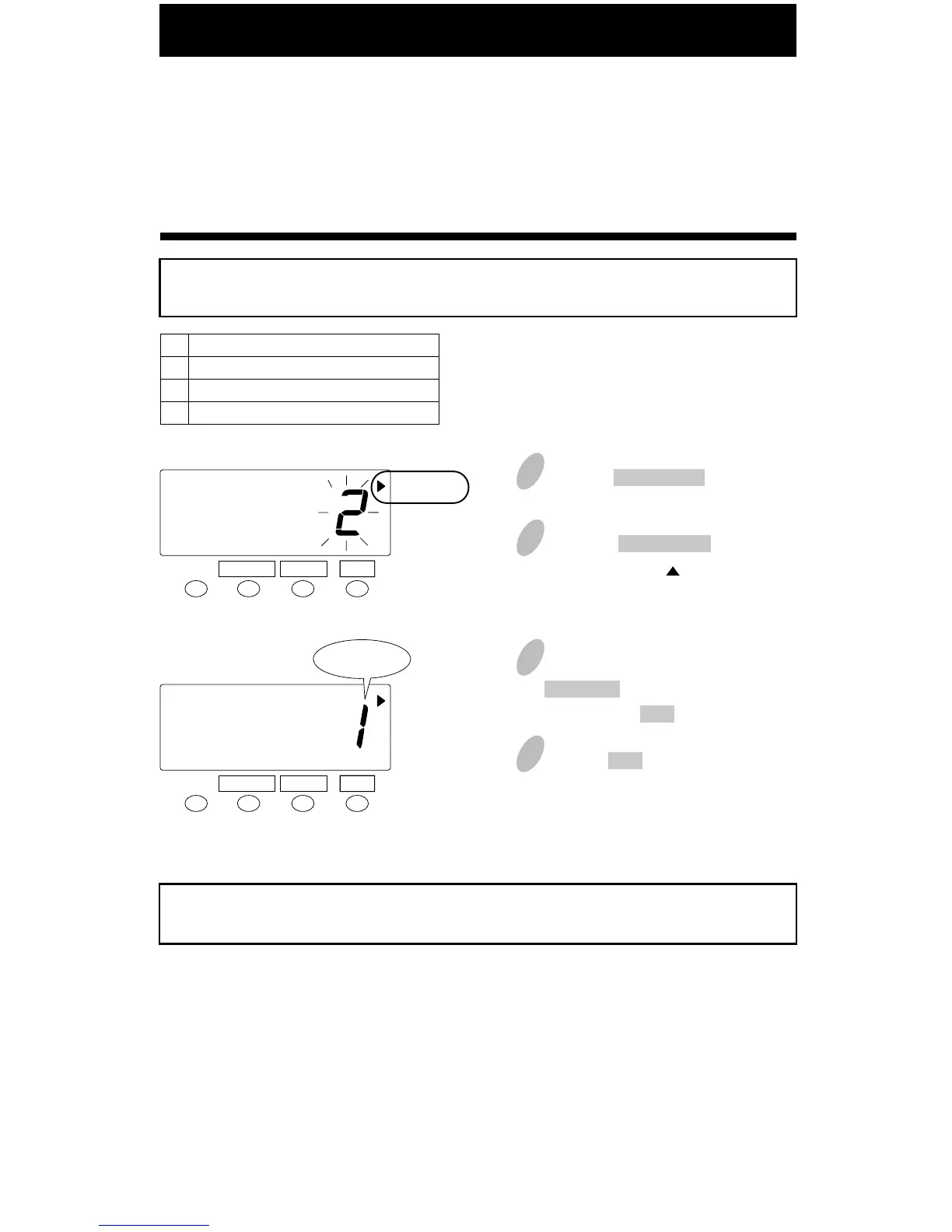
The functions for the buttons on the front of the recorder can be set. There are three
options; Required, Optional, Disabled.
The default setting is Optional.
Example
Select "Required" for the button.
3
1
Push the FUNCTION button for 5
seconds.
2
Push the FUNCTION button and
position the " " next to the
"BUTTON FUNCTION" mark.
Order Option
Required
Optional
Disabled
1
2
3
SET
FUNCTION CHANGE
4
BUTTON
FUNCTION
SET
FUNCTION CHANGE
BUTTON
FUNCTION
Required
In the case of the example, push the
CHANGE button to set at "1". And
then push the SET button.
Push the SET button once again.
You have completed this setting. Go to the next setting listing in
"Default Settings" on page 7 to continue with the setup.
Setting the Button Function (In/Out)
(continued)



 To Next Page