26
LAUNCH
X-PROG
3
EN
• 3.2.4
Return from Diagnostic Function
After completion, you can press to return from programming interface.
4. Software Upgrade
The software update function keeps your diagnostic software & App up-to-
date, you can also use it to customize your frequently used software.
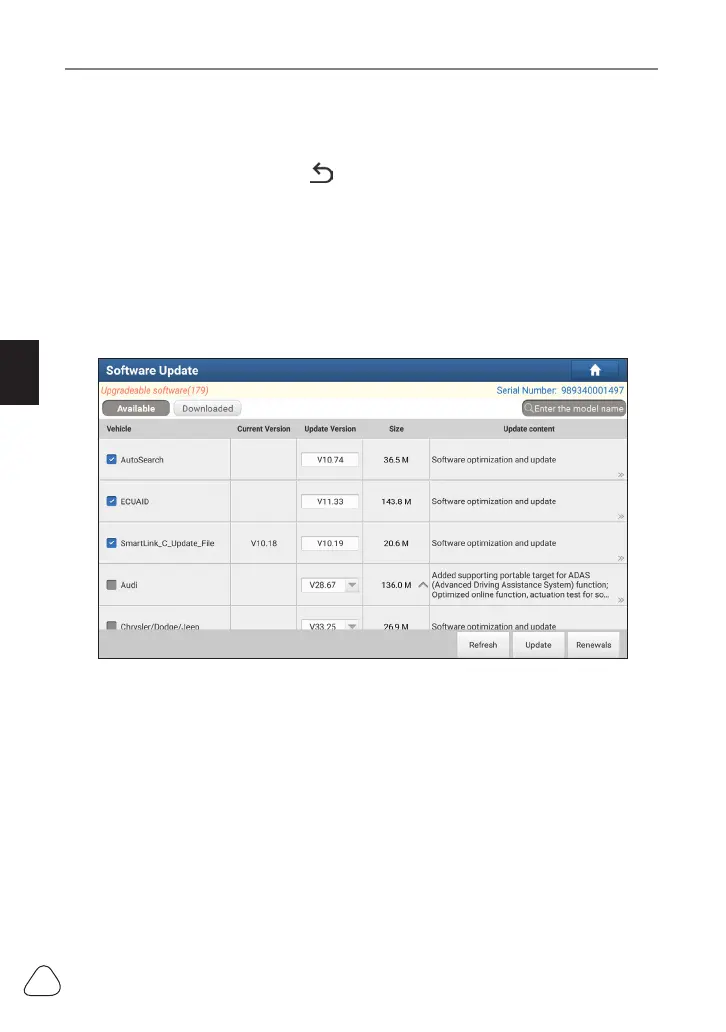
To update Diagnostic Software & APP:
1. On the main diagnostic screen, tap
Software Update
to enter the update
center. Check the software you want to upgrade, and then tap
Update
.
2. Once downloading completes, the software packages will be installed
automatically.
www.diagtools.eu, Pernavas 43A, Riga, Latvia, LV-1009, +37129416069, info@diagtools.eu


 To Next Page