Using Launchkey with InControl
If you haveone ofthe DAWs listedin the DAWSetup Guide, youwill rst need to follow the
instructions on how to set it up to operate correctly with Launchkey. Once this has been done,
InControl will automatically assign each hardware controller to a key DAW function in an intelligent
manner. You should be able to discover very easily how each controller is mapped onto which
DAW function by experimenting, but a full list of mappings is contained in the DAW Setup Guide.
InControlassignmentsarexedandinvisibletoyou,soitsoperationisseamlessandtransparent.
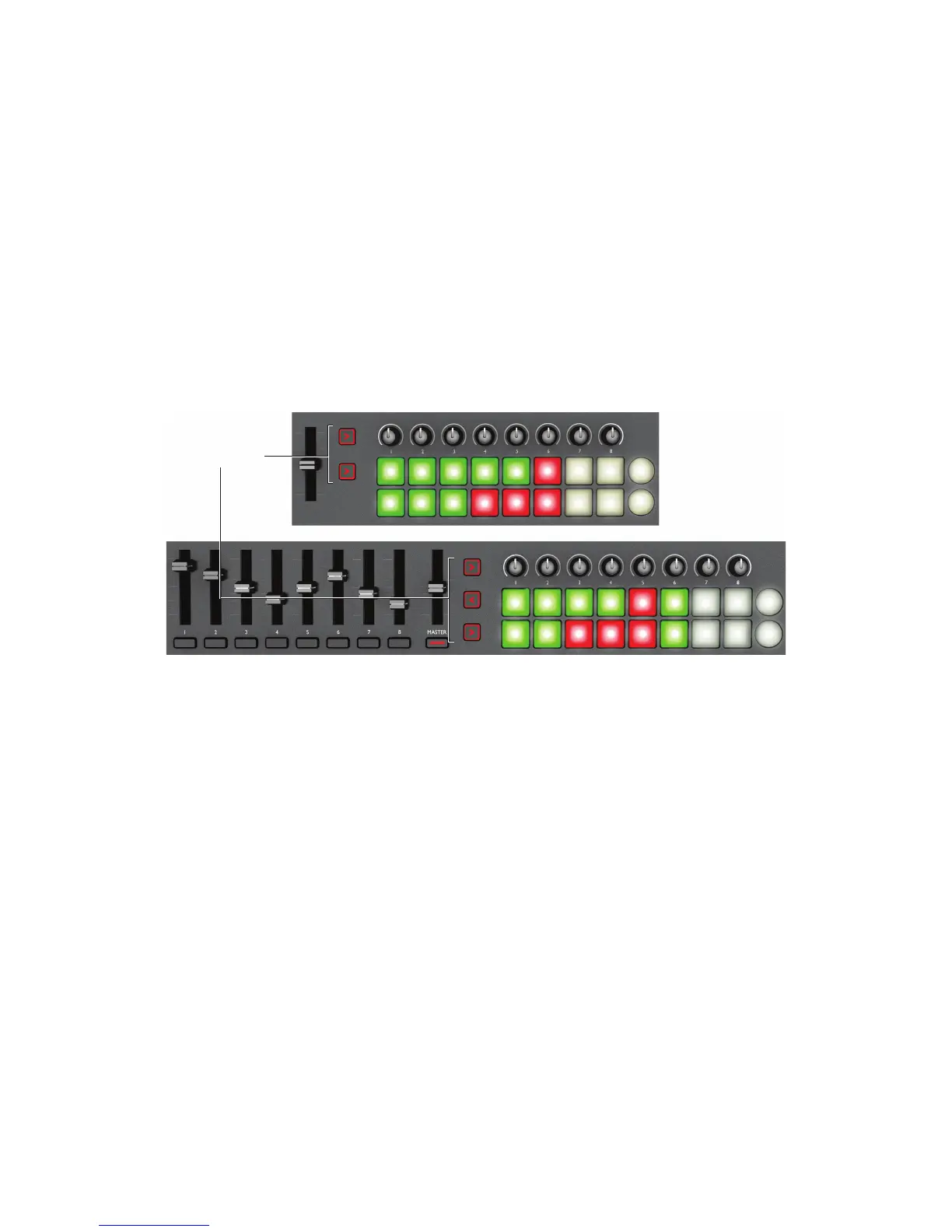
InControl mode may be selected independently for the various blocks of controllers – sliders/
buttons,rotarycontrolsandlaunchpads,usingthethree(Launchkey49/61)ortwo(Launchkey
25) InControl buttons [10]. When enabled, the InControl buttons are illuminated.
InControl Buttons
Note that the launch pads have no InControl functionality with some DAWs – these will be DAWs
which are not clip-based, such as Logic Pro and Cubase. Ableton Live is clip-based, and you will
be able to trigger clips and loops directly with this DAW, using the pads. When used with Reason,
the pads can be used for many other purposes, such as to select and edit drum loops or modify
sequencer steps.


 To Next Page