8
English
Abbreviations, conventions, etc.
Where top panel controls or rear panel connectors are referred to, we’ve used a number thus:
6
to cross-reference to the top panel diagram, and thus:
1
to cross-reference to the rear
panel diagram. (See pages page 10 and page 12).
We’ve used CAPS to name physical things like top panel controls and rear panel connectors,
and also on-screen buttons which you need to click, and bold Courier font to denote text
which you see on the computer screen.
Tips
These do what it says on the tin: we include bits of advice, relevant to the
topic being discussed that should simplify setting up Launchkey to do what
you want. It’s not mandatory that you follow them, but generally they should
make life easier.
What’s In The Box
Launchkey has been carefully packed in the factory and the packaging was designed to
withstand rough handling. Should the unit appear to have been damaged in transit, do not
discard any of the packing material and notify your music dealer.
Save all the packing materials for future use if you ever need to ship the unit again.
Please check the list below against the contents of the packaging. If any items are missing or
damaged, contact the Novation dealer or distributor where you purchased the unit.
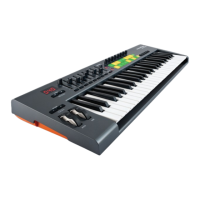
• Launchkey MIDI controller keyboard
• Getting Started guide
• USB Type A to Type B cable (2 m)
• Product/software Registration Card, allowing download of:
• Launchkey Software Installer, including setup instructions for popular DAWs
• Novation V-Station synth plug-in
• Novation Bass Station plug-in
• Loopmaster samples
• iPad software card, with download instructions for:
• Novation Launchkey iPad app
• Novation Launchpad iPad app


 To Next Page