EasyManua.ls Logo

Laundrylux DAWS0 SERIES - Right Coin Count

Laundrylux DAWS0 SERIES
38 pages
Print Icon
To Next Page IconTo Next Page
To Previous Page IconTo Previous Page
Loading...
16 American Dryer Corp. 112146-61
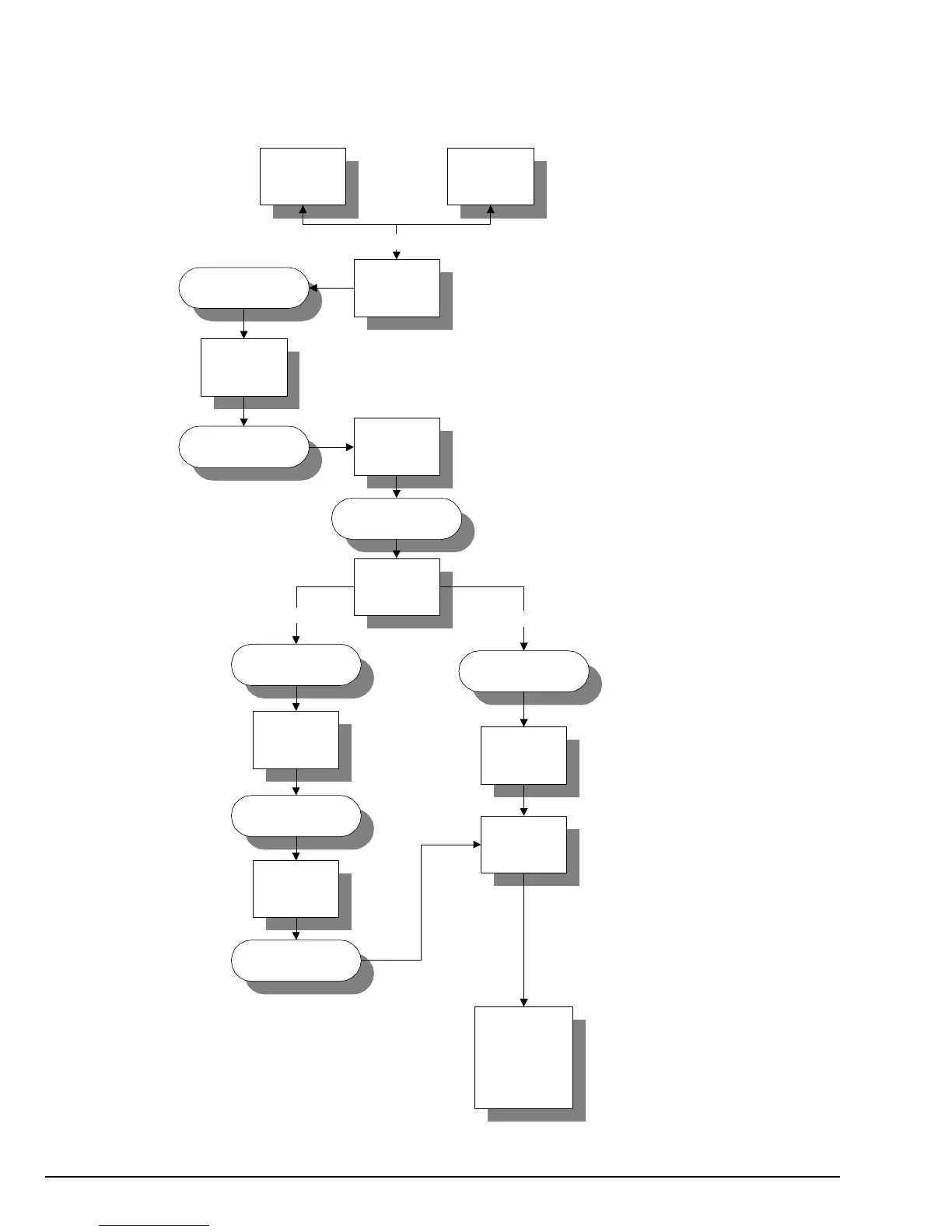
Right Coin Count
(No Cycle In Progress)
and/or
(Amount To Start)
(Dryer Temperature Display)
Press HI Temp key.
Display will read LCC
(left coin count).
Press HI Temp key.
Display will read rCC
(right coin count).
Press Perm Press key to
display coin count.
Display will read
actual coin count.
I.E. 0192 = 192 units
or coins.
To retain or save
existing coin count
press Perm Press.
Display will read 0000
for 1-second and then dryer
temperature display.
To cancel or delete
right coin count,
press HI Temp key.
Display will read
CrCC (cancel right
coin count).
Press Perm Press
key and display
will read 0000
(coin count cancelled).
Press Perm Press
key.
FILL 25
70F
HI Temp
rCC
Perm Press
0192
HI Temp
LCC
0000
Perm Press
Perm Press
0000
70F
CrCC
(Close Program Switch)
Perm Press
To exit
program
mode open
program
switch
HI Temp
To retain coin count
To cancel coin count

Related product manuals