PULL-DOWN MENU FEATURES
• The File pull-down menu allows you to save setup files to disk by pressing on Save Setup and
to open setup files from disk by pressing on Open Setup. Opened setup files can then be edited
on the PC, be saved to disk, and be downloaded into Devices by using DPM => Put Setup.
• The Commands pull-down menu allows you to execute certain functions by using your
computer mouse. This menu will be grayed out unless a Get Setup has been executed.
• The Readings pull-down menu provides three formats to display input data on your PC
monitor. Use the Pause and Continue buttons to control the timing of data collection, then
press Print for a hardcopy on your PC printer.
- List presents the latest internal readings in a 20-row by 10-column table. Press Pause at any
time to freeze the display. Press Print for a hardcopy.
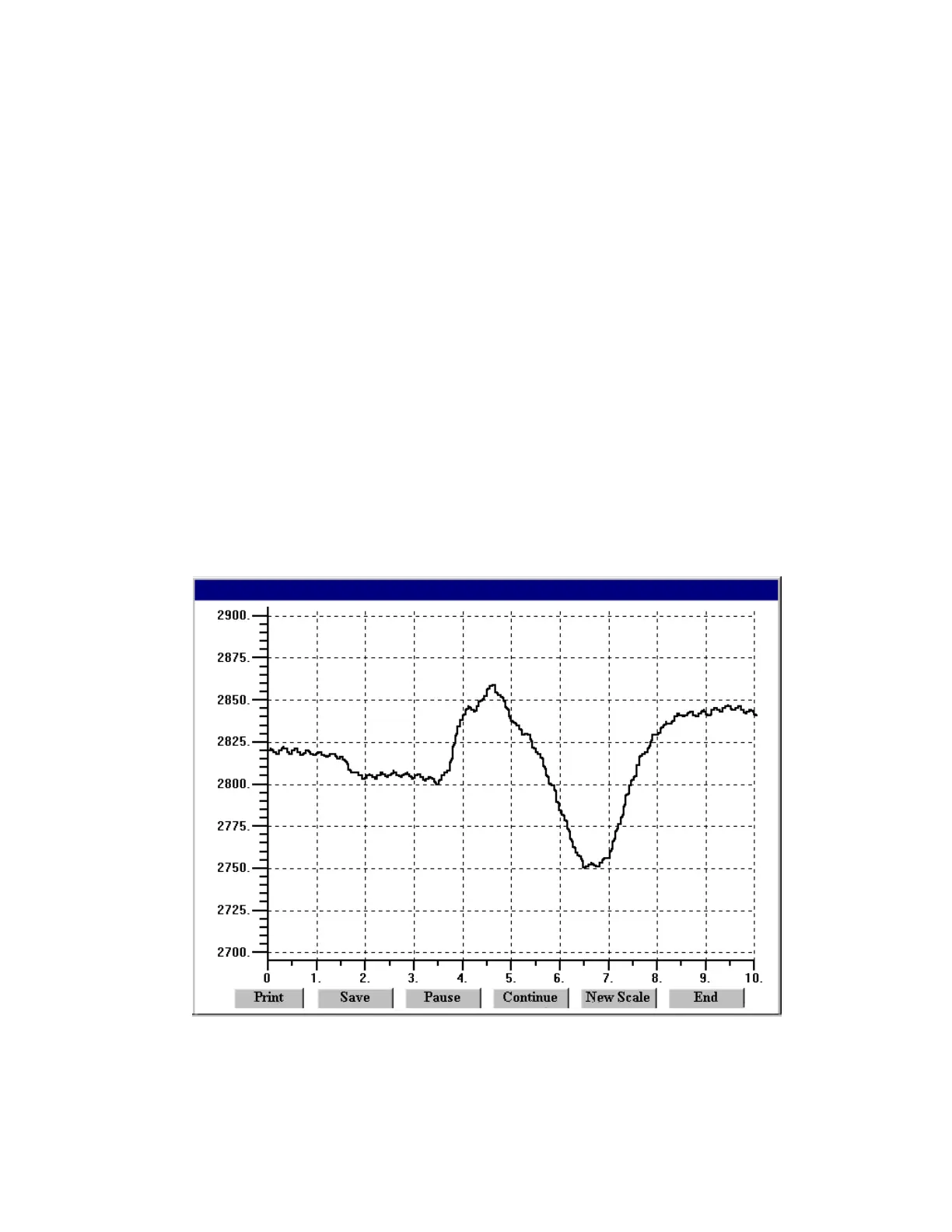
- Plot generates a plot of internal readings vs. time in seconds. It effectively turns the
transmitter-PC combination into a printing digital oscilloscope.
- Graph generates a histogram, where the horizontal axis is the internal reading, and the
vertical axis is the number of occurrences of readings. The display continually resizes itself
as the number of readings increases.
Plot



 To Next Page