EasyManua.ls Logo

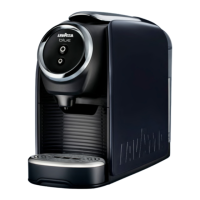
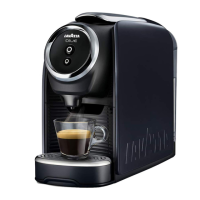
LAVAZZA CLASSY PRO - Water leaks at the front side of the coffee machine; Water leaks at the rear side of the coffee machine; The loading lever does not reach the supply position or requires an excessive closing effort; The display shows the message SYSTEM TOO HOT”

LAVAZZA CLASSY PRO
106 pages
Print Icon
To Next Page IconTo Next Page
To Previous Page IconTo Previous Page
Loading...
33
EN
TROUBLESHOOTING
Problem encountered Possible causes Solution Result
5
Water leaks at the
front side of the coffee
machine.
1 -   Spent capsule
drawer not inserted
correctly.
Insert the spent capsule
drawer correctly.
Ok: call solved.
Non-ok: go to step 2
2 -   Spent capsule
drawer filled.
Empty the spent capsule
drawer and the drip tray.
Ok: call solved.
Non-ok: go to step 3
3 -  Capsule stuck.
Lift and lower the
capsule loading lever.
If this is not enough,
disconnect the machine
from power mains and
operate manually to
remove the capsule from
the duct.
Ok: call solved.
Non-ok: go to step 4
4 -   Capsule not
compatible.
Use Lavazza capsules or
compatibles.
Ok: call solved.
Non-ok: machine
being serviced.
6
Water leaks at the
rear side of the coffee
machine.
1 -   Tank not inserted
correctly.
Insert the tank correctly.
Ok: call solved.
Non-ok: go to step 2
2 -   Tank damaged.
Check for leaks in the
tank keeping it separate
from the machine.
Ok: call solved.
Non-ok: machine
being serviced.
7
The loading lever does
not reach the supply
position or requires an
excessive closing effort.
1 -   Spent capsule
drawer filled.
Empty the spent capsule
drawer.
Ok: call solved.
Non-ok: go to step 2
2 -   Capsule fitted
incorrectly.
Repeat the sequence,
lever in the off position,
lever in the brewing
position; if this is
not enough, operate
manually to remove
the capsule from the
duct with the machine
disconnected from
power mains.
Ok: call solved.
Non-ok: machine
being serviced.
8
The display shows the
message “SYSTEM
TOO HOT.
1 -   Machine
overheated
(internally).
Wait about 15 minutes,
when the machine
is cool press the
MULTIFUNCTION
button.
Ok: call solved.
Non-ok: machine
being serviced.
9
The display shows the
message “ERROR,
CONTACT THE
SERVICE CENTRE.
1 -   Machine damaged,
NTC error.
Power cycle the
machine.
Ok: call solved.
Non-ok: machine
being serviced.
2 -   Machine damaged,
Thermoblock error.
3 -   Machine damaged,
internal error.

Other manuals for LAVAZZA CLASSY PRO

Related product manuals