V1.0/292 V_pro8 Manual
Operation (Web Browser Control)
Timing
Video Reference Options
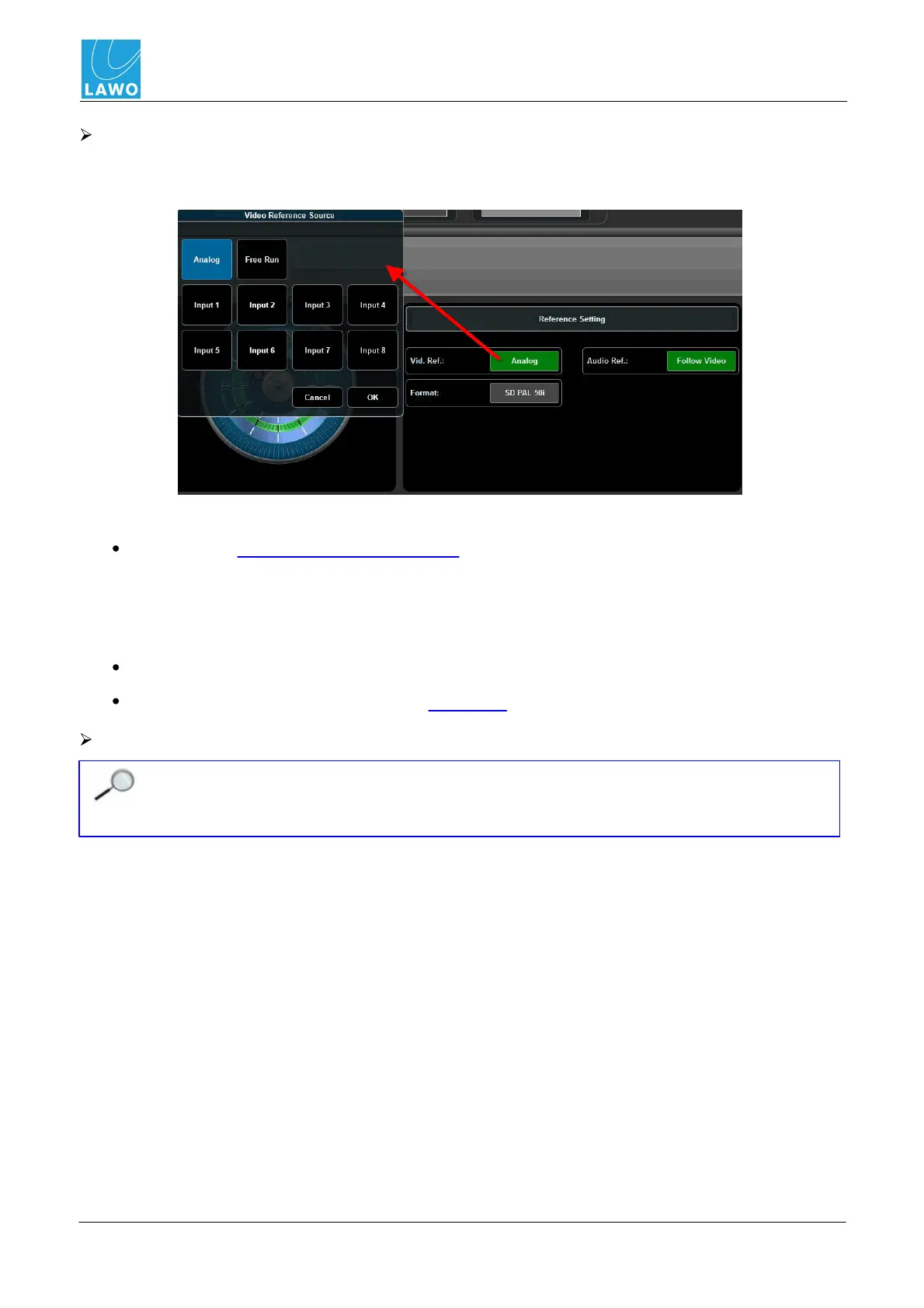
1. Click on the current video reference - e.g. Analog - to open the 'Video Reference Source'
selector:
Choose from:
Analog = the external video reference input connected to the rear panel. Supported reference
signal formats are:
o
Analog Genlock High Definition Tri-Level Sync (SMPTE-274M/296M).
o
Standard Definition 1V Black & Burst (SMPTE-170M/318M).
Free Run = the pro8's internal reference.
Input 1 to Input 8 = any of the 8 digital SDI inputs.
Audio Reference Options
In Version 1.0, the audio reference is ALWAYS set to Follow Video. This means that the
system is clocked from a single reference source. In a future software release, you will be
able to lock audio independently, either to an external Wordclock signal or to free run.



 To Next Page