PAGE 10
Securing the RT-100 to a Mast
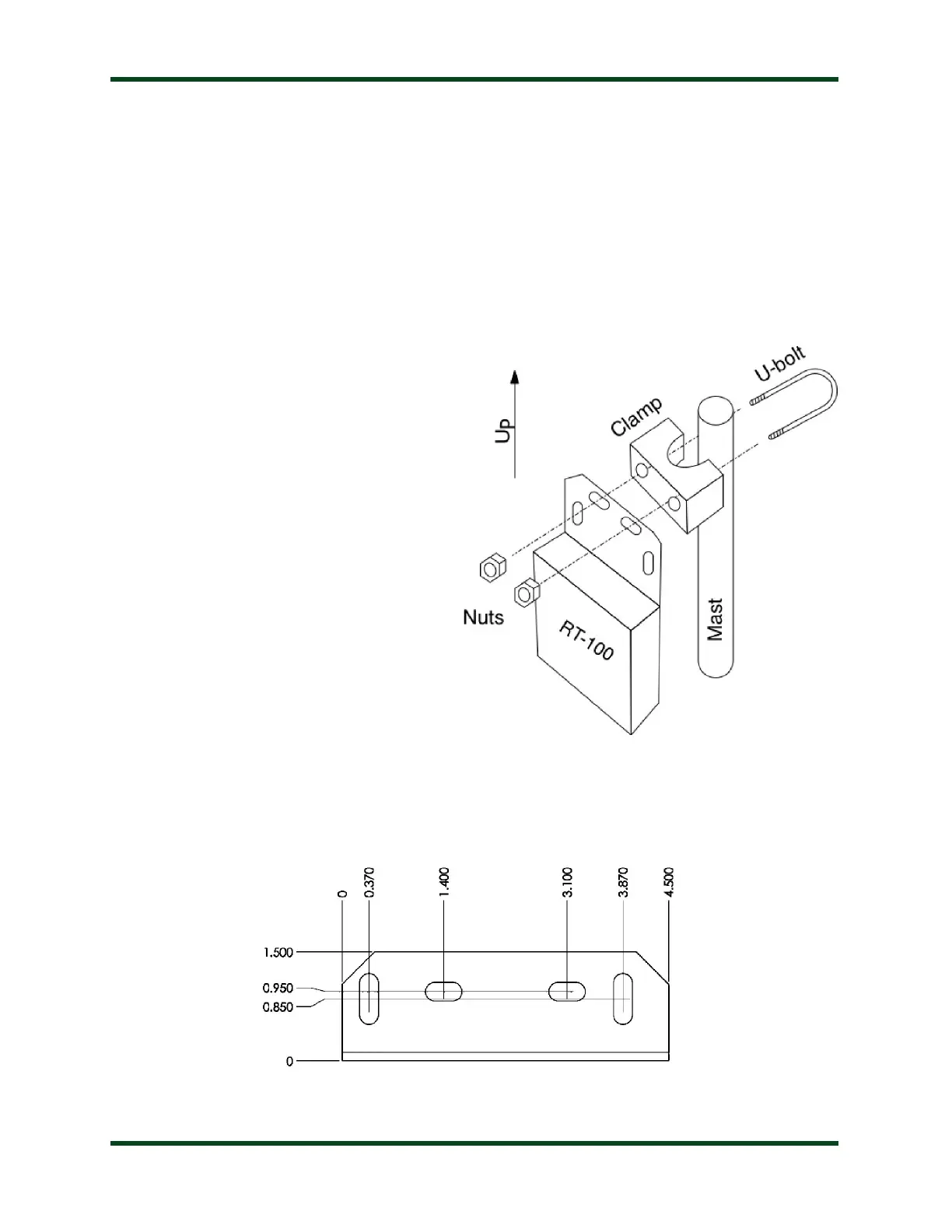
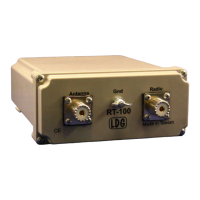
Once the RT-100 is connected, it must be installed with the mounting bracket facing upward,
and the SO-239 connectors facing downward, to prevent rain from entering the connectors. LDG
supplies a U-bolt that permits securing the RT-100 to a mast. To secure the RT-100, first remove
the nuts and clamp from the U-bolt. Place the U-shaped threaded bolt around the mast, then slide
the clamp over the threaded ends of the U-bolt, so that the flat edge of the clamp faces away
from the mast.
Now, poke the threaded ends of the U-bolt thru the back of the mounting bracket at the top of
the RT-100. Finally, thread the nuts back onto the U-bolt, and snug them up. Tighten only as
much as is required to keep the RT-100
from sliding down the mast. Do not over-
tighten.
Although the U-bolt is electroplated to
resist corrosion, you may wish to apply a
thin layer of grease to the U-bolt to keep it
from rusting in the rain, to allow for easy
removal later.
If you wish to use a larger U-bolt (to bolt to a larger mast, for example) or other fastening
system, see the mounting bracket dimensions below (in inches) for sizing purposes:


 To Next Page