Hardware installation manual of the integrated servo motor
6
connections!
Configuration
There are not much parameters need to be configured for the integrated servo motor. You can
configure it by the DIP switch or PC software.
Configuring iSV Motor by DIP Switches
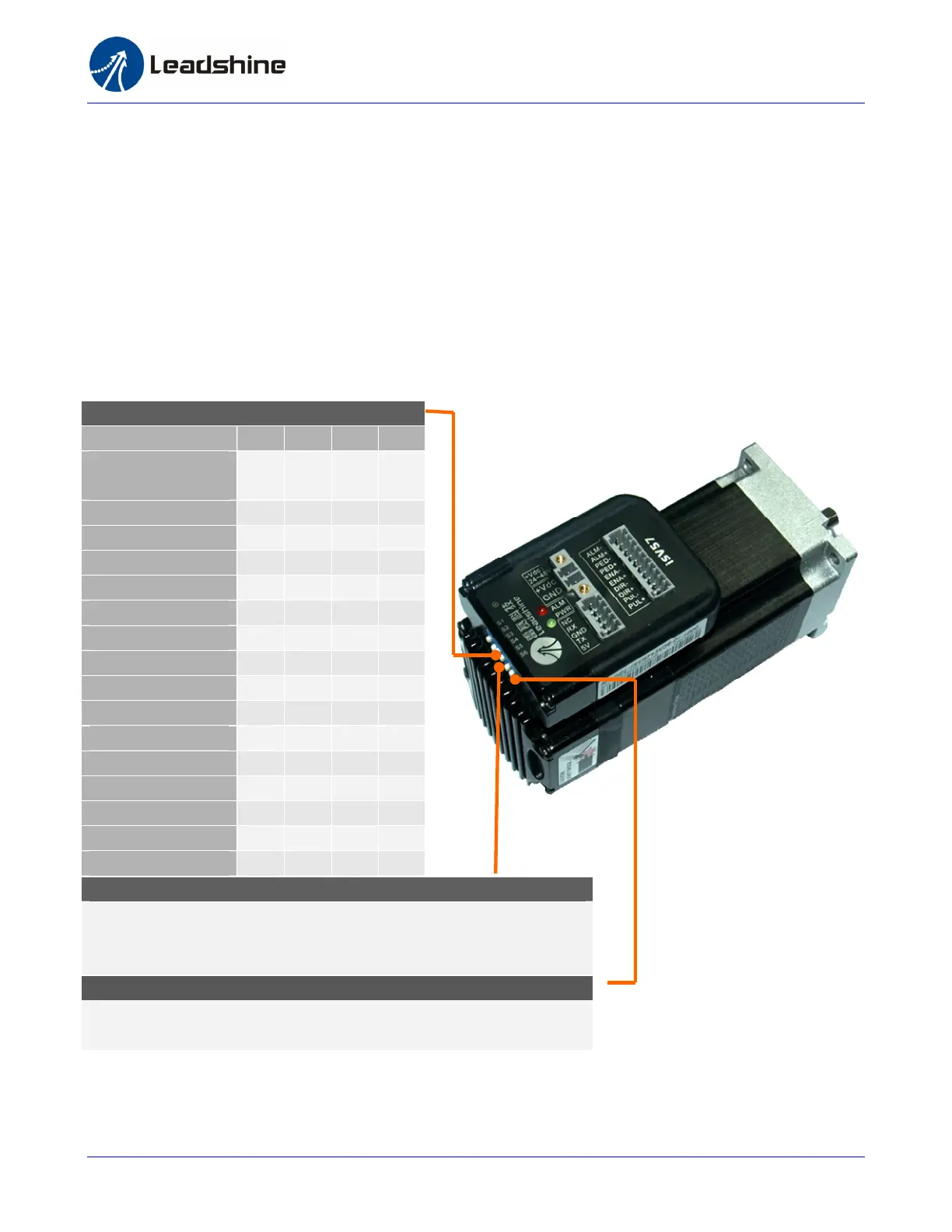
A 6-bit DIP switch which is on side of the drive case can be used to set the pulses/rev setting, motion
direction and active of pulse.
Pusles/Rev-S1-S4
Pulses/Rev S1 S2 S3 S4
Software Configured
(Default 4000)
On
On On On
800 Off
On On On
1600 On
Off
On On
3200 Off
Off
On On
6400 On
On Off
On
12800 Off
On Off
On
25600 On
Off
Off
On
51200 Off
Off
Off
On
1000 On
On On Off
2000 Off
On On Off
4000 On
Off
On Off
5000 Off
Off
On Off
8000 On
On Off
Off
10000 Off
On Off
Off
20000 On
Off
Off
Off
40000 Off
Off
Off
Off
Motor Rotation Direction – S5
DIP switch S5 is used for changing motor shaft rotation direction.
Changing position from “ON” to “OFF”, or “OFF” to “ON” will reverse ISV
motor’s rotation direction.
Self-test – S6
Off: Normal mode.
On: Self-test mode, 1 revolution CW and then 1 revolution CCW.


 To Next Page