EasyManua.ls Logo

Lear Siegler ADM 3A - 2.8 Power Turn-On

Default Icon
54 pages
Print Icon
To Next Page IconTo Next Page
To Previous Page IconTo Previous Page
Loading...
____
LEAR
SIEGLER,
INC.
DATA PRODUCTS DIVISION
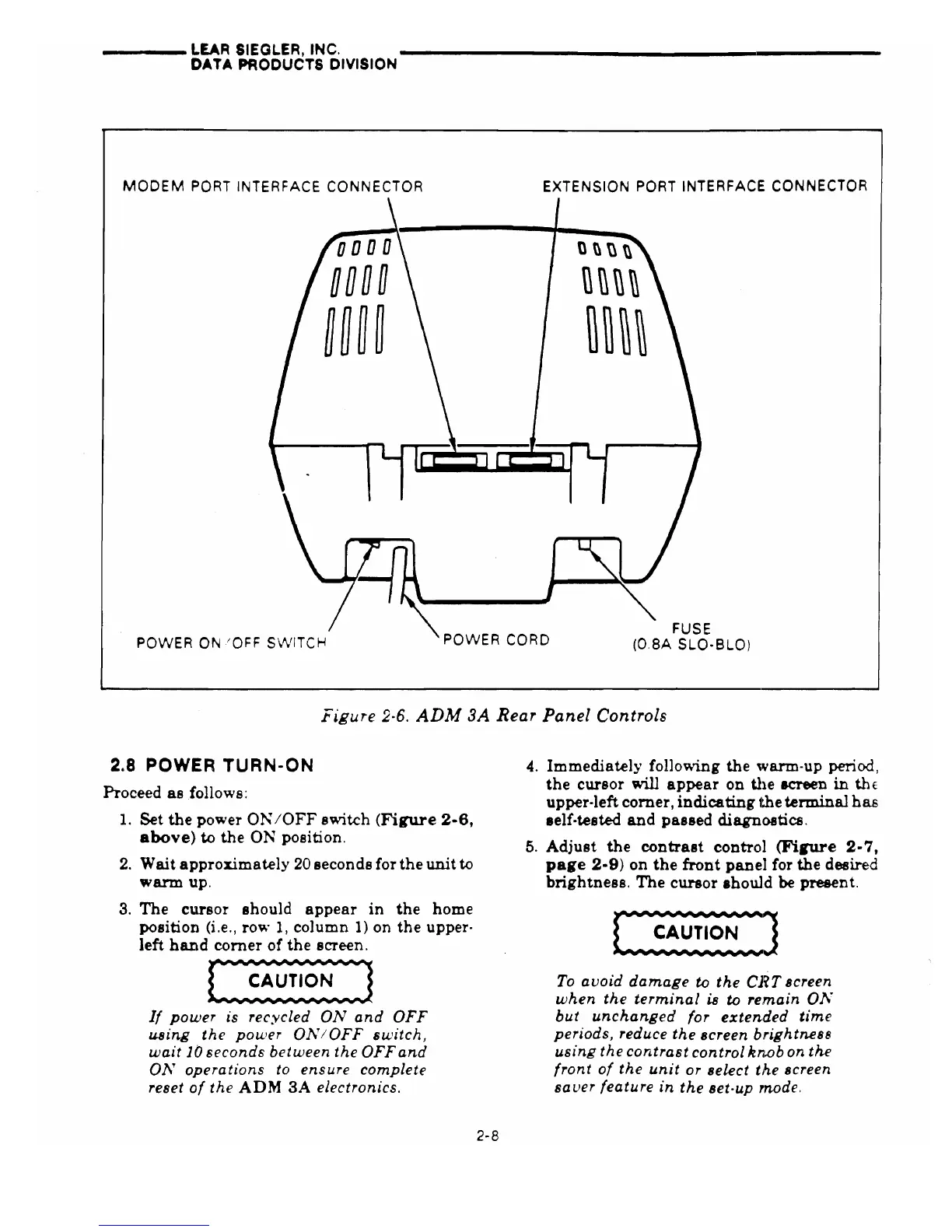
MODEM
PORT
INTERFACE CONNECTOR
EXTENSION
PORT
INTERFACE CONNECTOR
POWER
ON
'OFF
S'vVITCH
POWER
CORD
FUSE
(O.SA SLO-BLO)
Figure
2-6.
ADM
3A
Rear
Panel
Controls
2.8 POWER
TURN-ON
Proceed
as
follows:
1.
Set
the
power
ON
IOFF switch
(Figure
2-6,
above)
to
the
ON
position.
2.
Wait
approximately
20 seconds for
the
unit
to
warm
up.
3.
The
cursor should
appear
in
the
home
position (i.e., row
1, column
1)
on
the
upper-
left
hand
corner of
the
screen.
If
power
is
recycled
ON
and
OFF
using
the
power
01\'/OFF
switch,
wait
10
seconds
between
the
OFF
and
01\'
operations
to
ensure
complete
reset
of
the
ADM
3A
electronics.
2-8
4.
Immediately following
the
warm-up period,
the
cursor will
appear
on
the
screen
in
thE
upper·left
comer,
indicating
t.he
terminal
has
lelf·tested
and
passed diagnostics.
5.
Adjust
the
contrast
control
(Firure
2-7,
page
2-9)
on
the
front
panel
for the desired
brightness.
The
cursor
Ihould
be present.
To
avoid
damage
to
the
CRT
screen
when
the
terminal
is
to
re;main 01\'
but
unchanged
for
extended
time
periods, reduce
the
screen
brightnes8
using
the
contrast
control
kn.ob
on
the
front
of
the
unit
or select
the
screen
saver
feature
in
the
set-up rnode.