MyWay+ User Manual p.15
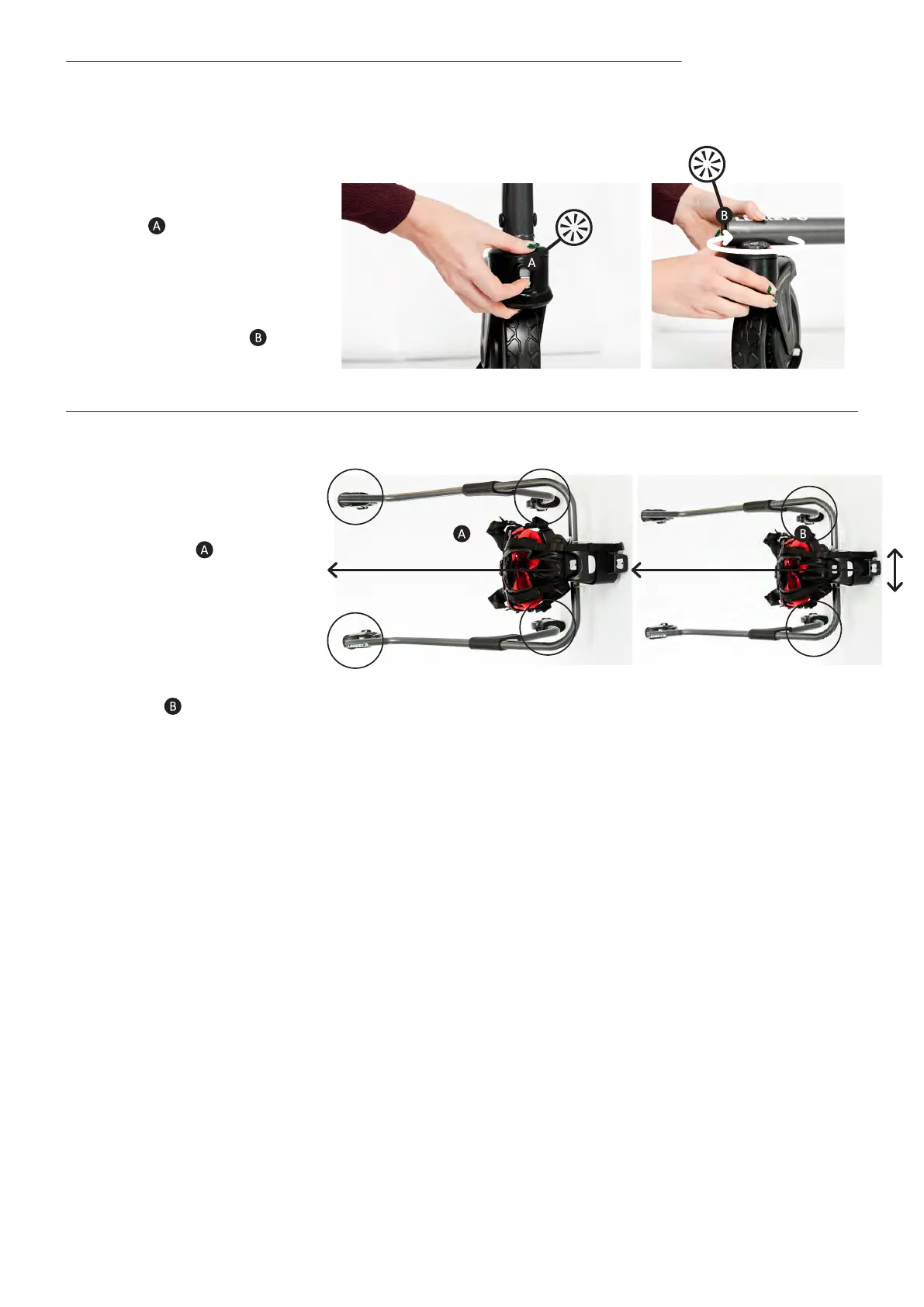
9.7 Castors | Direction Lock Feature
• To apply directional lock-
move the direction lock
slider upwards until a click
is heard . Then rotate the
castor around by moving
the frame until
you hear another click-
the castor has now
locked into position.
• Note – applying directional
lock to all four castors
will restrict the frame to
a forward, straight-line
direction only. Applying
direction lock to both the
rear castors will prevent
excessive side-to-side
movement of the frame
by the user but still allows
them the freedom to steer
the frame.



 To Next Page