p12 Squiggles Stander - User Manual
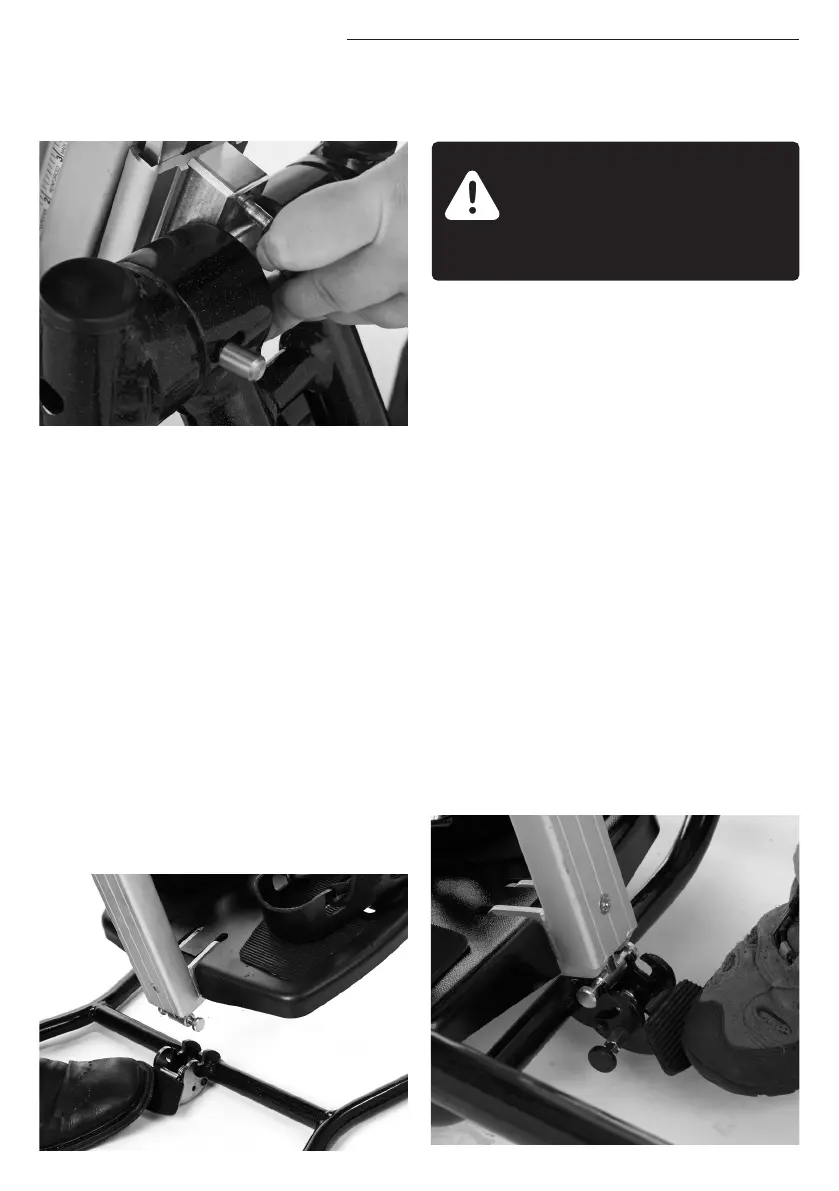
To attach the stander to the Easel
chassis engage the central spine into the
receiving bracket until it is fully engaged.
Release the locking pin at the side of the
pedal by pulling and rotating it through
90 degrees into the locked position. Press
the pedal down and locate the locking
bar at the base of the central spine in the
recess. Release the pedal, the support
frame is locked into position. Release the
locking pin again so the pedal cannot be
accidentally released.
9.4 ATTACHING
STANDER TO EASEL
CHASSIS
Always make sure the locking
pedal is fully engaged before
you place the child in the
stander.
First insert the support frame into the
receiver at the base. To do this release
the locking pin at the side of the pedal by
pulling and rotating through 90 degrees
into the locked position. Press the pedal
down and locate the locking bar at the
base of the central spine in the recess.
Release the pedal, the support frame
is now locked into position. Rotate the
locking pin again so the pedal cannot
be accidentally released. Then slide the
central spine interface into the receiving
bracket until it is fully engaged, ensuring
the locking pin has engaged fully.
9.5 ATTACHING
STANDER TO MOBILE
CHASSIS


 To Next Page