p14 Squiggles Stander - User Manual
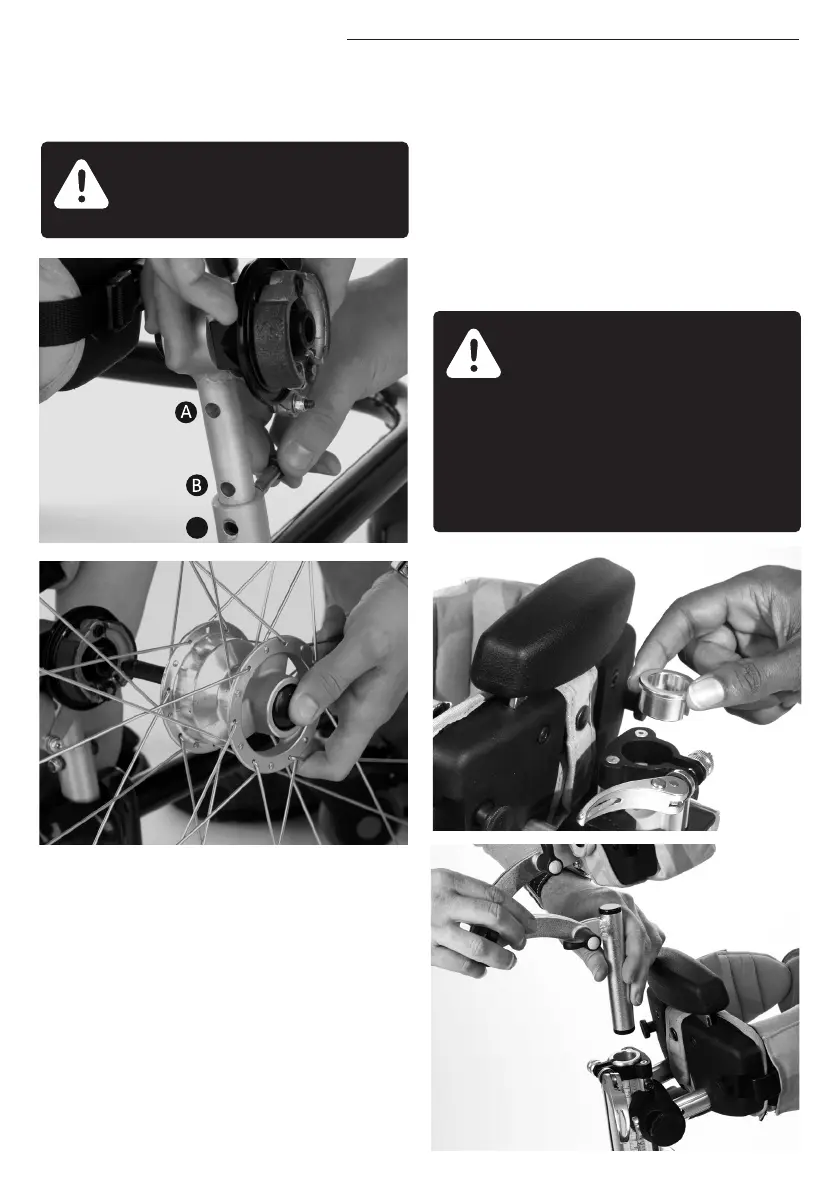
Always ensure the wheels are
engaged securely.
9.8 ATTACHING
THE HEADREST
To attach the Leckey head headrest first
open the locking lever by pressing the
safety button and pulling the handle,
then remove the plastic insert from the
receiving collar. Then slide the stem
into the receiving bracket on the central
spine, set to the desired position and
secure using the locking handle.
The Whitmyer Lynx head support
attaches in the same way. To attach
the Whitmyer Pro-Series headsupports
remove the spacer collar from the
receiving bracket and lock the vertical
stem in position using the locking lever.
The product contains
components which could
present a choking hazard to
small children. Always check
that locking knobs and bolts
within the child’s reach are
tightened and secure at all
times.


 To Next Page