DCR822
LECTROSONICS, INC.
12
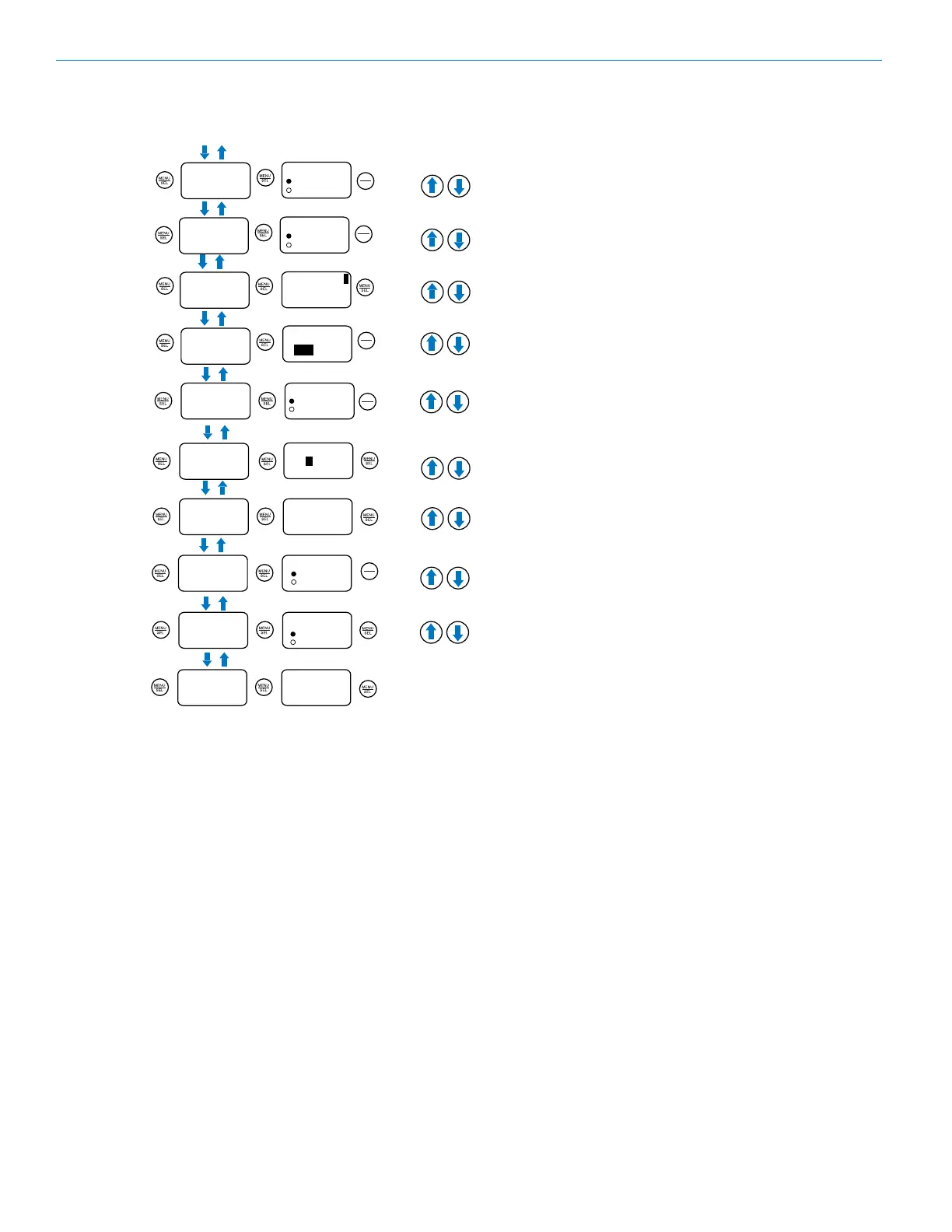
DCR822 LCD Menu Map
While paused, use UP or Down arrows
to tune selected receiver
Main Menu Tree
Select option with arrow buttons
to toggle.
CompatMode
CompatMode 1
D2
Takes
Scroll with arrow buttons
to select.
Files
Select option with arrow buttons
to select.
to stop/save.
SD Card
Files
0002.WAV
0003.WAV
0003 .WAV
Date 6/15
LTime 09:53
Len 00:10:25
Takes
S01 T002
S02 T003
S02 T003
Date 6/15
LTime 09:53
Len 00:10:25
Record
Recording
Scene&Take
Scene&Take
Scene 1
S0Scene 2
Change values with arrow buttons
to select.
Format Card
Format Card
for audio?
(files lost)
No
Yes
Select option with arrow buttons
to select.
File Naming
File Naming
Sequence
Clock Time
Scene&Take
Load Group
Files
Group9 .GRP
Group8 .GRP
Group7 .GRP
Scroll with arrow buttons
to select.
Save Group
About Card
GROUPS
SAVED
TO
CARD
* “No” leaves the card
formatted for Data.
Data format is needed
for firmware updates or
saving frequency groups.
Polarity
Pos. Neg.
Frequency
to pause scan
RF Setup
Select Freq or Grp with arrow buttons
to toggle.
Smart Tune
Smart Tune
Tune Rx 1
Diversity
Scroll options with arrow buttons. If you choose Frequency,
the system will ask you to Calibrate first.
to select.
Select option with arrow buttons
to toggle.
Select option with arrow buttons
to toggle.
Select option with arrow buttons
to toggle.
Select option with arrow buttons
to toggle.
Tx1 Range?
A1B1
Use arrow buttons to scroll
through range options
to
select.
Searching...
470.600
Tuned Rx 1
525.100
Sync!
Selects an open frequency.
Choose Down Arrow to Sync.
to repeat and tune RX 2
Frequency 1
607.900
Grp u
Scan
to select
channel.
Press both together
to zoom view
Scanning... 1
607.000
Clear Scan
Scan
data
CLEARED
Group Edit
Group Edit u
(empty)
MENU + å to ADD
MENU + ã to DEL
Use arrows to scroll and add
freq range and groups. Use
MENU+UP to
save; MENU+
DOWN to
delete.
PilotBypass
Select option with arrow buttons
to select.
PilotBypass
OFF
ON
Diversity
Vector
* Pilot Tone Bypass
is only available in
Hybrid Compat Modes
Audio Level
Audio Setup
Select values with arrow buttons
to toggle.
Audio Level
[ AES] +1
MENU+å 1ktone
|-60 |-40 |-20 0|
Output Type
Output Type
AES3 ANLG
Routing
Routing
RX1: ANLG1
RX2: ANLG2
* Option will be fixed
if Frequency Diversity
is chosen.
Smart NR
Smart NR
NORM
Talkback
* Option not available
if Frequency Diversity
is chosen.
Talkback 1
ON
Select option with arrow buttons
to toggle.
Polarity
* After adding a group,
navigate to SD Card,
then Save Group,
then Save to Card to
share groups with other
units.
Lock/Unlock
RX Power
RX Power
Backlight
Edit Names
Edit Names
Auto On
Auto On?
Always on
30 Seconds
5 Seconds
Select option with arrow buttons
to select.
Enabled
Disabled
Select option with arrow buttons
to select.
RXBat Type
TXBat Icon
Select option with arrow buttons
to toggle.
On On
Select option with arrow buttons
to toggle
TXBat Timer
TX Bat Timer 1
Select option with arrow buttons
to toggle.
Time: 1:33
No Alert
RX Bat Type
Alk.
Lith.
Select option with arrow buttons
to select.
Locale
Locale
About
About
Select option with arrow buttons
to select.
Band B1C1
V1.12
/1.09
Default
Restore
defaults?
Date & Time
Date & Time
2000/01/28
00:32:16
TXBat Type
TX Bat Type
Select option with arrow buttons
to select.
1: TX1
2: TX2
Select values with arrow buttons
to move
cursor.
No
Yes
Select option with arrow buttons
to confirm.
Select option with arrow buttons
to select.
Lock/Unlock
Alk.
Lith.
MENU+å to reset
TxBat Icon
Bar Bar
Select values with arrow buttons
to move
cursor.
NA
EU
to go back.
E...............F
0/14G
Max. Rec. Time
15:05:52
Next File
S01T004
IR & Keys
Send Freq
Select option with arrow buttons
to select.
Select option with arrow buttons
to select.
Sync 1 --->
Sync 2 --->
Send Freq
Send All
Sync 1 --->
Sync 2 --->
Send All
Get Freq
Sync 1 --->
Sync 2 --->
Get Freq
Get All
Sync 1 --->
Sync 2 --->
Get All
Group Sync
Group Sync
Group x
Send
Sync!
Key Type
Key Type
Standard
Make Key
Make Key?
No
Yes
Select option with arrow buttons
to select.
Encrytion
key
CREATED
* If an Encryption Key
exists, this option
will be Wipe Key,
providing the option to
delete and start over.
Send Key
Send Key
Send --->
DOWN arrow initiates
sync.
IR
SYNC
OK
PWR
BACK
PWR
BACK
PWR
BACK
PWR
BACK
PWR
BACK
PWR
BACK
PWR
BACK
PWR
BACK
PWR
BACK
PWR
BACK
PWR
BACK
PWR
BACK
PWR
BACK
PWR
BACK
PWR
BACK
PWR
BACK
Scroll options with arrow buttons
IR
SYNC
OK
IR
SYNC
OK
IR
SYNC
OK
IR
SYNC
OK
IR
SYNC
OK
DOWN ARROW initiates sync.
Scroll with arrow buttons
to select.
After scan clears it automatically
reverts to back the main menu tree.
MENU+UP to output audio tone
for calibration.
Use UP/DOWN
buttons to sync
* For Digital transmitters,
select Batt Type in the
transmitter.



 To Next Page