Dual Channel Digital Receiver
Rio Rancho, NM
7
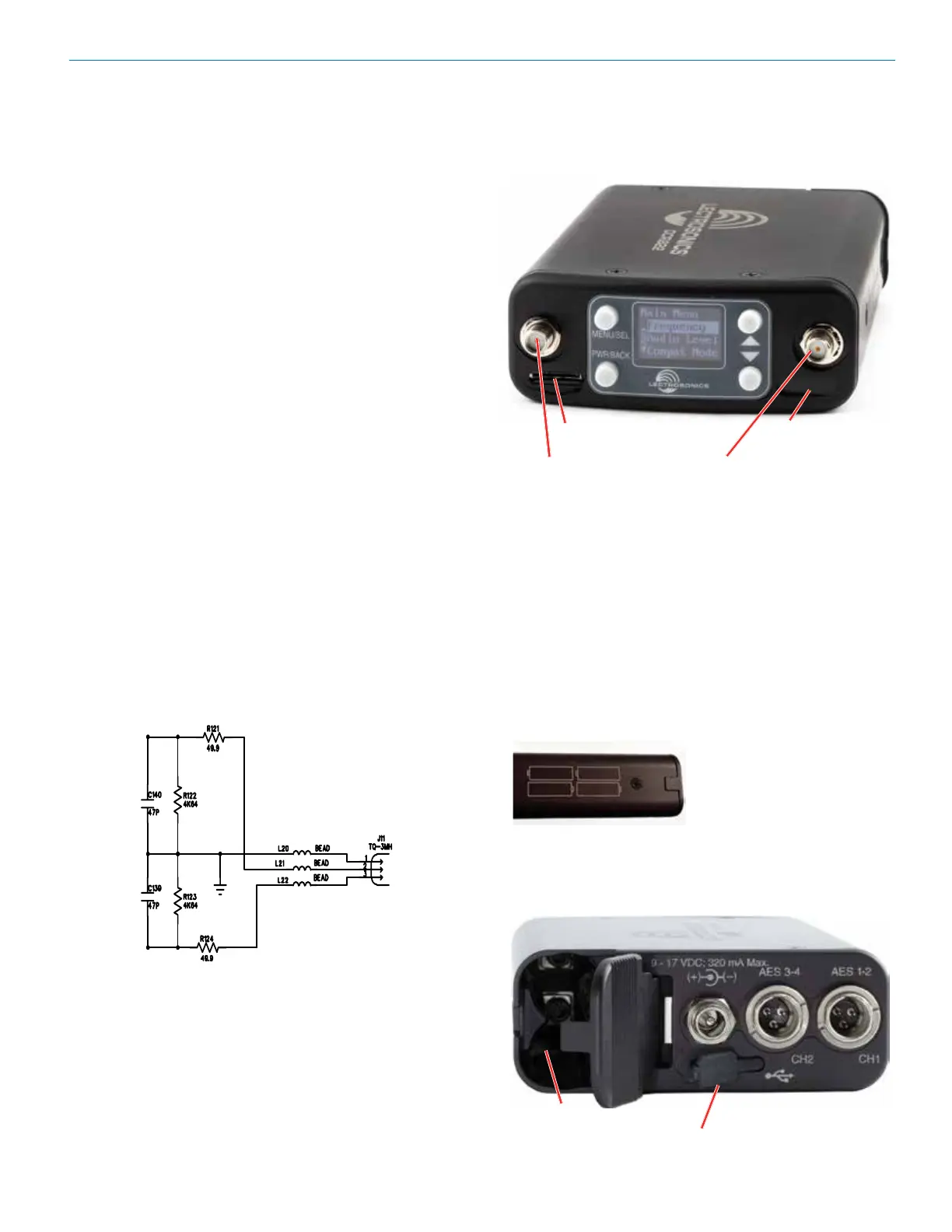
Front Panel Controls and Functions
MENU/SEL Button
The MENU button accesses the available menus and
selects the desired setting.
PWR/BACK Button
The PWR/BACK button is used to turn the receiver on
and off. When browsing menus and making changes to
settings, press PWR/BACK to return to previous menu.
Up/Down Arrow Buttons
The UP/DOWN buttons are used to scroll or input the
various options within each menu selection.
IR (infrared) Port
Settings can be transferred between transmitter and
receiver or receiver and receiver.
microSDHC Memory Card Port
Antenna Port (2)
TA3 Audio Output Jacks
The DCR822 uses a standard TA3 configuration with
pin 2 “positive.” The audio output is balanced but not
floating, so an unbalanced signal is available using pin
1 as ground and pin 2 as signal, leaving pin 3 open
(audio level will be 6 dB lower than balanced).
Power Input Jack
The power input jack can accept 9-17 VDC - the center
pin is positive and sleeve is ground. The input is diode
protected to prevent damage if the power is applied
with reversed polarity, and the unit will not work until the
reversed polarity condition is corrected.
Rear Panel Features
microSDHC memory
card port
IR (infrared) port
USB Port
The microB USB port can be used to connect the
DCR822 to the Lectrosonics Wireless Designer soft-
ware (pending; capability will be built into a future
firmware update).
Battery Compartment
Four AA batteries are
installed as marked on
the side panel of the
receiver.
The battery door is hinged and remains attached to the
housing when open. The specially-designed latch snaps
and locks into place for security when closed.
USB Port
Battery
Compartment
Antenna port
Antenna port



 To Next Page