10
4x
11
User Manual P6R Work | P7R Work V.01 06.2021
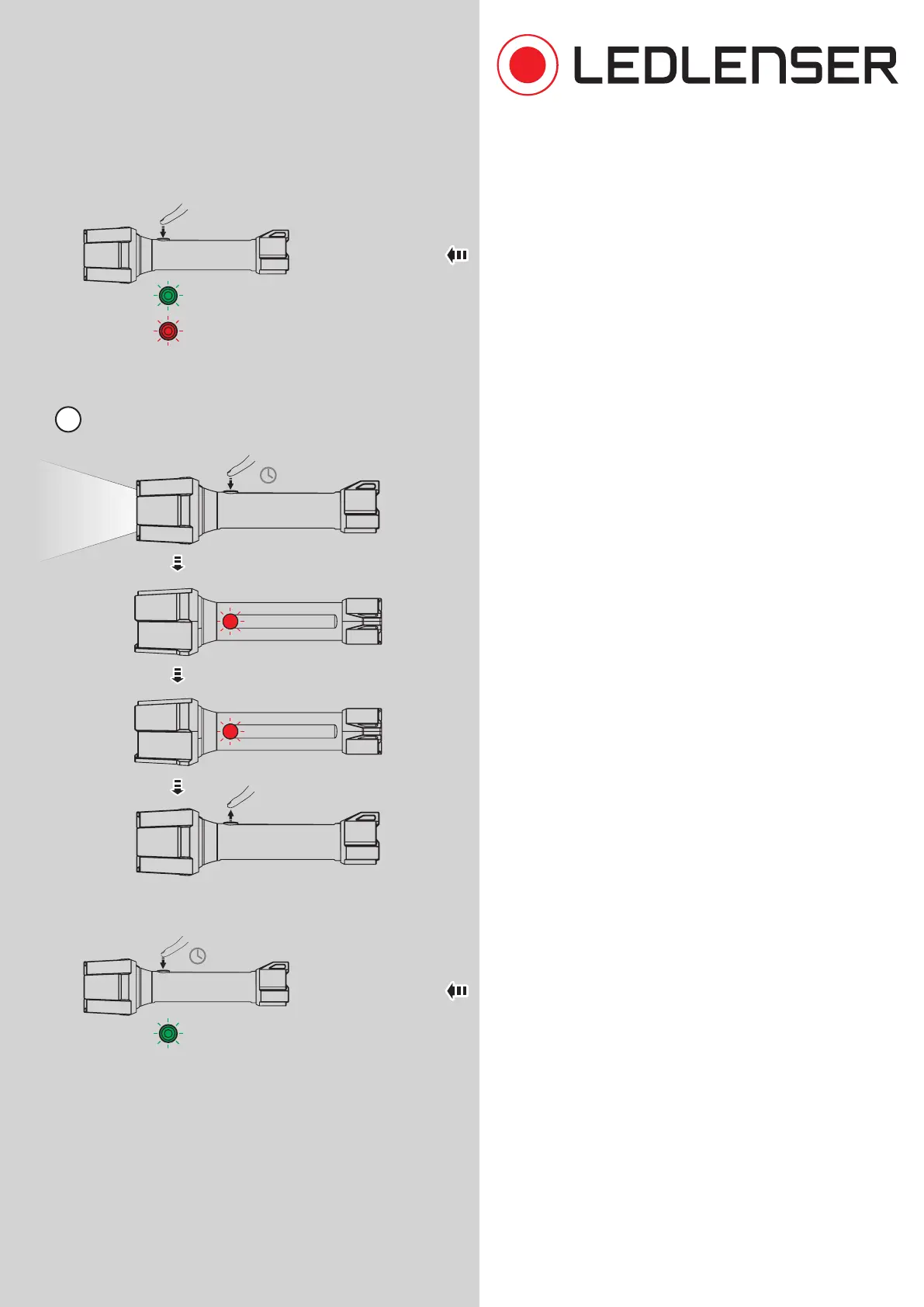
If you tap the switch four times, the Backup Mode is
switched on or o (see also No. 8).
11. The lamp can be reset to factory settings. To do this,
switch on the lamp. Hold down the switch for about
eight seconds. The switch flashes once, then twice.
Release the switch when it has blinked twice.
Then press the switch again for five seconds until it
flashes four times. Now release the switch. The lamp
has been reset to the factory settings and can be used
again as usual.
2x red blink: Backup Mode OFF
2x green blink: Backup Mode ON
Reset to factory settings
ON
2x blink
1x blink
4x green blink: Reset
hold
=8s
hold
=5s


 To Next Page