8
9
User Manual P6R Work | P7R Work V.01 06.2021
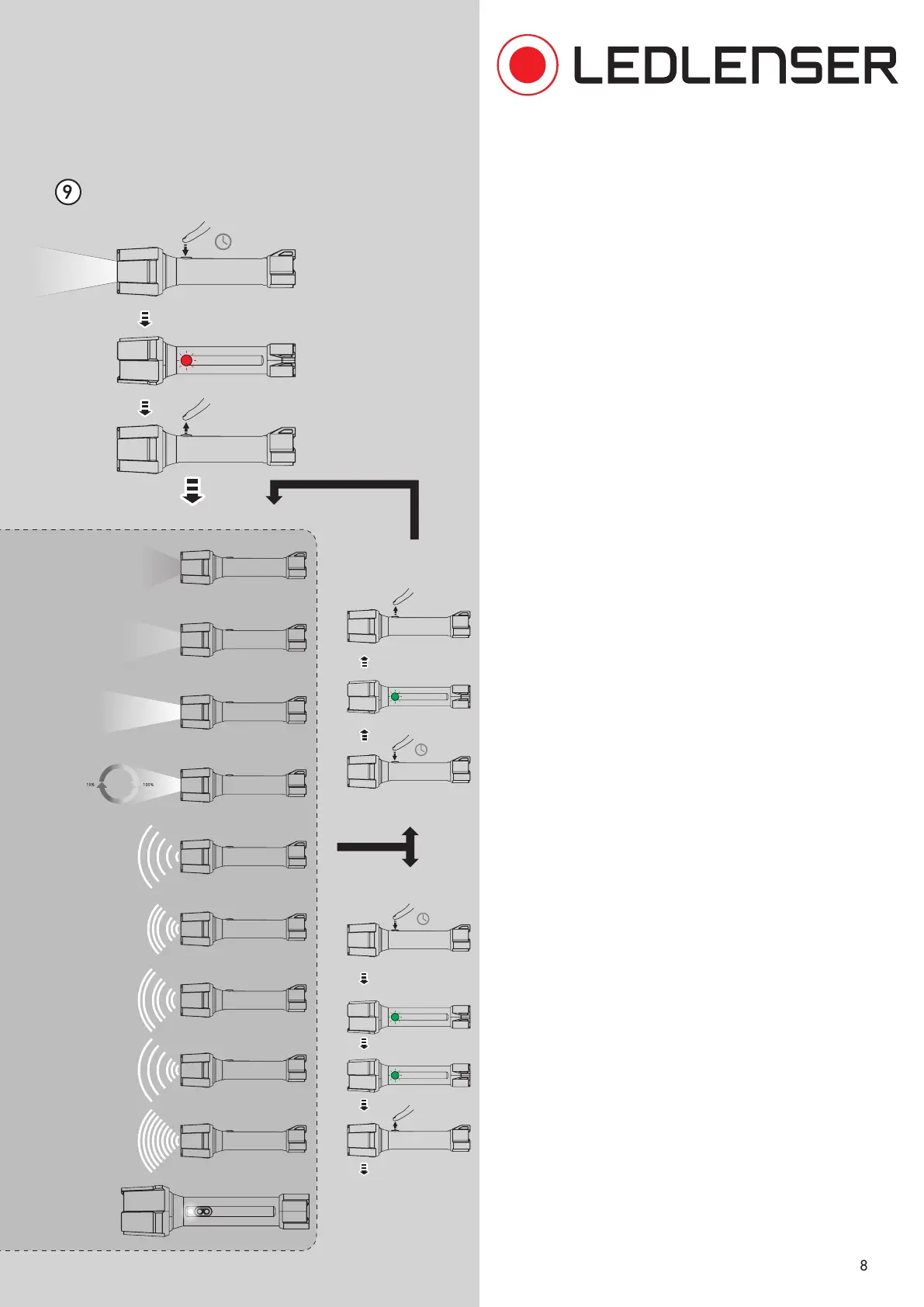
9. The flashlight is preset with selected light
functions and brightness levels. If desired, the
default settings can be changed via the switch
on the lamp. Proceed as follows:
- Hold down the switch for five seconds while the
light is on. Do not cover the switch completely,
in order to still be able to see the indicator light
inside the switch.
- After five seconds the switch will flash briefly.
Release the switch immediately.
- By briefly pressing the switch, you can switch
through all available light functions and brightness
levelsn.
- If you want to save the selected light function, hold
the switch down for two seconds. The switch will
flash twice to confirm. You can repeat this process
up to a total of ten times in order to save further
light functions.
- Alternatively, press and hold the switch for four
seconds to save the selected light function(s) and to
end the process (after the switch has flashed three
times).
- The lamp was now been programmed with the
selected light functions. These can now be activated
in the selected order by tapping the switch several
times within three seconds after switching the
lamp on.
Customizing Light Modes
hold
=8s
NEXT
hold
=4s
SAVE & EXIT
Low Power
Mid Power
Power
Dim
Blink
Flashing
Position
SOS
Strobe
2x blink
hold
=2s
2x blink
3x blink
1x blink
On
hold
=5s
White


 To Next Page