Optimizing Analog Inputs
When using the analog inputs it is useful to optimize the input levels according to how they are being used. This will maximize the
signal to noise ratio and provide optimal gain while preventing distortion from input overload.
Outboard DAC to Wavelet Analog Inputs Using Wavelet as your Preamplifier
The Wavelet has adequate internal gain for virtually any outboard DAC ouput. In some cases you may wish to decrease the input
sensitivity of the Wavelet to accommodate an external DAC with high output level, especially if your are using one with a volume
control. Each stereo pair of analog inputs of the Wavelet can be adjusted downward in -3, - 6, or -12dB steps as shown below. The
goal is to set the analog channel’s input sensitivity so that adequate volume level is achieved from your system without any audible
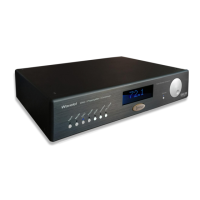
clipping of the inputs. When adjusted properly, the Wavelet’s blue front panel display will usually be in the range of 85dB for average
listening levels. When using the Wavelet’s digital inputs such as the SPDIF from a CD transport, adjustments are not required - thus
there are no provisions for such. Some computer hosted media software may introduce an extra level control stage to the USB output.
In this case it is best to configure the software settings so a typical listening level is accomplished with Wavelet displaying 85dB.
Outboard Preamp Driving Analog Inputs Using Wavelet for Crossover/Room Correction
If you are relying on an external preamplifier to provide the both the master gain and level control into the Wavelet, you will need to
optimize the inputs sensitivity of the Wavelet’s analog inputs. The key is be certain that the highest volume from the preamp does not
overload the analog inputs. We recommend beginning
12
with the -12dB setting initially as shown below. Further attenuation of -3, -6dB is available if needed. While you can also further
reduce the volume setting from your preamp, the goal is totally avoid clipping at all levels. Again try to establish a Wavelet level
setting of about 85dB for typical listening. With a little care you will have minimized your noise floor and prevented input saturation.
Rarely does the Wavelet need to be set above 90dB when optimizing to the volume settings familiar from your preamplifier.
Rear Panel View of Resistive Switches


 To Next Page