EasyManua.ls Logo

Legacy Wavelet II - User Manual

Legacy Wavelet II
30 pages
Print Icon
To Next Page IconTo Next Page
Loading...
Legacy Wavelet II
Owners Manual
Question and Answer IconNeed help?

Do you have a question about the Legacy Wavelet II and is the answer not in the manual?

Summary

Owners Record

Register Your Product

Instructions on how to register the product online.

Share Your System

Encouragement to share system photos and experiences on social media.

Quick Setup Guide

Wired Connection Procedure

Step-by-step guide for connecting the Wavelet via Ethernet.

Wireless Setup Guide

Wi-Fi Configuration Steps

Guide to connect Wavelet to Wi-Fi using a USB memory stick.

Accessing the Remote Interface

Instructions on how to access the device's remote interface.

Connections Overview

Analog Input Ports

Description of analog input ports and level trim settings.

Digital Input Ports

Description of digital input ports.

Analog Output Ports

Description of analog output ports.

Power and USB Ports

Identification of USB and DC power connection ports.

Product Specifications

Analog Input Specifications

Input sensitivity, impedance, and attenuation for analog inputs.

Digital Input Specifications

Supported digital audio formats and sample rates.

Analog Output Specifications

Output channel count, impedance, and level adjustments.

Control Interface Specifications

Supported control interfaces like Ethernet API and trigger I/O.

Processor Specifications

Internal processing capabilities and Bohmer Correction details.

Specification Details

Dimensions and Weight

Physical dimensions (HxWxD) and weight of the unit.

Measurement Unit Definitions

Explanations of dBFS and dBV measurement units used.

Wavelet App Controls

Dashboard Controls Overview

Overview of dashboard controls like Volume, Fine Volume, Mute, Bypass.

Input Source Selection

How to select input sources for audio playback.

Contour Settings Introduction

Introduction to Brilliance, Low-Treble, Upper-Bass, Mid-Bass, Low-Bass controls.

Wavelet App Features

Apodizing and Omnio Modes Explained

Explanation of Apodizing and Omnio technology modes.

Contour Presets M1-M8

How to save and recall contour settings using M1-M8 presets.

Contour Slider Adjustment Guide

How to adjust contour sliders for frequency bands.

Contour Settings Explanation

Brilliance and Low-Treble Adjustments

Explanation of Brilliance and Low-Treble frequency adjustments.

Upper-Bass and Mid-Bass Adjustments

Explanation of Upper-Bass and Mid-Bass frequency adjustments.

Low-Bass and Punch Adjustments

Explanation of Low-Bass and Punch frequency adjustments.

Reset Sliders Functionality

How to reset all contour sliders to their default values.

Room Correction Setup

Navigating to Room Correction

Steps to navigate to Room Correction via the Settings menu.

Room Correction Setup Steps

Initial steps involving driver checks and channel level tests.

Ping Channels Test

Manual Channel Level Adjustments

Running Room Correction

Measure Speaker Channels

Procedures for measuring speaker response with the microphone.

Upload Measurements for Processing

Uploading measurements and initiating correction calculations.

Toggle Room Correction Feature

How to toggle Room Correction on and off from the Dashboard.

Room Correction Process

Handling Measurement Errors

Handling potential errors and confirming successful measurements.

Monitoring Correction Progress

How to monitor the progress of room correction calculations.

USB Playback Operation

Connect and Select USB Source

Steps to connect a playback device via USB and select it as an input.

Optimizing Analog Inputs

Use with Outboard DAC

Optimizing input levels when using an outboard DAC.

Use with External Preamp

Optimizing input levels with an external preamplifier.

Wavelet Accessories

Designer Notes: Room Acoustics

Why Room Correction is Needed

Explains the need for room correction based on wave pulse simulations.

Designer Notes: Wave Patterns

Designer Notes: Correction Methods

Conventional vs. Bohmer Correction

Compares conventional room correction to the Bohmer correction method.

Troubleshooting Wireless

Remote Connection Issues

Steps to resolve issues with the wireless remote app connection.

Wi-Fi Connection Instability

Troubleshooting tips for unstable Wi-Fi connectivity.

Troubleshooting Audio Issues

No Sound Output Resolution

Solutions for scenarios where no audio output is produced.

Power and Startup Problems

Troubleshooting steps for power-related problems.

No Speaker Audio Diagnosis

Steps to diagnose and resolve lack of speaker audio output.

Troubleshooting Operational Issues

Distorted Sound Causes and Fixes

Causes and fixes for distorted audio playback.

Startup Pop Prevention

How to prevent loud pops during system startup.

IP Address Connection Failure

Resolving connection problems when an IP address is shown.

Warranty Information

Product Care Instructions

Safety and Compliance

Safety and EMC Standards List

Lists safety and electromagnetic compatibility standards followed.

Safety Precautions

Environmental Testing and Warnings

Information on testing, fire/shock warnings, and ventilation.

Overview

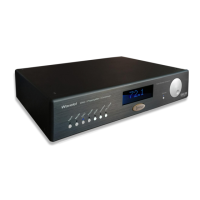
The Legacy Wavelet II is a sophisticated Digital Audio Signal Processor, functioning as a DAC, Preamplifier, Crossover, and Room Correction Processor. It is designed to optimize loudspeaker-room acoustic transfer functions, particularly in the time domain, to enhance sound quality, transient response, clarity, and sound staging. The device aims to provide a relaxed sound without harshness or booming by addressing alignment errors individually rather than through broad-spectrum correction.

Function Description:

The Wavelet II serves as the central hub for an audio system, integrating multiple critical functions:

  • Digital-to-Analog Converter (DAC): It processes digital audio signals, supporting high-resolution audio up to 32 bits and 384 kHz via asynchronous USB audio. It also features an apodizing circuit to correct pre-ringing native to CODECs, offering both apodizing and linear DAC modes.
  • Preamplifier: It manages input selection and volume control for both analog and digital sources.
  • Crossover: It includes advanced algorithms for speaker management, pre-programmed from the factory for specific Legacy speakers, ensuring optimal signal distribution to different drivers.
  • Room Correction Processor: This is a core feature, utilizing Böhmer Correction technology. It performs Loudspeaker In-room Energy-Time alignment based on psychoacoustically driven measurements. The system captures room response using a measurement microphone and calculates correction filters to mitigate undesirable reflections and resonances, improving the overall sound experience.
  • Remote Control: The Wavelet II can be controlled wirelessly via a smart device app (phone, tablet, computer) through a web browser interface, displaying an IP address for access. It supports both wired Ethernet and Wi-Fi connections.

Important Technical Specifications:

Dimensions: 4.125 x 17.5 x 12 inches (HxWxD) Weight: 13.5 lbs.

Inputs:

  • Analog:
    • Two pairs of Stereo balanced inputs on XLR connectors.
      • Input sensitivity: 0 dBFS = 1 dBV, input impedance 20 kOhm.
      • Attenuation: -3 dB, -6 dB, -12 dB (for 0 dBFS = 4 dBV, 7 dBV, or 13 dBV respectively).
    • Two pairs of Stereo unbalanced inputs on RCA connectors.
      • Input sensitivity: 0 dBFS = 1 dBV, input impedance 100 kOhm.
      • Attenuation: -3 dB, -6 dB, -12 dB (for 0 dBFS = 4 dBV, 7 dBV, or 13 dBV respectively).
    • One XLR Measurement microphone input with 48 Vdc Phantom power.
  • Digital:
    • Asynchronous USB audio: 32 bits, 44.1 – 384 kHz (ASIO driver required for 32-bit operation on PC).
    • AES/EBU: 24 bits, 44.1 – 192 kHz.
    • SPDIF: 24 bits, 44.1 – 192 kHz.
    • TosLink: 24 bits, 44.1 – 96 kHz.

Outputs:

  • Analog:
    • 8 balanced output channels on 8 XLR connectors.
      • Output level: 0 dBFS = 8 dBV, 33 Ohm output impedance.
      • Internal jumpers offer a 6 dB increase for 0 dBFS = 14 dBV.
    • 8 unbalanced output channels on 8 RCA connectors.
      • Output level: 0 dBFS = 8 dBV, 33 Ohm output impedance.

Processor:

  • Analog Devices, internal processing sample rate 192 kHz, bit depth 64 bits.
  • Böhmer Correction: Loudspeaker In-room Energy-Time alignment using psychoacoustically based measurement methods.

Control Interface:

  • REST control API over Ethernet.
  • Control4 driver available.
  • Trigger input and output: 12Vdc on, 0Vdc off.

Safety and EMC Standards:

  • Conforms to IEC 60065:2014, EN60065:2014, EN 55032:2015, EN 61000 series, and CFR 47 Part 15 Subpart B (FCC).
  • Undergone Highly Accelerated Life Test (HALT) for environmental testing, including random vibration (2.1 grms) and shock (40-70 g).

Usage Features:

  • Quick Setup (Wired): Connects via an Ethernet to USB adapter to a router. The device displays an IP address for browser-based remote control.
  • Wireless Setup (Wi-Fi): Uses an included WiPi stick. Requires loading a wifi-conf.txt file onto a SanDisk USB memory stick with SSID and password information. The device then connects to the Wi-Fi network and displays an IP address for remote access.
  • Wavelet App Controls: A web-based interface accessible via IP address, featuring:
    • Volume Control: Adjustable via a slider, with fine adjustments available.
    • Mute Function: Mutes all outputs.
    • Input Selection: Drop-down menu for selecting RCA or XLR inputs.
    • Bypass Mode: Enables Home Theater Bypass Mode.
    • Room Correction Toggle: Activates or deactivates the room correction filters.
    • Apodizing/Linear DAC Mode: Selects between apodizing (recommended for pre-ringing correction) and linear DAC modes.
    • Omnio Technology: Toggles Omnio, which improves channel separation and restores directional vector relationships.
    • Contour Presets (M1-M8): Eight recallable presets for saving and recalling custom contour settings.
    • Contour Settings: Sliders for adjusting Brilliance (above 10kHz), Low-Treble (above 3kHz), Upper-Bass (below 300Hz), Mid-Bass (below 150Hz), Low-Bass (below 75Hz), and Punch (at 55Hz). These settings are retained in memory even when the unit is off.
  • Room Correction Setup:
    • Ping Channels: Verifies correct cable connections by playing pink noise through individual speaker drivers.
    • Manual Channel Level Adjustments: Allows adjustment of output volume for each pair of Wavelet's outputs, useful for matching external amplifiers with varying gains.
    • Measurement Process: Guides the user to place a microphone (included) and record left and right channel responses. The measurements are uploaded to a server for calculation of correction filters, which are then downloaded and enabled automatically.
  • USB Playback: Functions as a USB DAC, compatible with Mac/PC and other USB 2.0 Audio devices. Requires Wavelet to be powered on before the playback device.
  • Optimizing Analog Inputs: Adjustable input sensitivity (-3, -6, or -12dB) via resistive switches on the rear panel to prevent clipping and optimize signal-to-noise ratio, especially when using external DACs or preamplifiers.

Maintenance Features:

  • Cleaning: Use a diluted ammonia-based window cleaner. Avoid abrasive cleaners or chemical solvents. Be careful not to scratch the aluminum body.
  • Software Updates: The "System update" option in the settings menu allows checking and downloading the latest Wavelet software version.
  • Troubleshooting: The manual provides guidance for common issues such as:
    • Connection Problems: Verifying wired/wireless connections, checking IP addresses, and ensuring correct Wi-Fi network selection.
    • No Sound: Checking volume, mute status, input selection, cable connections, and amplifier power.
    • "Error. Volume too Low" during Room Correction: Increasing volume and checking microphone connection.
    • Unit Not Powering On/Clicks and Shuts Off: Power cycling the unit and connected sources, ensuring Wavelet II is powered on before digital sources.
    • Distorted Sound: Adjusting input signal level using attenuator switches on the back panel.
    • Loud Pop on Start-up: Powering off all streamers, preamps, sources, and amplifiers before turning on Wavelet II.
    • Output Level Too Low/High: Adjusting channel levels in the manual channel level adjustments.
    • Stereo Sound in Monophonic: Selecting Stereo Mode.
    • Dim/Bright LED Display: Adjusting brightness in Front Panel settings.
    • IP Address Displayed but Can't Connect: Checking for wireless isolation in router settings.
  • Warranty: Legacy Audio offers a three-year warranty on amplifiers for defects in materials and workmanship, requiring proof of purchase. The warranty is non-transferable and applies to products purchased from an Authorized Legacy Dealer. It does not cover accidental damage, electrical abuse, inconsistent use, unauthorized service, or normal wear.
  • Packaging: It is recommended to save the original box and packing material for moving the unit.

Legacy Wavelet II Specifications

General IconGeneral
BrandLegacy
ModelWavelet II
CategoryRecording Equipment
LanguageEnglish