EasyManua.ls Logo

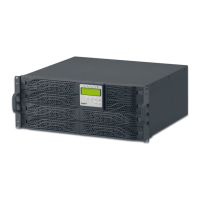
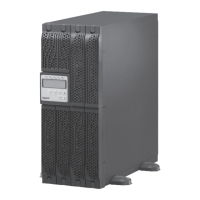
LEGRAND DAKER DK Plus 3 101 73 - User Manual

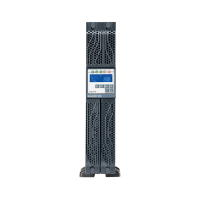
LEGRAND DAKER DK Plus 3 101 73
220 pages
Go to English
Print Icon
To Next Page IconTo Next Page
Loading...
Part. LE09706AB-08/17-01 CT
DAKER DK Plus
5 kVA - 6 kVA - 10 kVA
Manuel d’installation • Installation manual

Table of Contents

Questions and Answers

  • I
    Ian MullinsAug 3, 2025
    Why my LEGRAND DAKER DK Plus 3 101 73 UPS batteries don’t work properly?
    • E
      emilycolemanAug 3, 2025
      If the batteries in your LEGRAND UPS don’t work properly, check their connection and voltage to ensure they are charged. If needed, recharge them for 8 hours. If issues persist or the batteries need replacement, contact the LEGRAND Technical Support Service.
  • D
    Danielle ChungAug 13, 2025
    What to do if the Fault LED is on on my LEGRAND UPS?
    • D
      Danielle ReedAug 13, 2025
      If the Fault LED is on your LEGRAND UPS, the first step is to check the error code on the display against the error code table. If the problem continues after that, contact the LEGRAND Technical Support Service.
  • M
    Mario DavisAug 22, 2025
    What to do if my LEGRAND UPS is overloaded?
    • T
      Tracy ChangAug 22, 2025
      If your LEGRAND UPS is overloaded, try disconnecting some non-critical loads from the UPS output until the overload stops. Also, check for any short-circuits between the output cables due to faulty insulation, and replace the cables if needed.

Summary

DAKER DK Plus UPS Safety Instructions

General Installation and Usage Safety

Essential safety guidelines for installation, use, and maintenance to prevent shock or fire.

Battery Handling and Precautions

Precautions for working with batteries due to electrical shock and short circuit risks.

Environmental and Operational Safety Warnings

Warnings about high voltages, environmental conditions, and EMC considerations.

DAKER DK Plus UPS Installation Guide

Tower Configuration Setup

Step-by-step instructions for setting up the UPS in a vertical (tower) configuration, including optional battery cabinets.

Rack Configuration Setup

Rack Installation Procedure

Instructions for installing the UPS in a standard equipment rack using support brackets.

DAKER DK Plus Rear Panel Identification

UPS Connection and Installation Procedure

Cable Connections and Final Steps

Detailed steps for connecting input/output cables and completing the UPS installation.

DAKER DK Plus Shutdown Procedure

Emergency Power Off (EPO) Function

Troubleshooting Common UPS Issues

Indications, Diagnostics, and Solutions

Table listing common UPS indications, diagnostic codes, and their corresponding solutions.

UPS Error Code Reference

A comprehensive list of error codes and their meanings for diagnosing UPS problems.

LEGRAND DAKER DK Plus 3 101 73 Specifications

General IconGeneral
BrandLEGRAND
ModelDAKER DK Plus 3 101 73
CategoryUPS
LanguageEnglish

Related product manuals