EasyManua.ls Logo

LEGRAND Watt Stopper DT-305 - User Manual

LEGRAND Watt Stopper DT-305
2 pages
Print Icon
To Next Page IconTo Next Page
Loading...
DT-305
360º Dual Technology Low
Voltage Occupancy Sensor
Ceiling Mount
Quick Start Guide
THIS UNIT IS PRESET FOR BASIC
OPERATION AS DESCRIBED IN THIS
GUIDE. ADJUSTMENT IS OPTIONAL.
For full operational details, adjustment and
more features of the product, see the Installation
Instructions at www.wattstopper.com
Installation shall be in accordance with all
applicable regulations, and codes.
SENSOR PLACEMENT 10’ MAX. HEIGHT
MOUNTING
WARNING
TURN POWER OFF AT CIRCUIT BREAKER
BEFORE INSTALLING POWER PACKS.
Load #1
Load #2
(Optional)
DT-305
Standard wiring with local off switch
Rear Housing
Depluggable
Terminal
Front Cover
Ceiling
Spring Clips (2)
Blue
Control Out
+24V
Common
Low Voltage
Class 2
Line
Voltage
Line
Neutral
Feed Through
Power Pack
Black
Red
#1 #2
Line Voltage
Switches
LVS-1
Load
Rear Housing
Depluggable
Terminal
Front Cover
Ceiling
Spring Clips (2)
Blue
Control Out
Black
+24V
Low Voltage
Class 2
Line Voltage
Line
Neutral
Feed Through
Power Pack
Man.Switch
Red
DT-305
Manual-On wiring with low voltage momentary switch
Common
For low voltage
momentary switch set
DT-305 DIP switches:
1 = Off
2 = On
3 = On
Man.Switch
Common
Jumper
Back
of
LVS-1
CONNECTING WIRES
Care should be taken to separate high voltage power from low voltage (Class 2) control wiring.
All connections to sensor are low voltage, Class 2.
Rear
housing
Depluggable
terminal
4" Octagonal J-Box
(at least 1.5" deep)
Front
cover
Ceiling
Screws
To octagon box:
Rear
housing
Depluggable terminal
Front
cover
Ceiling
Spring clips (2)
Through ceiling tile:
Sensor
28'
30'
Sensor
Pendant xtures
Do NOT mount a ceiling sensor above a suspended
fixture. Use a ceiling/wall mount sensor mounted to
the wall below the plane of the bottom of the fixture.
Hot air supply
6’
Sensor
Mount sensor at least 6’ away from hot air supply
White
Black
Red
Line Voltage
Wire Color Legend

Questions and Answers

Summary

Sensor Placement

Placement Guidelines

Instructions for sensor placement including height and proximity to hot air supplies.

Mounting

Mounting Through Ceiling Tile

Instructions for mounting the sensor through a ceiling tile using spring clips.

Mounting to Octagon Box

Instructions for mounting the sensor to a 4" octagonal J-Box.

Connecting Wires

Wiring Safety Precautions

Notes on separating high voltage and low voltage wiring for safe connections.

Wiring Diagrams

Illustrations of standard and manual-on wiring configurations for the sensor.

Factory Pre-Set Operation

Pre-Set Parameters

Details on factory default settings for time delay, LED indicators, ON mode, PIR, and ultrasonic sensitivity.

Troubleshooting

Lights Do Not Turn On

Steps to diagnose and resolve issues where lights fail to activate when entering a room.

LED Status Issues

Guidance for troubleshooting scenarios involving flashing or non-flashing LEDs on the sensor.

Lights Do Not Turn Off

Procedures to troubleshoot and fix problems where lights remain on automatically.

Overview

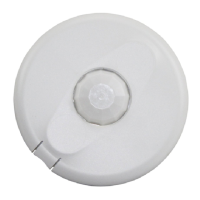
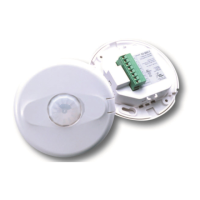
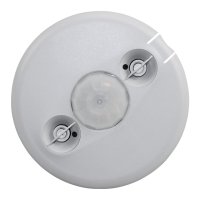
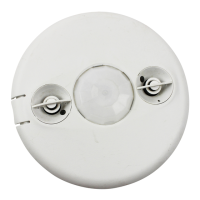
The DT-305 is a 360° Dual Technology Low Voltage Occupancy Sensor designed for ceiling mount applications. This Quick Start Guide outlines its basic operation, installation, and troubleshooting. For more detailed information, users are directed to the full installation instructions available at www.wattstopper.com. Installation must comply with all applicable regulations and codes.

Function Description:

The DT-305 sensor utilizes dual technology (PIR and Ultrasonic) to detect occupancy within a space, automatically controlling lighting loads. It is pre-set for basic operation but offers optional adjustments for time delay, LED indicators, ON Mode, PIR sensitivity, and Ultrasonic sensitivity. The sensor is designed to turn lights on when occupancy is detected and turn them off after a set time delay when the space is vacated.

Important Technical Specifications:

  • Coverage Area: 360°
  • Mounting Height: Maximum 10 feet for optimal sensor placement.
  • Technology: Dual Technology (PIR and Ultrasonic).
  • Voltage: Low Voltage (Class 2) for control wiring. High voltage power is handled by a separate power pack.
  • Factory Pre-Set Settings:
    • Time delay: 20 minutes
    • LED indicators: Enabled
    • ON Mode: Auto-ON (Both technologies must activate to turn on load; either keeps it on).
    • PIR sensitivity: High
    • Ultrasonic: 80%
  • Wiring: Requires a power pack for high voltage load control. Connections to the sensor are low voltage.
  • Mounting Options: Can be mounted through a ceiling tile or to an octagon box (4" octagonal J-Box, at least 1.5" deep).

Usage Features:

  • Basic Operation: The unit is pre-set for immediate use, turning lights on when occupancy is detected and off after a 20-minute delay when the space is empty.
  • Adjustments: Users can customize settings such as time delay, PIR sensitivity, and ultrasonic sensitivity. These adjustments are optional and provide flexibility for different environments.
  • ON Mode: The default Auto-ON mode requires both PIR and Ultrasonic technologies to activate the load initially, but either technology can keep the load on once activated. A DIP switch setting needs to be changed for manual-on wiring with a low voltage momentary switch.
  • Wiring Configurations:
    • Standard wiring with local off switch: Allows for manual control to turn off lights.
    • Manual-On wiring with low voltage momentary switch: Enables manual activation of lights using a momentary switch, with specific DIP switch settings required (1=Off, 2=On, 3=On).
  • Warm-up Period: Upon installation or after power outages of 5 minutes or more, the sensor enters a warm-up period (30-60 seconds) during which the load turns ON. If no detection occurs within 1 minute, the load turns off. If occupancy is detected, the load remains ON until the space is vacated and the time delay elapses.
  • LED Indicators: Enabled by default, providing visual feedback on sensor activity.

Maintenance Features (Troubleshooting):

The guide provides a comprehensive troubleshooting section for common issues:

  • Lights do not turn on when entering the room:
    • Check circuit breaker, sensor, and power pack wire connections.
    • Verify 24VDC input to the sensor.
    • Ensure the sensor is out of its warm-up period.
    • Check PIR sensitivity setting (DIP switch #8).
    • Adjust ultrasonic sensitivity if the green LED does not flash with movement.
    • If the green LED is continuously on, adjust the ultrasonic sensitivity trimpot clockwise until it flashes only with movement.
    • If red and green LEDs flash, check all sensor and power pack connections, and verify Light Level functionality if connected. Check for 24VDC at the power pack.
  • Lights do not turn off automatically:
    • Reduce ultrasonic sensitivity by turning the adjustment pot counter-clockwise.
    • Check if a Manual Switch connection is being used incorrectly.
    • Reduce PIR sensitivity by turning DIP switch 8 to the off position.
    • Check all sensor and power pack wire connections.
    • Disconnect the power pack blue wire to isolate the problem between the power pack, sensor, or wiring.
    • Turn sensitivity and time delay to minimum, allow the sensor to time out, and then readjust.
    • If issues persist after checking wiring, consider replacing the sensor.

Important Warnings:

  • Power Off: Always turn power off at the circuit breaker before installing power packs.
  • Mounting Restrictions: Do NOT mount a ceiling sensor above a suspended fixture. Use a ceiling/wall mount sensor mounted to the wall below the plane of the bottom of the fixture.
  • Hot Air Supply: Mount the sensor at least 6 feet away from any hot air supply to prevent false triggers.
  • Wiring Separation: Care should be taken to separate high voltage power from low voltage (Class 2) control wiring. All connections to the sensor are low voltage, Class 2.

LEGRAND Watt Stopper DT-305 Specifications

General IconGeneral
BrandLEGRAND
ModelWatt Stopper DT-305
CategoryAccessories
LanguageEnglish

Related product manuals