6
Green LED does not ash.
Ultrasonic sensitivity setting may need to be increased. Turn adjustment trimpot clockwise until the LED begins to flash when
movement occurs.
Green LED is on steady.
Check ultrasonic sensitivity trimpot. Fully counterclockwise position is the override for the sensor. Turn trimpot clockwise until LED
flashes only when movement occurs in the desired coverage area.
Red and Green LEDs ash.
1. Check all sensor and power pack connections.
2. Check for 24VDC at the power pack blue and black wire connections to sensor while sensor is active.
• If there is no voltage, replace the sensor.
• If there is voltage, check for 24VDC between the blue and black wire at the power pack. If 24VDC is present and the relay is not
closing, replace it.
• If 24VDC is not present, check for a break in the low voltage wiring.
3. If LEDs are flashing rapidly (~10Hz), an overload condition exists. When this is corrected, the sensor will return to normal
operation. Check the blue wire connection. If necessary, replace the power pack.
Lights do not turn off automatically.
Green LED ashes.
Reduce ultrasonic sensitivity by turning adjustment pot counter-clockwise until it only flashes when movement occurs.
Red LED ashes briey and Green LED does not ash.
Check to see if you have used the Manual Switch connection. Do not connect anything to this terminal if you are not using a low
voltage momentary switch between the sensor and power pack.
Red LED randomly ashes.
Set PIR sensitivity to minimum by turning DIP switch 5 to the “on” position.
Lights do not turn off.
1. Check all sensor and power pack wire connections.
2. Disconnect power pack blue wire.
• If lights do not turn off, check power pack wiring. Replace the power pack if necessary.
• If lights turn off, the problem may be the sensor or wiring between the sensor and power pack.
3. Reconnect the blue wire.
• Turn sensitivity and time delay to minimum, and allow the sensor to time out.
• If lights turn off, the sensor is working properly – adjust sensitivity and time delay for the sensor.
• If lights do not turn off, check the wiring between the sensor and power pack.
• If wiring is correct, replace the sensor.
SERVICE
To override all sensor functions, set the Ultrasonic Sensitivity trimpot to the fully counterclockwise (Service) position.
This bypasses the occupancy control functions of the sensor, but still allows the lights to be manually controlled with a light switch, if one
is installed.
ORDERING INFORMATION
Catalog # Description
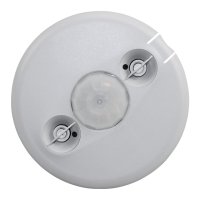
DT-305 Dual Technology Occupancy Sensor, 360° Low Voltage
BZ-50, BZ-150 Power Pack: 120/277VAC, 50/60Hz, 225mA, 20A ballast or incandescent, 1HP@120/250VAC
BZ-200, BZ-250 Power Pack: 120/277 VAC, 50/60Hz, 225mA, 20A ballast/ELV/MLV/incandescent/LED;16A E-ballast/CFL
S120/277/347E-P Auxiliary Relay Pack: 120/277VAC, 60Hz, 20A Ballast, 347VAC, 60Hz, 15A Ballast
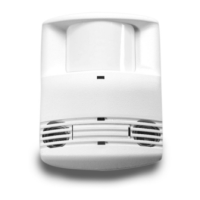
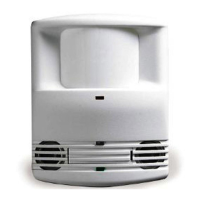
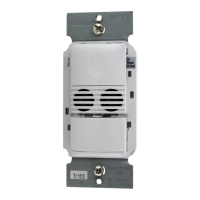
All sensors are white.
BZ series power packs supply power for up to 5 DT-305 sensors.



 To Next Page
 Loading...