Wattstopper
®
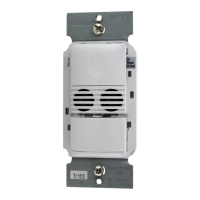
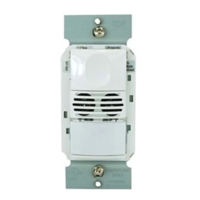
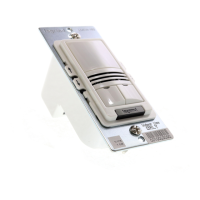
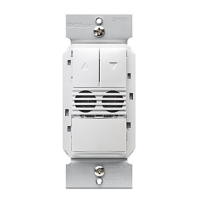
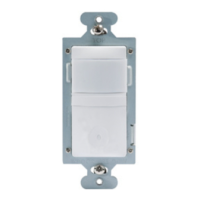
PIR Wall Switch Convertible Occupancy Sensor
Détecteur de présence IRP à interrupteur mural convertible
Sensor de Desocupación de pared configurable
Installation Instructions • Instructions d’Installation • Instrucciones de Instalación
No: 24219 – 08/16 rev. 1
Catalog Number • Numéro de Catalogue • Número de Catálogo: RS-250
Country of Origin: Made in China • Pays d’origine: Fabriqué en Chine • País de origen: Hecho en China
SPECIFICATIONS
Voltage .............................................................. 120VAC, 60Hz
Load (Single Pole Circuit)
Incandescent or fluorescent .......................... 0-600 Watts
Fan motor ............................................................... 1/6 hp
Time Delay Adjustment ....................15 seconds to 30 minutes
Light Level Adjustment ....................................... 10 fc to 150 fc
Environment ..................................................... Indoor use only
Operating Temperature .............32° to 131°F (0° to 55°C)
Humidity ...................................95% RH, non-condensing
Tools Needed
Insulated Screwdriver
Wire Strippers
DESCRIPTION AND OPERATION
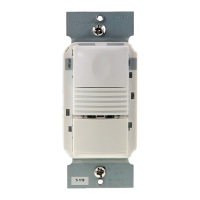
The RS-250 PIR Wall Switch Convertible Occupancy Sensor is designed to replace a standard light or fan switch. It is ideal for any
indoor area in a space where occupancy sensor-based Manual ON/OFF controls are desirable.
Like a standard switch, you press the ON/OFF button to turn the light or fan (controlled load) ON and OFF. Unlike a standard switch, the
RS-250 automatically turns OFF the controlled load after the coverage area has been vacant for a period of time (Time Delay). If motion
is detected within 30 seconds after it automatically turns OFF, the RS-250 automatically turns the load back ON.
While the sensor is factory preset as a Vacancy Sensor with manual ON operation, it can be adjusted to work as an Occupancy Sensor
that turns the controlled load ON automatically upon detection of occupancy in the area.
Lighted Switch
To help you locate the RS-250 in a dark room, the amber LED illuminates the ON/OFF button while the controlled load is OFF. When
the controlled load is ON, the LED is OFF.
Operating Modes
There are two operating modes to select from during set up:
MODE 1: Vacancy sensor (Manual-ON/OFF, Auto-OFF): The user must press the ON/OFF button to turn
the load ON. The RS-250 keeps the load ON until no motion is detected for the selected time delay period
(adjustable from 15 seconds to 30 minutes). There is a 30 second reset delay. If motion is detected during
this time, the sensor turns the load back ON automatically. After the reset delay time has elapsed, the ON/
OFF button must be pressed to turn ON the load.
MODE 2: Occupancy sensor (Auto-ON/OFF with manual control and reset to auto after 5 minutes of
vacancy): The load turns ON and OFF automatically based on occupancy detection. The RS-250 keeps the
load ON until no motion is detected for the selected time delay period. If the load is turned OFF manually,
automatic-ON is re-enabled when no motion is detected for 5 minutes. This prevents the load from being
turned ON after it was deliberately turned OFF.
Time Delay
The time delay can be selected by the user during set up. It can be adjusted from 15 seconds up to 30 minutes. For additional
information on how to adjust it, please read the SENSOR ADJUSTMENT & PROGRAMMING section of this installation manual.
Light Level
When the sensor is set for occupancy sensor Mode 2 (Auto-ON/OFF) the light level feature prevents the sensor from automatically
turning the lights ON if there is already enough light in the area. To adjust the light level, please read the SENSOR ADJUSTMENT &
PROGRAMMING section of this installation manual.
Coverage Area
The RS-250 has a maximum range of 180 degrees and a coverage area of 600 sq. feet (56 sq. meters). The sensor must have a clear
and unobstructed view of the coverage area. Objects blocking the sensor’s lens may prevent detection thereby causing the light to turn
OFF even though someone is in the area.
NOTE: Windows, glass doors, and other transparent barriers will obstruct the sensor’s view and prevent detection.
Fig. 1: Sensor Coverage Area

 Need help?
 General


 To Next Page