3
WIRING DIRECTIONS
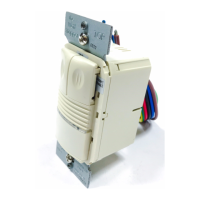
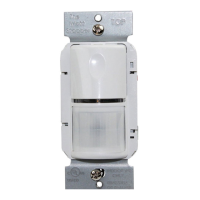
For normal installation of the WS‑250, connect:
1. LOAD to Red flying lead.
2. LINE to Black flying lead.
3. GROUND to Green.
Load
Red
Black to Line
Green
Single‑level wiring
Manual bi‑level lighting wiring
Load
Load
Green
Red
Black to Line
SENSOR ADJUSTMENT
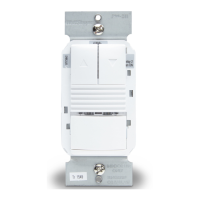
1. To test unit operation, press the ON/OFF button to turn the load ON.
2. Remove the button cover to access the adjustment controls. Use a small, flat blade screwdriver to press down the locking tab at
the top of the button, then gently pry it off.
a. Set the time delay to the “walk test” position (fully
counterclockwise).
b. Leave the room. The load should go OFF after 30 seconds.
3. To test sensitivity:
a. Make no motion for 3 seconds.
b. Wave your hand sideways in front of the sensor at a distance
of approximately 12”. The LED blinks when movement is
detected. Typically, the sensitivity should be at maximum
(fully clockwise).
4. Set the light level when the controlled light would normally be
turned OFF due to the presence of sufficient daylight or other
electric light. [If this feature is not needed, leave the light level at
maximum (fully clockwise)].
a. Set the Time Delay to at least 5 minutes. This takes the
sensor out of Walk‑test mode, and enables the light level feature.
b. Set the Light level to 50% (12 o’clock position) which is approximately 100fc. Let the sensor time out so lights are OFF. Enter the
space and lights should remain OFF.
c. Make sure your body does not cast a shadow on the sensor, and adjust the light level trimpot clockwise in small increments.
d. After each adjustment, wait 5‑10 seconds to see if the lights turn ON. Repeat until the lights turn ON. At this setting the load
connected to the sensor will not turn ON if light levels are above the current illumination.
NOTE: Note: Users can override this function by placing their hand in front of the sensor to block incoming light. The load will
then remain ON until the space is unoccupied or the light level rises above the setpoint and the time delay expires.
5. Reset the time delay to the desired setting. The time delay can be set from 30 seconds (see Walk‑test feature, light level feature is
disabled) to 30 minutes in 5‑minute increments.
Time Delay (T)
Shown as set for
15 minutes
30 seconds
(Walk-test)
5 minutes
10 minutes
20 minutes
25 minutes
30 minutes
L
T
S
CAUTION: DO NOT OVERTURN TRIMPOTS WHEN ADJUSTING THE SENSOR!



 To Next Page