
 Need help?
Do you have a question about the LEGRAND WS-250 and is the answer not in the manual?
Specifies the line voltage requirements for the occupancy sensor.
Details the load capacity for different types of lighting and motor loads.
Defines the range for adjusting the duration the load stays on after occupancy ceases.
Covers the range for adjusting the sensor's sensitivity to motion detection.
Specifies the range for ambient light level detection to control load activation.
Explains how to manually turn the load ON and OFF using the button.
Describes the 30-second time delay feature for quickly checking sensor coverage.
Details how to disable automatic functions for manual control via the Service Jumper.
Explains how to use opaque tape to limit the sensor's detection area.
Provides instructions and diagrams for connecting the sensor wires to the load and line.
Guides on how to set time delay, sensitivity, and light level for optimal performance.
Lists common causes and checks when the connected load fails to activate.
Identifies potential issues and solutions when the load remains on.
Offers solutions for false triggers or missed detection due to improper sensor coverage.
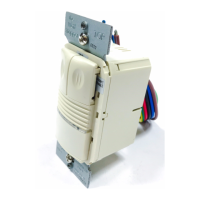
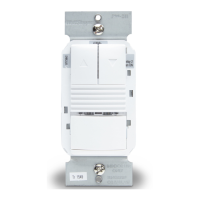
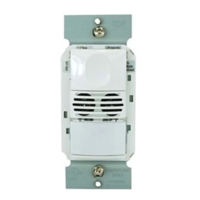
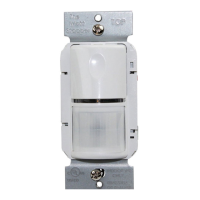
The Wattstopper Passive Infrared Wall Switch Occupancy Sensor, model WS-250, is a sophisticated device designed to automate lighting and fan loads based on occupancy and ambient light levels. It serves as a direct replacement for a standard light switch, offering enhanced energy efficiency and convenience. The sensor operates on either 120VAC or 277VAC line voltage, making it versatile for various electrical systems.
At its core, the WS-250 utilizes passive infrared (PIR) technology to detect human motion, thereby determining occupancy within a space. When motion is detected, a green LED on the sensor blinks, indicating occupancy. After a brief 2-second reset, it will blink again upon subsequent motion detection.
The sensor is programmed to automatically turn ON the connected load (lights or fan) when it detects occupancy. Once the space becomes vacant and a user-defined time delay elapses, the load is automatically turned OFF. This core functionality ensures that energy is not wasted in unoccupied areas.
A key feature of the WS-250 is its ability to integrate with ambient light levels. If sufficient natural or artificial light is already present in the area, the sensor will hold the load OFF, even if occupancy is detected. The load will only turn ON if the ambient light drops below a field-selectable setpoint and occupancy is detected. Once the load is turned ON under these conditions, it remains ON until the space is vacant, the time delay expires, or the ambient light level rises above the setpoint.
The WS-250 offers several user-friendly features that enhance its adaptability and ease of use:
Manual Operation: Occupants retain control over the connected load. They can manually press the ON/OFF button on the sensor to turn the load ON or OFF. When the load is manually controlled, it remains in that state (ON or OFF) as long as the sensor continues to detect motion. If no motion is detected for the duration of the set time delay, the sensor reverts to automatic operation. If the load was ON, it will turn OFF. The next time occupancy is detected and the ambient light is below the set level, the sensor will automatically turn the load ON.
Adjustable Time Delay: The sensor features an adjustable time delay, allowing users to set how long the load remains ON after the last detected motion. This delay can be set from 30 seconds (for walk-test mode) up to 30 minutes, in 5-minute increments. This flexibility helps tailor the sensor's behavior to specific room usage patterns.
Adjustable Sensitivity: The WS-250 includes a sensitivity adjustment, ranging from minimum to maximum. This allows users to fine-tune the sensor's responsiveness to motion, preventing unwanted activations or ensuring detection in specific areas.
Adjustable Light Level: The light level trimpot enables users to set the ambient light threshold at which the sensor will allow the load to turn ON. This feature is crucial for maximizing energy savings by preventing lights from turning on when adequate daylight is available. If this feature is not desired, the light level can be set to maximum (fully clockwise) to disable it.
Walk-Test Feature: For quick verification of the sensor's coverage area, a walk-test feature is available. By setting the Time Delay trimpot fully counterclockwise, the sensor enters a 30-second time delay mode. This allows installers or users to rapidly check if motion is being detected across the desired space.
Masking the Lens: The sensor comes with opaque adhesive tape that can be used to mask specific sections of the Fresnel lens. This allows users to eliminate coverage in unwanted areas, preventing the sensor from detecting motion in adjacent spaces or hallways. It's important to remember that masking removes bands of coverage, which should be considered when troubleshooting.
Service Function: In the event of a unit failure or if there's a need to keep the load continuously ON, a service jumper plug can be removed. This action disables all automatic ON and OFF functions, allowing the load to be operated solely via the manual ON/OFF button. This provides a failsafe mechanism for continued operation.
While the WS-250 is designed for reliable, long-term operation, some aspects relate to its maintenance and troubleshooting:
Troubleshooting Guide: The manual provides a comprehensive troubleshooting section to address common issues such as the load not turning ON or OFF, or sensing motion outside the desired area. This guide directs users to check sensitivity settings, wire connections, time delay, and light level trimpot positions.
Easy Adjustment Access: The adjustment controls (Time Delay, Sensitivity, Light Level) are easily accessible by removing the button cover. This allows for straightforward tuning of the sensor's parameters using a small, flat blade screwdriver.
Standard Cover Plate Compatibility: The Wattstopper WS wall switches are designed to fit behind industry-standard decorator style switch cover plates (not included). This ensures a clean, integrated look with existing electrical installations and simplifies replacement if needed.
Installation Warm-up Period: After initial installation or power-up, the sensor undergoes a warm-up period, which can last up to a minute. During this time, the load may not turn ON immediately. This is a normal part of the sensor's initialization process and does not indicate a fault.
Button Press Delay: To prevent rapid, unintended changes, the sensor ignores successive button presses if they occur within 2 seconds. Users are advised to wait at least two seconds between button presses for proper response.
The WS-250 is a robust and adaptable occupancy sensor, offering a blend of automatic control, manual override, and fine-tuning capabilities to optimize energy usage and user comfort in various environments.
 General
| Type | Wall Switch |
|---|---|
| Color | White |
| Material | Thermoplastic |
| Mounting Type | Wall Mount |
| Current Rating | 10A |


 To Next Page