37
6. Assembly
Fig. 31
1 Insert frame for coverslips
2 Leaf springs
Rotating Stage and Insert Frames for Coverslips
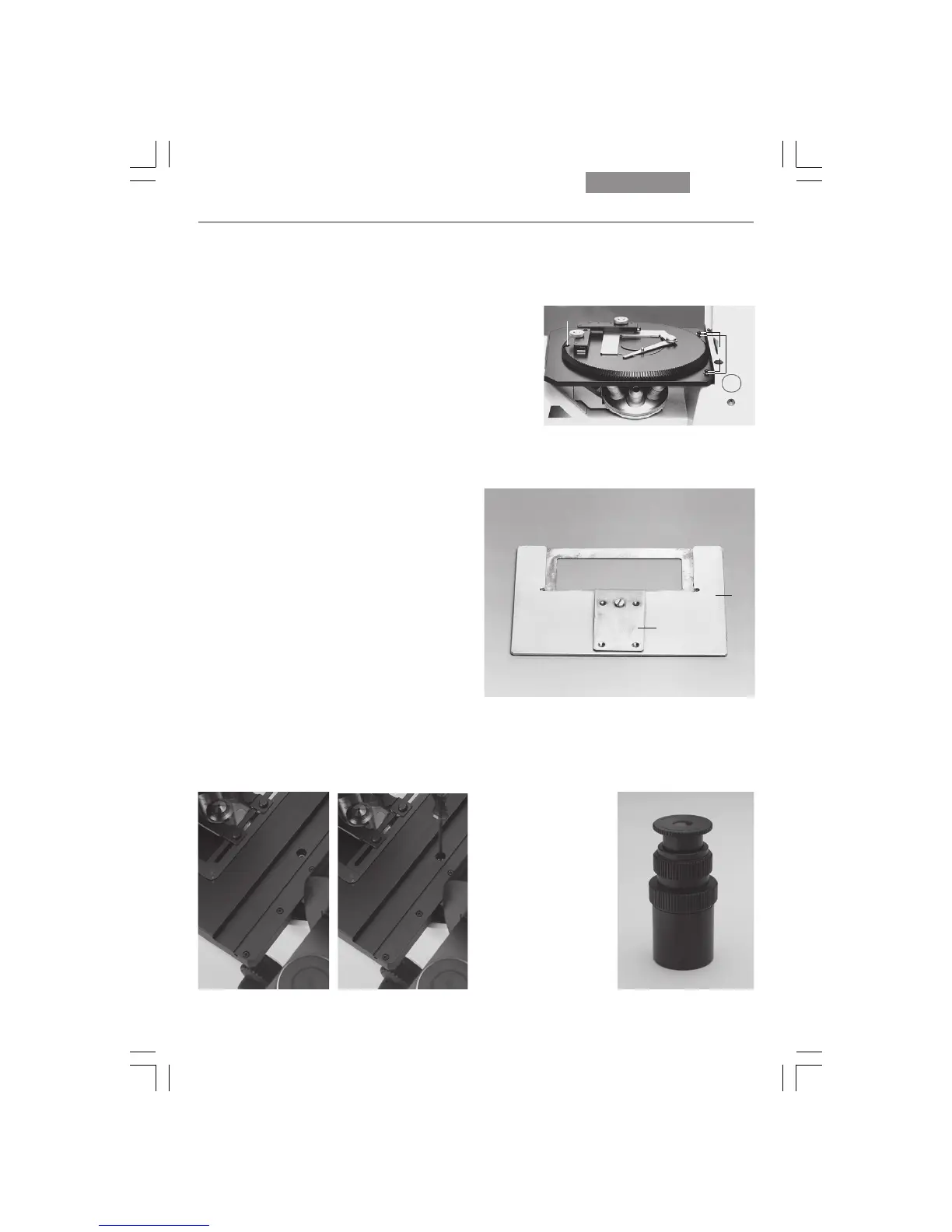
The rotating stage (Fig. 30) is also mounted with
3 screws (30.2). Rotate the stage to make all of
the threaded holes accessible. Insert the
screws (30.2).
Caution:
Use additional washers (30.3) for the rear holes.
Tighten the screws only lightly, as the rotating
stage must be centered first: insert the adjusting
aid into the rotating stage for this purpose. Acti-
vate the Bertrand lens and focus, or use a fo-
cusing telescope (Fig. 32). Move the stage until
the bright circle is in the middle of the field of
view. Next, tighten the stage, swing the
Bertrand lens out and remove the adjusting aid.
To insert glass slides in insert frames (31.1),
press on the center of the leaf spring (31.2) and
insert the coverslip in the direction of the arrow.
Clamp the insert frame in the attachable me-
chanical stage (30.1).
Fig. 32 Focusing telescope
!
Fig. 30 Rotating stage
1 Attachable mechanical stage
2 Screws for stage mounting
3 Washers
Fig. 29 a, b Mounting screws for 3-plate cross-stage
ab
1
2
3
2
1
2


 To Next Page