67
7. Start-up
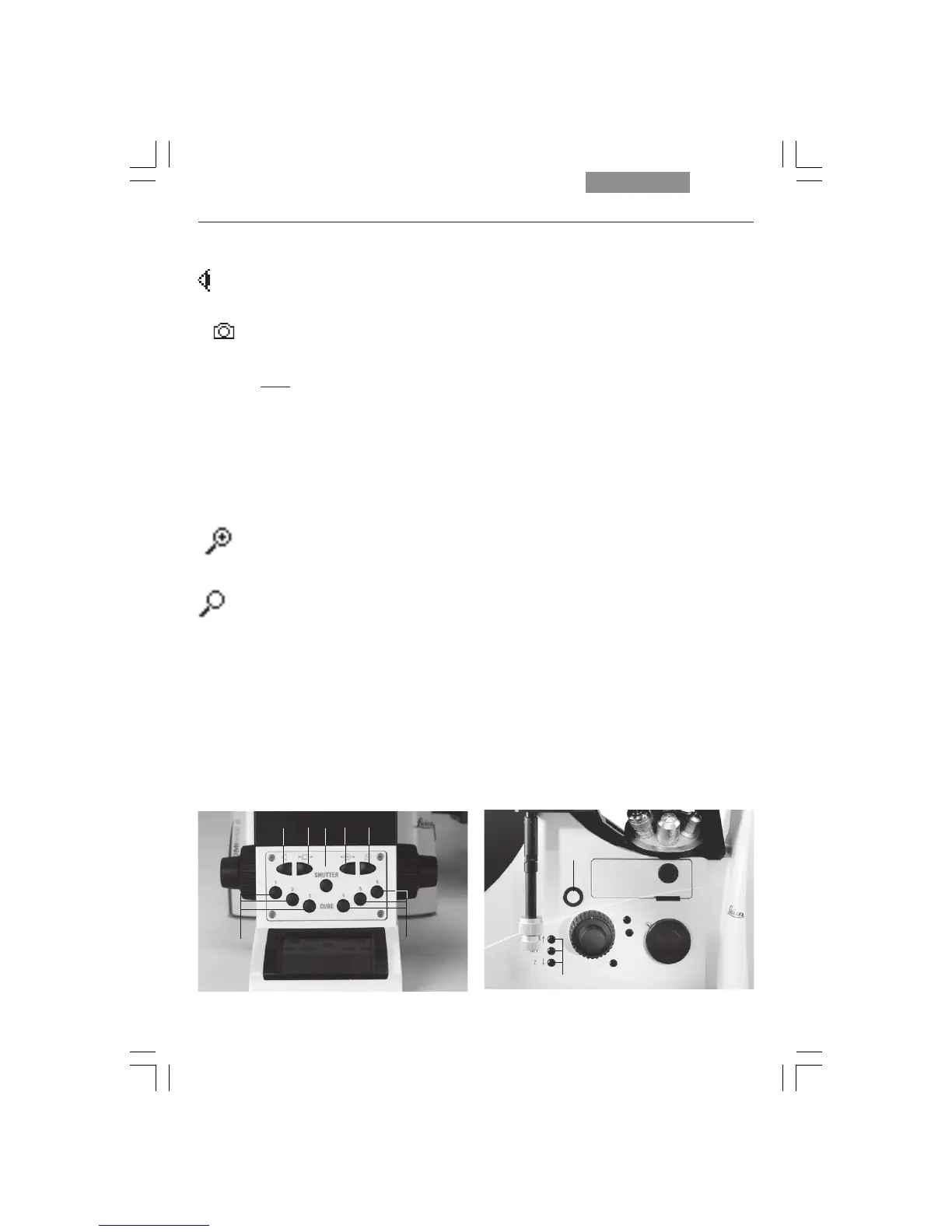
Function buttons on the front panel (Fig. 87)
100% of the light goes to the eye-
piece (87.1).
Toggle function for the side ports
(87.2). This function depends on the
individual microscope configuration.
Note:
Switching to the bottom port:
via the variable function buttons
(Leica DMI6000B only), switching to
top port: manually.
SHUTTER Opens and closes the shutter (87.3).
Switches between the possible mag-
nifications of the magnification
changer (87.4).
The magnification changer is set to the
magnification 1x (87.5).
Fig. 87 Front control panel
1 100% light to eyepiece
2 Toggle ports
3 Shutter
4 Switch between subsequent magnifications
5 Subsequent magnification 1x
6 Selecting filter cubes
Fig. 88
1 Focus control buttons
2 Open filter drawer
CUBE The CUBE 1 to CUBE 6 (87.6) buttons
permit the direct selection of indi-
vidual filter cubes, provided the se-
lected cube is valid for the selected
method.
Press the CUBE 3 and CUBE 4 but-
tons at the same time to display the
assignments of the variable function
buttons. To reset the display, press
the buttons again or wait 3 seconds.
Focus buttons (Fig. 88) (DMI6000B only)
Moves the Z drive in the indicated di-
rection.
SET + Z
″ Sets the upper focus stop.
SET + Z
Sets the lower stop.
1
Z″
Z
2
1x
→
→
→
→
13
4
66
2 5


 To Next Page